
Configuring Administrative Settings and Tables
You can configure most administrative settings and many administrative tables on the Settings and Tables page in Polaris System Administration (web-based).
This section covers the following topics:
Accessing Administrative Settings
To access settings in Polaris System Administration (web-based).
-
On the Home page, select Settings and Tables.
The Settings and Tables page appears. The system displays the Settings tab by default.
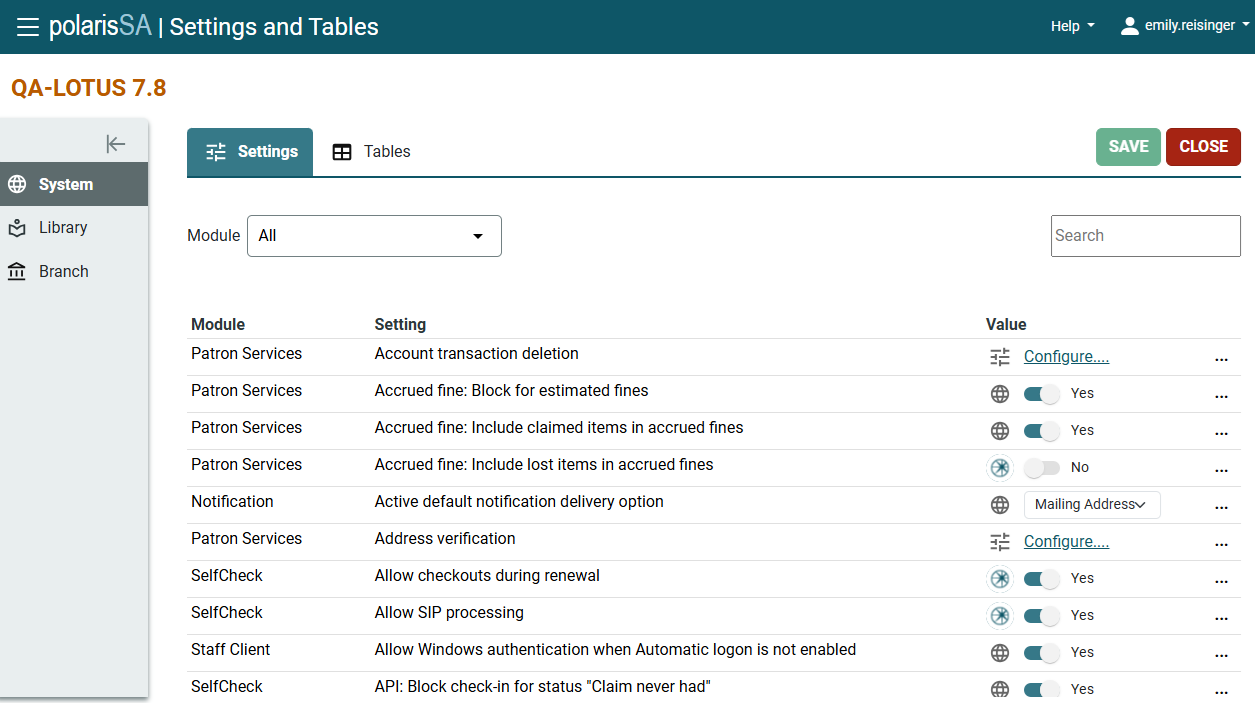
Configuring Settings on the Settings and Tables Page
On the Settings tab of the Settings and Tables page, you can:
-
Configure more than 600 different Polaris administrative settings. Depending on the setting, you can do one of the following:
-
Select or enter the setting value directly on the Settings and Tables page.
-
Select the Configure link to open a dialog where you can configure the setting.
-
-
Select an option from the menu on the left side of the screen to view system, library, or branch-level settings.
-
Select an option from the Module list to limit the list of settings to a particular module. For example, to view only acquisitions settings, select Acquisitions from the Module list.
-
Search for settings by typing in the Search box.
-
Use the icons in the Value column to understand where each setting is configured. The icons indicate whether each setting is configured at the system, library, or branch level, or is the Polaris default setting.
-
Select Options
 to access additional options for each setting:
-
Set to default setting — Select this option to return a setting to its default value.
-
Inherit higher level values — Select this option to inherit a setting value from a higher-level organization.
-
Accessing Documentation for Polaris System Administration (web-based). Settings
The Polaris Administration (web-based) documentation includes the following reference topics, which list every setting that you can configure for your Polaris system:
Accessing Administrative Tables
To access settings in Polaris System Administration (web-based).
-
On the Home page, select Settings and Tables.
The Settings and Tables page appears.
-
Select the Tables tab.
The system displays a list of all administrative tables.
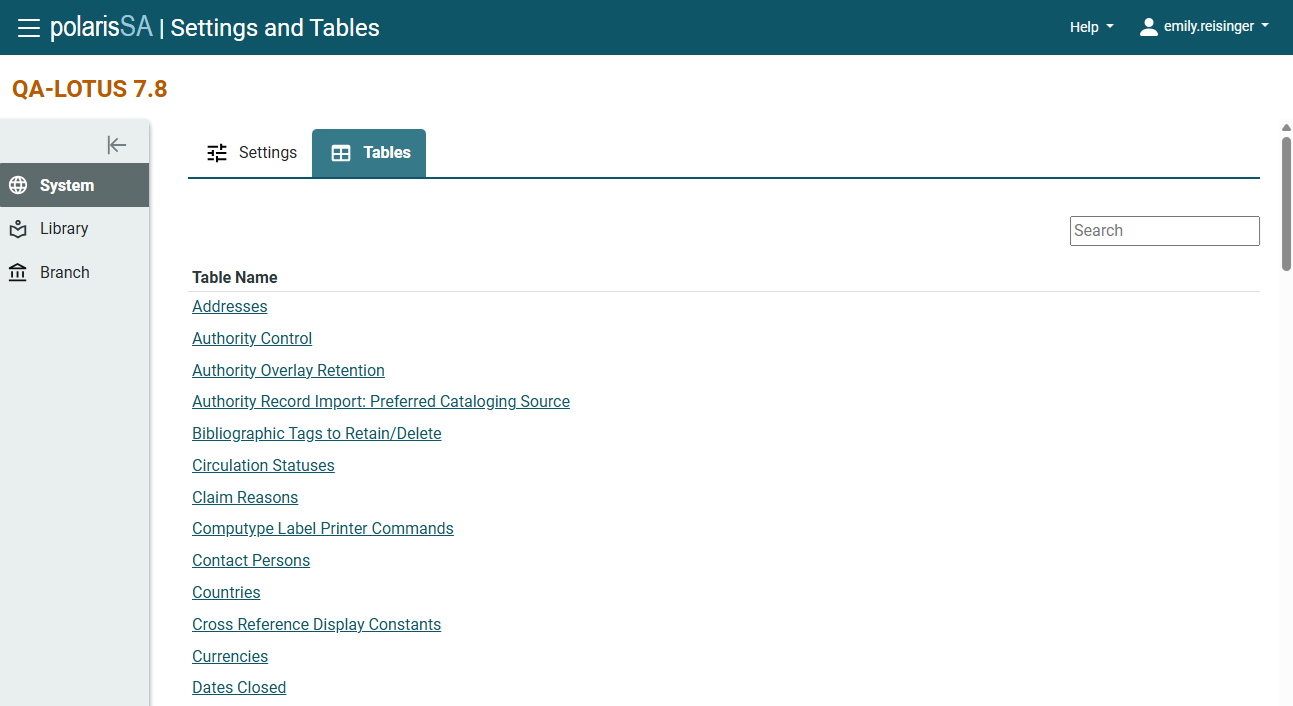
Configuring Tables on the Settings and Tables Page
On the Tables tab of the Settings and Tables page, you can:
-
Configure more than 80 different Polaris administrative tables. Select a table to view and configure it.
-
Select an option from the menu on the left side of the screen to view system, library, or branch-level tables.
-
Search for a table by typing in the Search box.
Accessing Documentation for Polaris Administration (Web-Based) Tables
The Polaris Administration (web-based) documentation includes the following reference topic, which lists every table that you can configure for your Polaris system: Administrative Tables Reference.
