
UNIX File Manager
UNIX File Manager Description
The UNIX file manager allows you to access the UNIX files on the SFX server from the SFX Admin Center interface for a particular instance.
The tool allows you to:
- View, edit, delete, copy, and rename existing files
- Add new files and directories in the /exlibris/sfx_ver/sfx4_1/<instance> location on the SFX server and all its subdirectories.
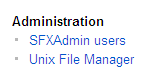
You can access the UNIX file manager from the Setup & Administration > Administration section of the SFX Admin Center.
Different icons are used to distinguish between the following:
- Directory

- Text file

- Non-text file

The permission of the directories and files is displayed when moving your mouse over the file or directory name (as tooltips).
For each file, the file size and last modified time are listed.
When a specific file name is clicked, a pop-up window allows the user to edit the file. The file can be saved after modification if it is writable. If the file is read-only, a warning is provided and all the modifications are discarded.
When a specific directory name is clicked, the user is presented with the files in this directory. To go back to the parent directory, click the Parent Directory link.
New files and directories can be created in the current directory by clicking the New File or New Directory buttons.
After certain files are saved, you receive the following warning message: Changes might not take effect until the httpd server is restarted.

Some files are not editable by the UNIX file manager because they are symbolically linked to files in sfxglb41.
In the example below, the sort_services.config_ file is not editable because the file is symbolically linked.

- Click the Copy button to make a local copy of the file (with a different name), and make the necessary changes.
- Click the Delete button to remove the original symbolically linked file.
- Click the Rename button to give the local file the same name as the original file.
UNIX File Manager Setup
You can set up access to the UNIX file manager.
- Open the following file that provides access to the UNIX file manager:
/exlibris/sfx_ver/sfx4_1/
- In this file, change the value for your profile to “y” for FM.WRITE. See the following example:
|
Section "Administrator" KBMANAGER.WRITE "Y" KBMANAGER.READ "Y" DATALOADER.WRITE "Y" STATISTICS.READ "Y" CITATIONSFORMS.READ "Y" LOOKUP.READ "Y" EXPORT.READ "Y" EXPORT.WRITE "Y" ADMIN.WRITE "Y" FM.WRITE "Y" THRESHOLD.WRITE "Y" TARGET_MATCHER.WRITE "Y" MARC_ENHANCEMENT.READ "N" DEBUGGING.WRITE "Y" KB_REPORTS.WRITE "Y" SFXHELP.WRITE "Y" CATEGORY.WRITE "Y" AZ.WRITE "Y" INSTITUTE.WRITE "Y" CUSTOM.WRITE "Y" EndSection |
