
Configuring External Origins for External Lookups
To configure an external origin for use with an external lookup:
- Choose Origins from the menu on the left-hand side of the WebBridge LR home page.
The Origins tab displays: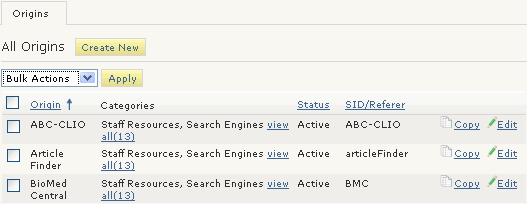
- Choose the Edit button associated with the origin.
The Origin (<origin_name>) tab displays. For example: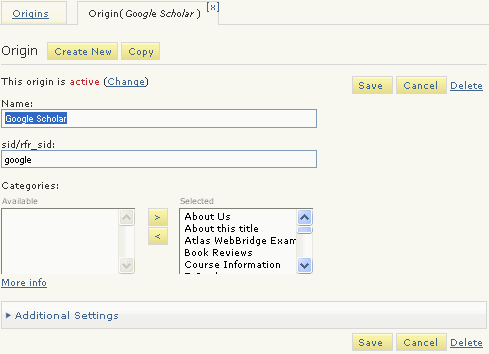
- Expand the Additional Settings menu.
The Additional Settings menu displays.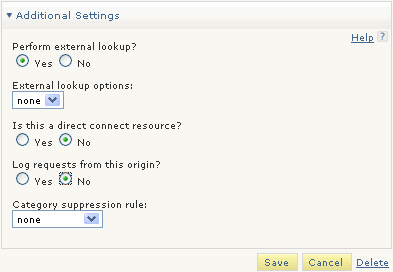
- Choose "Yes" for Perform external lookup?
The External lookup options drop down menu displays. - Choose an external lookup from the drop-down menu.
- Choose Save.
