
明示的な為替レートの設定
- 受入管理者
- 一般システム管理者
For institutions that purchase resources with a different currency than the default currency, and have agreements on specific exchange rates, you can define a fixed exchange rate in the Explicit Exchange Rates code table (Configuration Menu > Acquisitions > Invoices > Explicit Exchange Rates).注文明細が計算されるときは常に、ここで値が使用されます。For instance, if purchasing a resource in GBP, while your institution default is AUD, you can enter that 1 core currency (AUD) = 1.6 GBP.The list of values in the currency table is based on the currencies entered in the Currency Subset table (Configuration Menu > Acquisitions > Currency Subset).機関のデフォルトの通貨を除いて、定義されているすべての通貨がリストに表示されます。
To enable this feature, set the parameter currency_exchange_use_explicit_ratio to true (Configuration menu > Acquisitions > Other Settings).
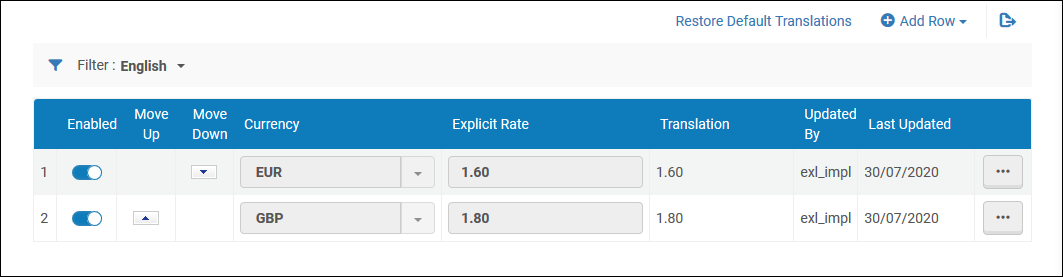
通貨を有効または無効にして、明示的なレートを定義できます。通貨サブセット表で使用可能な通貨に基づいて、新しい通貨を追加できます。
Page tags: article:topicproduct:almacontent:Documentationlang:english
