
法的デポジットリポートパスを設定
ベンダーに送信する法的デポジットのシリアルアナリティックスレポートへのパスを設定できます。For information on these reports, see Working With Legal Deposits.These paths appear in a drop-down list when configuring the job that sends these reports to the relevant vendors; see Legal Deposit Annual Receipt Task in Running Manual Jobs on Defined Sets.
法的デポジットレポートコードテーブルを使用して、これらのパスを設定します(設定メニュー > 受入取得 > 全般 > 法的デポジットレポート)。For more information about code tables, see Code Tables.
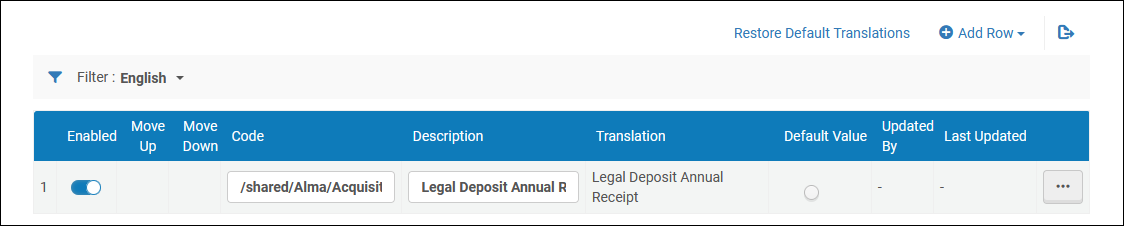
レポートパスを追加、編集、または削除できます。パスを有効化または無効化し、順序を変更し、デフォルトとしてパスを選択できます。
レポートコードは、レポートへのアナリティックスパス+レポート名でなければなりません。For example:/shared/Alma University/reports/acquisitions/Report of arrived items(where /shared/Alma University/reports/acquisitions/ is the path and Report of arrived items is the report name).説明は、法的デポジットジョブの設定時にドロップダウンボックスに表示されるレポート名です。
Page tags: article:topicproduct:almacontent:Documentationlang:englishlegal deposit report pathadd legal deposit report path
