
請求書承認ルールを設定
- 発注・受入オペレーター
- 統括システム管理者
請求書承認ルールは、請求書に手動承認が必要かどうかを決定します。See Approving Invoices.ルールは、機関内のすべての図書館に適用されます。
Watch the Configure Purchasing and Invoice Rules video.
請求書承認ルールは、[請求書承認ルール]ページ(設定メニュー> 受入> 請求書> 請求書承認ルール)から設定します。For more information about rules tables, see Rules Tables.
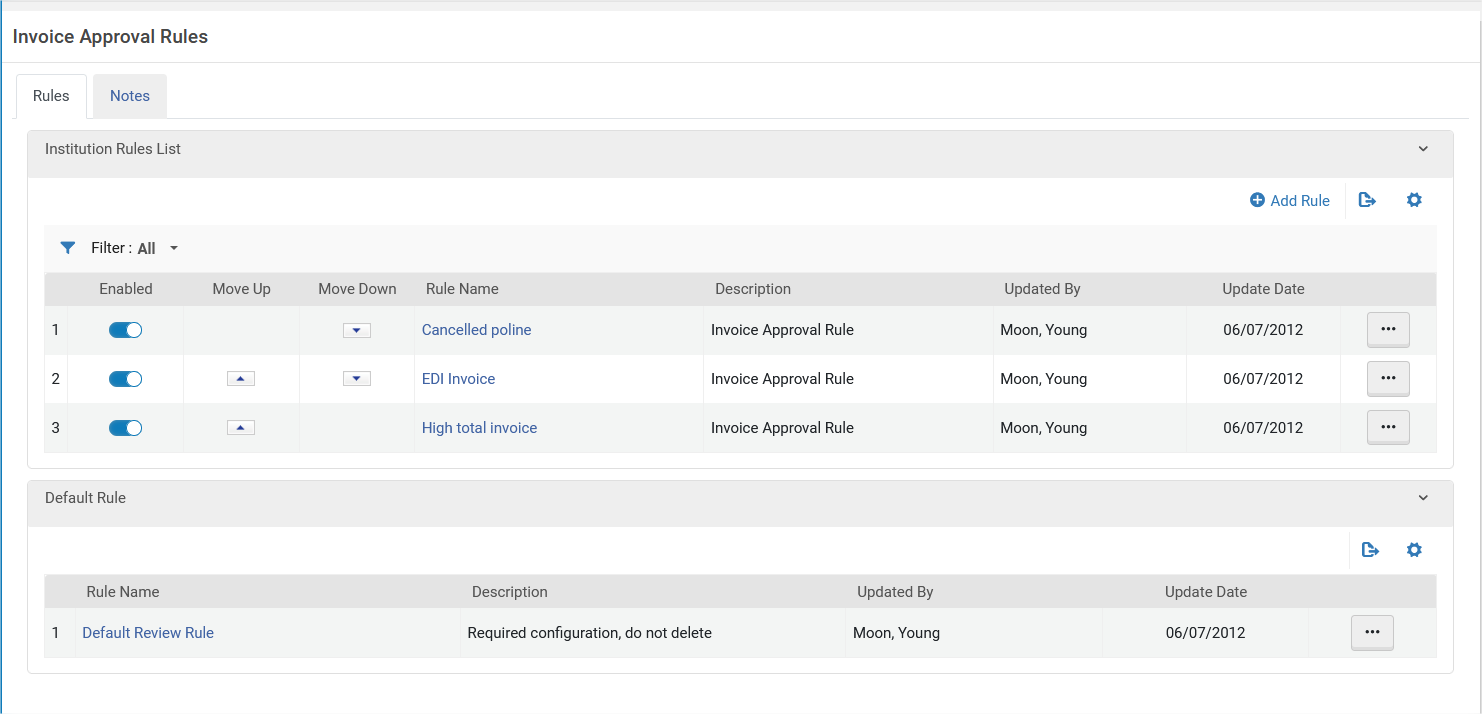
このデフォルトのルールには、設定パラメータがなく、以下の通りTrueまたはFalseにしか設定することができません:
- True - 承認用に送信されます。
- False - 承認用に送信しません。請求書は支払い待機中で、ワークフローの支払い段階に進みます。
請求書承認ルールページ(ルールを追加を選択するか、アクションリスト列の編集を選択)でルールを追加または編集します。
各請求書承認ルールは、有効または無効にできます。デフォルトでは、新しいルールはそれぞれ有効になっています。
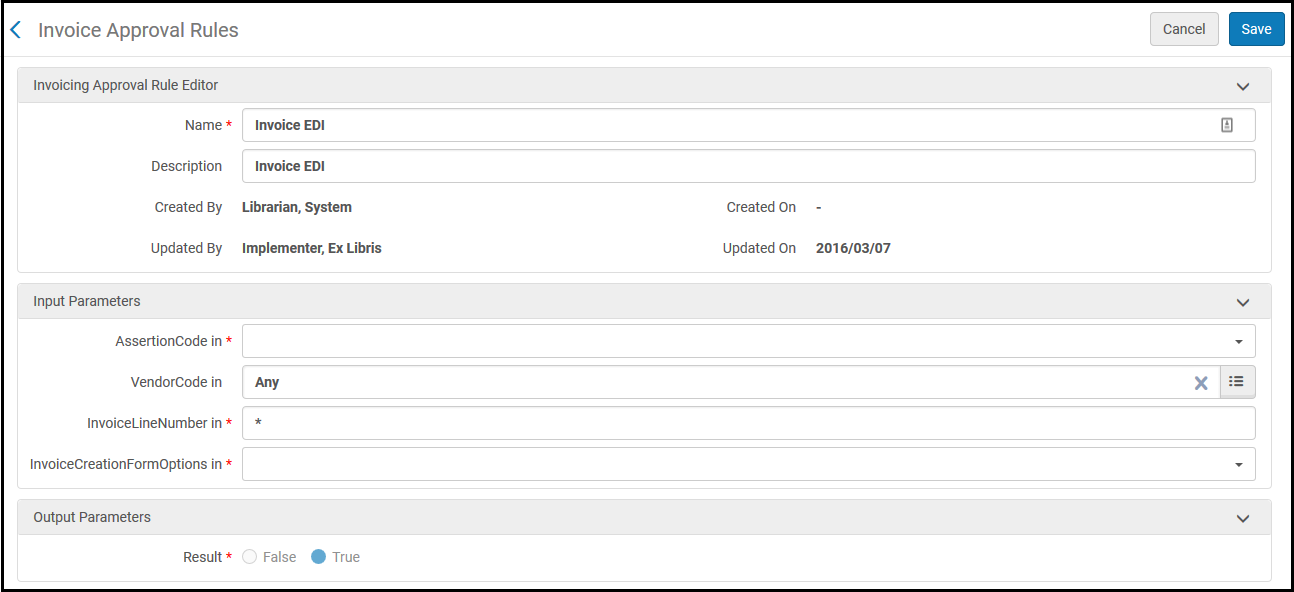
基準(入力パラメータ)については、次のテーブルを参照してください。For Result,True indicates that the invoice is sent for approval.False indicates that the invoice is not sent for approval and is sent for payment or closure, depending on the configuration (whether or not to send to ERP).
| パラメータ | 説明 |
|---|---|
| AssertionCode | 生成されたアラートのタイプ。For a list of possible values, see Invoice Review Rules Input Parameters. |
| VendorCode | ベンダー。 |
| InvoiceLineNumber | 請求明細番号。 |
| InvoiceCreationFormOptions | 請求書を作成したプロセス。オプションは次のとおりです:
|
Page tags: article:topicproduct:almacontent:Documentationlang:englishautomatic invoice processingautomatic invoice approvalinvoice approval ruleadd invoice approval ruleedit invoice approval rule
