
受入アラートの管理
- 受入管理者
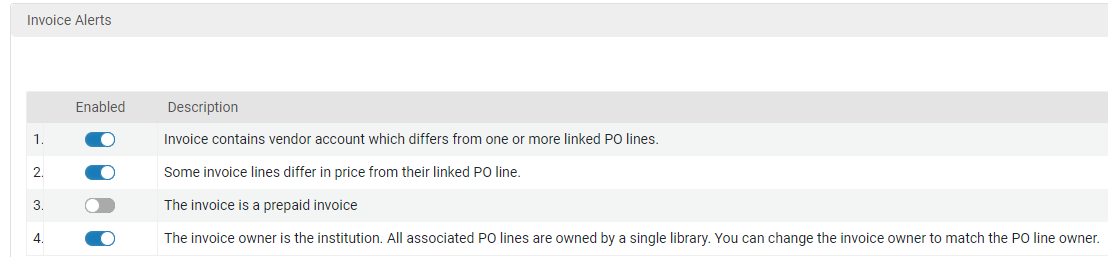
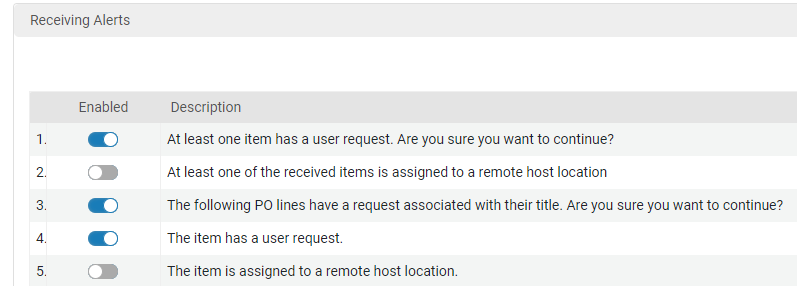
Some PO line and invoice alerts, as seen on their respective Alerts tabs, can be disabled.The disabling of the alerts also affects the confirmation messages associated with these alerts.The eligible alerts are found on the Manage Acquisitions Alerts page (Configuration Menu > Acquisitions > General > Manage Acquisitions Alerts) in several sections: one for invoice alerts, one for PO line alerts, andone for receiving alerts.
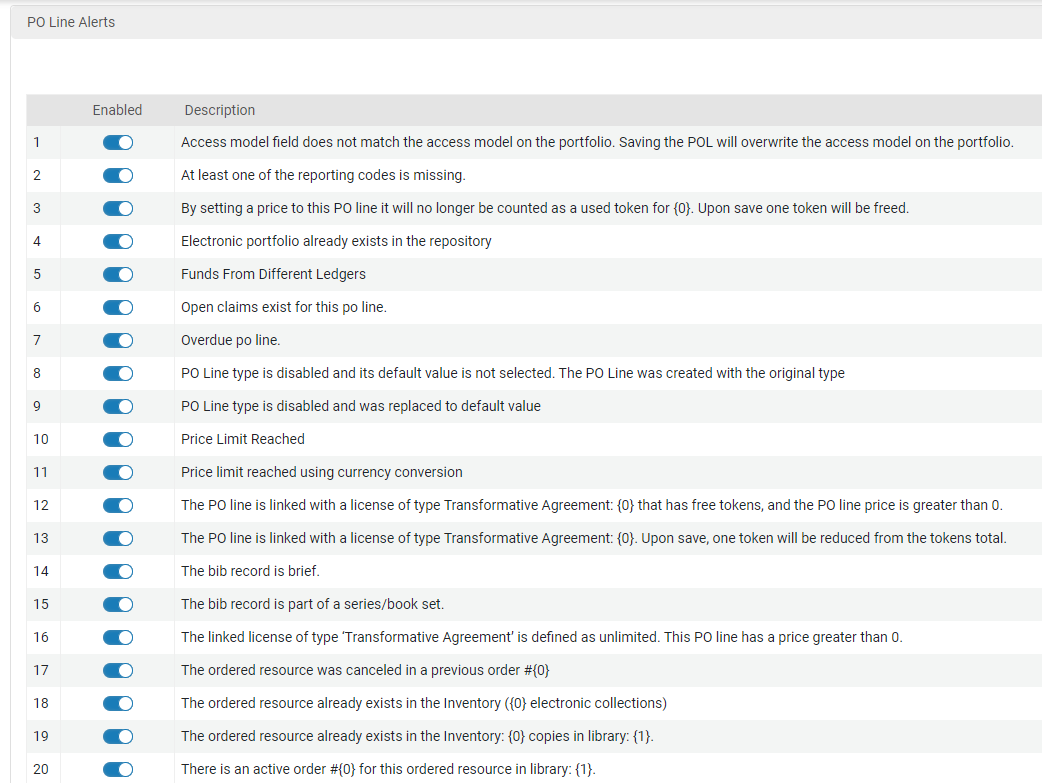
- 無効にされたアラートに購入レビュールールまたは請求書レビュールールが設定されている場合、ルールは再計算または作成された注文明細/請求書に対して機能しません。
- 既存の注文明細/請求書に関するアラートは、注文明細または請求書が再計算されるまで維持されます。
PO line and invoice are recalculated every time they are either edited and saved or when they progress in their workflow.
In the Invoice Alerts list, there is one message that is not tied to the Invoice Alerts tab.「請求書の所有者は機関です。関連するすべての注文明細は、単一の図書館によって所有されます。請求書の所有者を注文明細の所有者と一致するように変更できます。」のメッセージを無効にすることにより、ポップアップメッセージのみを無効にします。
For information about the meanings of these alerts, see Configuring Purchasing Review Rules.
Page tags: article:topicproduct:almacontent:Documentationlang:englishtrial questionsmultiple choice questionssurvey questions
