
ライセンス条項の制御語彙を設定
ライセンス条項を設定するには、次の役職が必要です:
- 発注・受入オペレーター
- 一般システム管理者
You can add, delete, and modify values for controlled vocabulary license terms that are defined in the Manage License Term page.These values appear as the drop-down values for a controlled vocabulary license term in the License Terms tab on the License Term Details page.See Managing Licenses Terms.
制御語彙ライセンス条項の値は、ライセンス条項制御語彙ページ(設定メニュー > 受入 > ライセンス > ライセンス条項の管理)で管理できます。
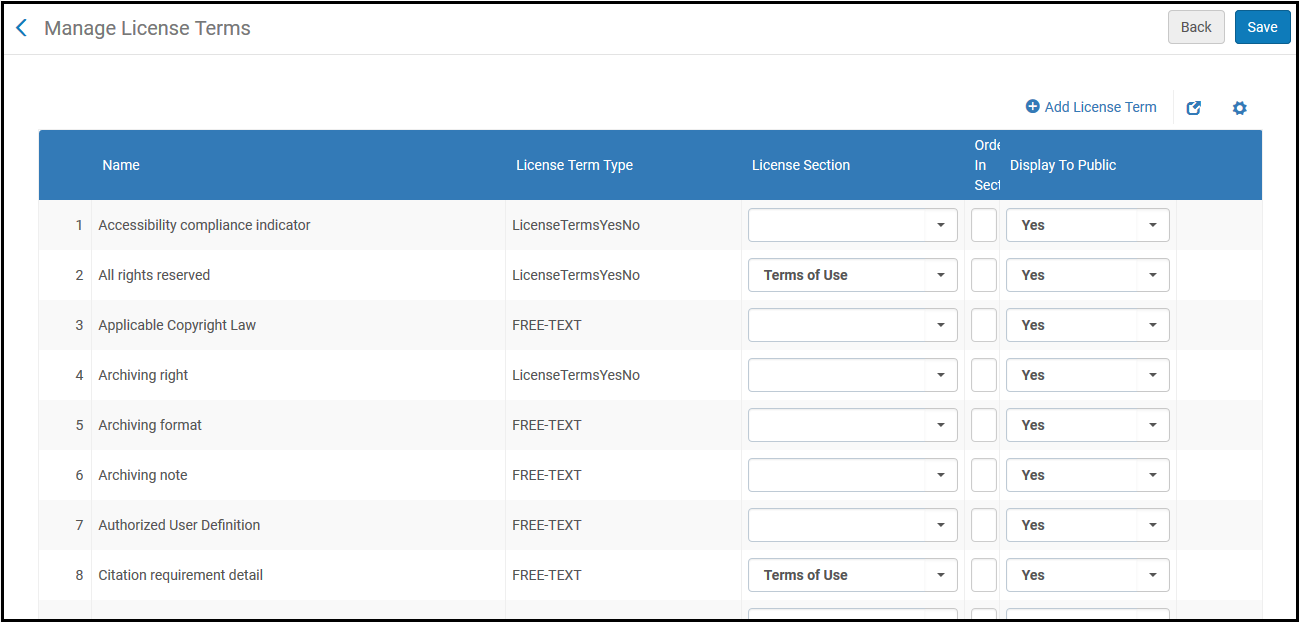
[ライセンス条項を管理]ページ
制御語彙の値を追加するには:
- 行を追加を選択します。次のポップアップボックスが表示されます:
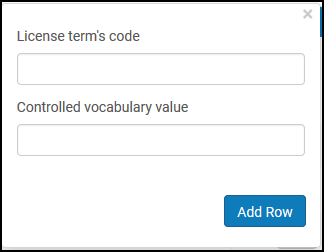
[ライセンス条項を追加]ダイアログボックス - Enter the license term's unique Code.
- このライセンス条項についてドロップダウンリストに表示される値を入力します。
- 行を追加を選択します。When you are done adding values, select Save.
Page tags: article:topicproduct:almacontent:Documentationlang:englishlicense termadd license termlicense term type
