
Copy Cataloging
Leap's Find Tool offers the ability to search both local and remote databases for bibliographic and authority records. You can copy the cataloging details of bibliographic records from any database you can search.
Three Cataloging settings are available in Polaris System Administration (web-based) to help with Leap's performance when returning records from a remote database search:
- Web App: Remote databases: Maximum number that can be searched at once
- Web App: Remote databases: Maximum number of records to return
- Web App: Remote databases: Maximum search time (seconds)
Tip:
Search "Cataloging Profiles" in the Polaris staff client help for detailed information about these profiles.
To search the Leap remote databases
-
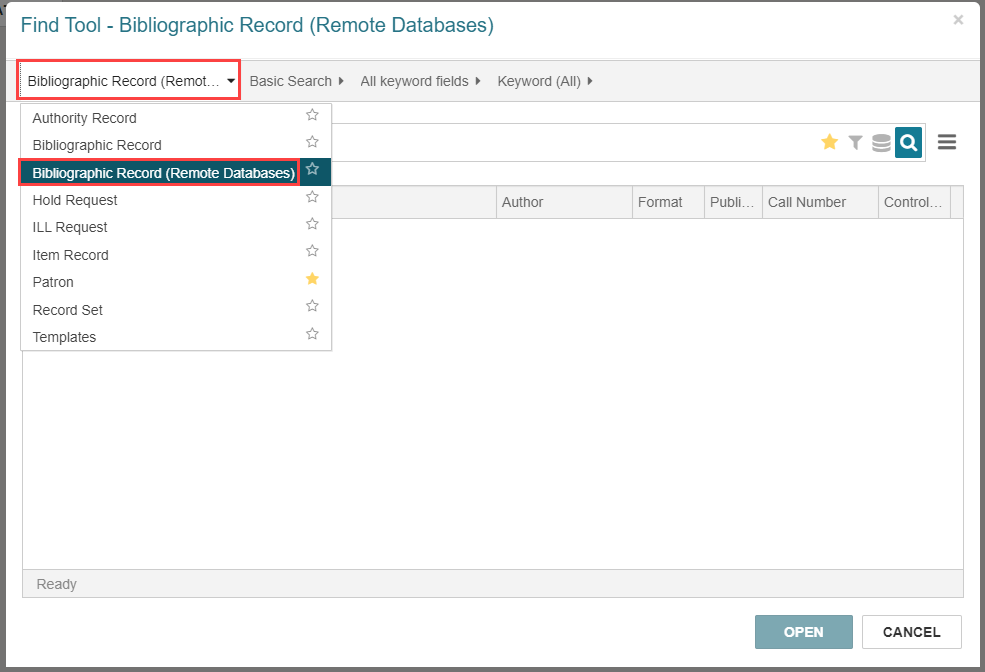
Go to the Find Tool and select one of the following:
-
Bibliographic Record (Remote Databases)
-
Authority Record (Remote Databases)
-
- Do one of the following to select databases:
Select the Database icon
 beside the Search icon.
From the Options menu, select Databases.
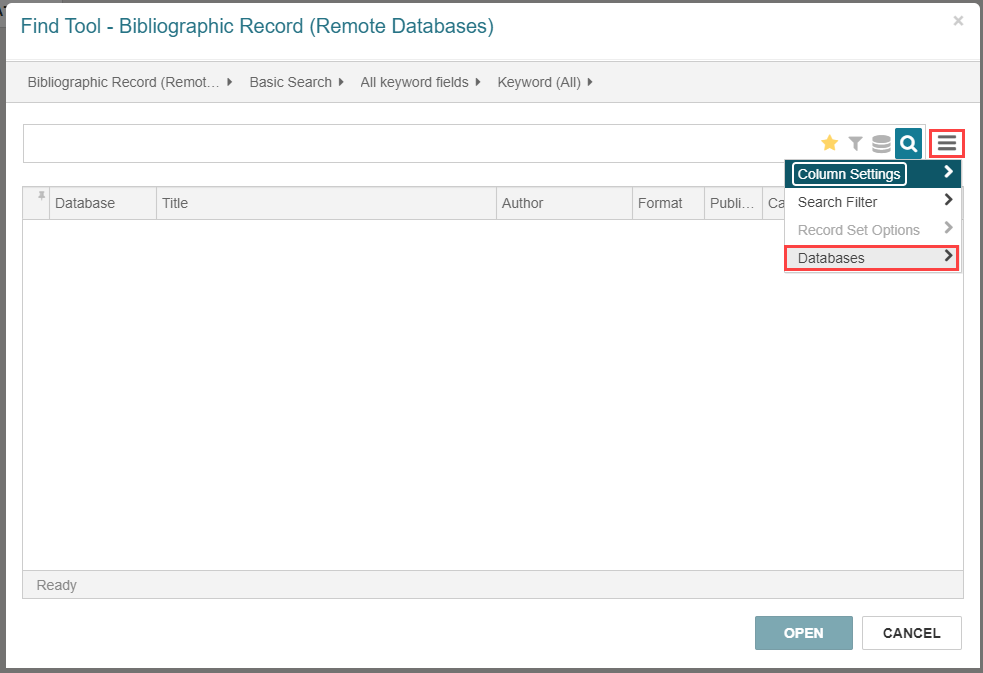
The Databases dialog opens.
-
Select up to 10 remote databases.
Note:
The Web App: Remote databases: Maximum number that can be searched at once profile determines how many remote databases you can select. Search for "Cataloging Profiles" in the Polaris staff client help for more information.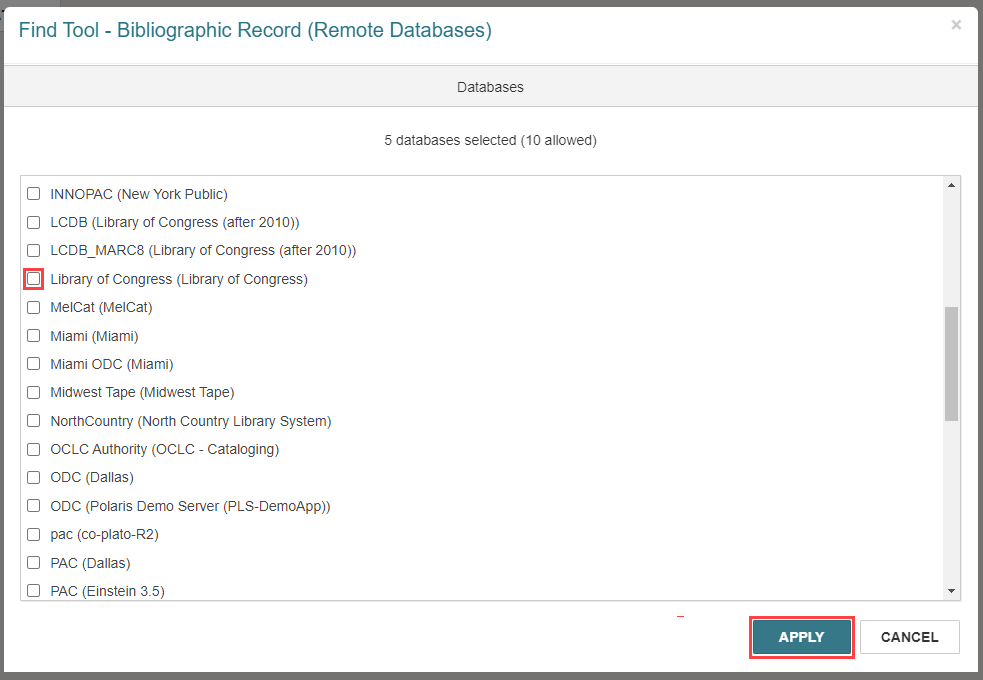
-
Select APPLY.
You return to the Find Tool - Bibliographic or Authority Record (Remote Databases) dialog.
-
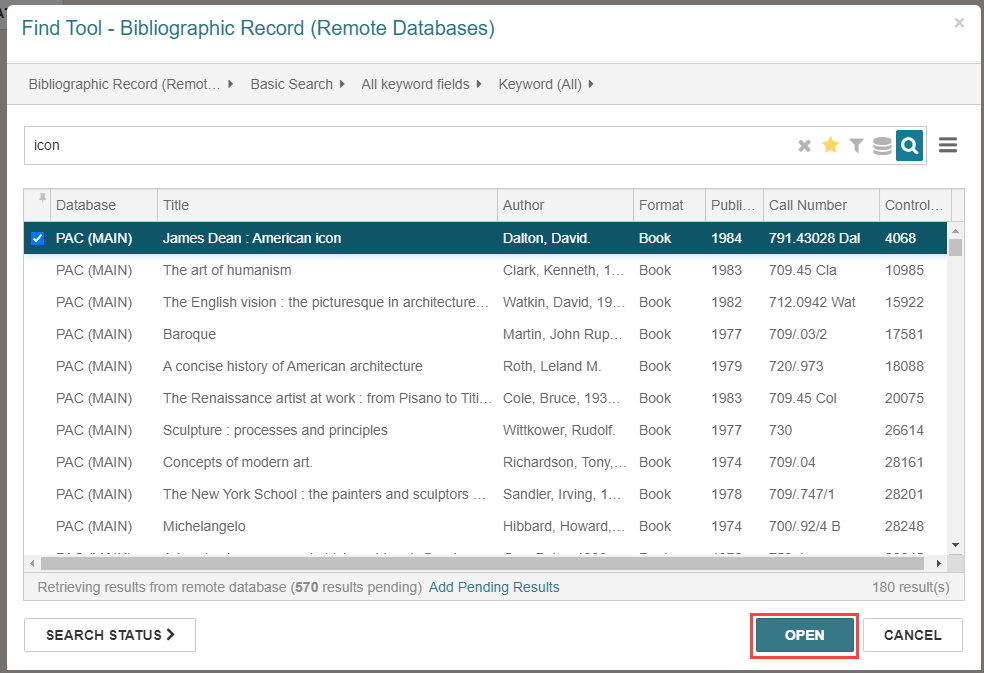
Type a keyword and select Enter.
A list of search results appears.
-
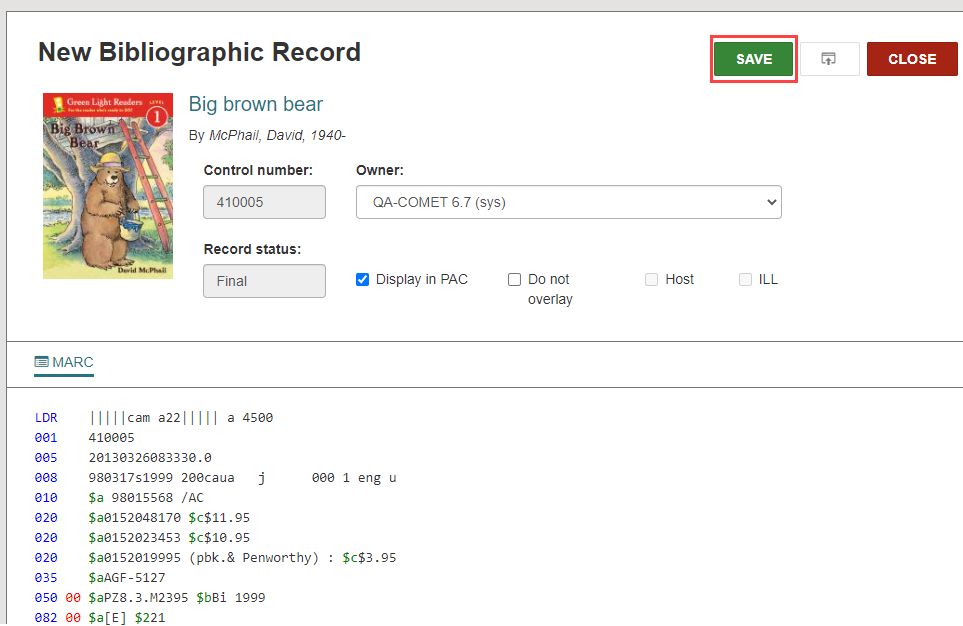
Select a record from the search results and select OPEN.
The MARC record appears.
-
Select SAVE to copy the MARC information into the Leap database.
Leap performs record validation, duplicate detection, and authority control, and then saves the record. For more information, see Bibliographic Record Validation, Duplicate Checking, and Authority Control.
