
Journal Search Result Display
After you perform a search, the Journal Search displays the results in Table view or Detail view. For information on determining which view is displayed by default, see Search/Results.
Table View
The following is an example of the Journal Search display in Table view:
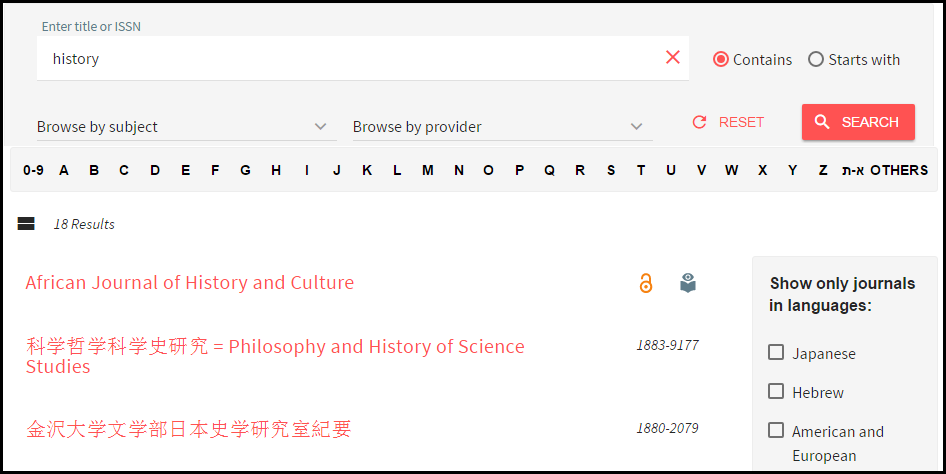
In Table view, the following information is displayed:
- Journal title – Click to skip the SFX menu and display full text (if directLink is turned on).
- ISSN – The ISSN of the journal.
- Peer-reviewed indicator – Indicates that the journal is peer reviewed
- Open Access indicator – Indicates that the journal is at least partially openly accessible
Detail View
The following is an example of the Journal Search display in Detail view:

In Detail view, the following information is displayed:
- Journal Title – Click to skip the SFX menu and display full text (if directLink is turned on).
- Availability Statement – Click the target name to skip the SFX menu and display full text (if directLink is turned on). The OpenURL link includes the Object portfolio ID to ensure the SFX menu displays only this target. The Object portfolio threshold information is displayed in the Availability Statement. Note that object portfolio thresholds (of the type parsedDate and TimeDiff) are included, but not target or target service thresholds.
- Peer-reviewed indicator – Indicates that the journal is peer reviewed
- Open Access indicator – Indicates that the journal is at least partially openly accessible
Full View
You can click the title of a journal that is displayed in Table View or Detail view. Journal information is displayed in a side pane – Full view.
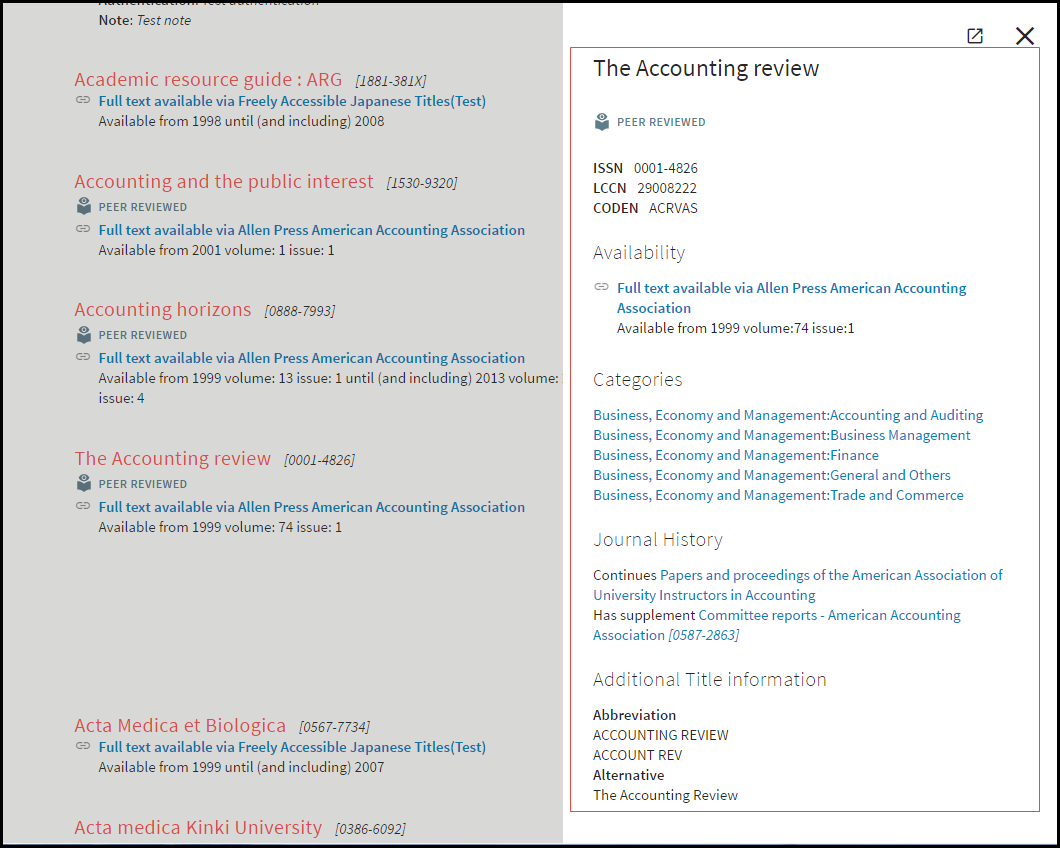
In Full view, the following information is displayed:
- Journal title – Click to skip the SFX menu and display full text (if directLink is turned on).
- ISSN – The ISSN of the journal.
- LCCN – The Library of Congress number
- CODEN
- Peer-reviewed indicator – Indicates that the journal is peer reviewed
- Open Access indicator – Indicates that the journal is at least partially openly accessible
- Availability Statement – Click the target name to skip the SFX menu and display full text (if directLink is turned on). The OpenURL link includes the Object portfolio ID to ensure the SFX menu displays only this target. The Object portfolio threshold information is displayed in the Availability Statement. Note that object portfolio thresholds (of the type parsedDate and TimeDiff) are included, but not target or target service thresholds.
- Categories – The categories to which the Journal belongs
- Journal History – displays related object information
- Additional Journal title information
