
Journals Quick Search
You can generate an HTML file in order to integrate an SFX A-Z List Quick Search box into your library home page or any other Web page.
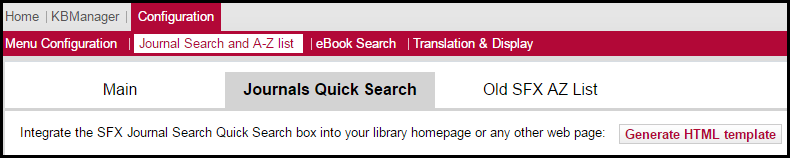
Journals Quick Search
To integrate an SFX A-Z List Quick Search box into a Web page:
- Click Generate HTML template. The following dialog box opens:
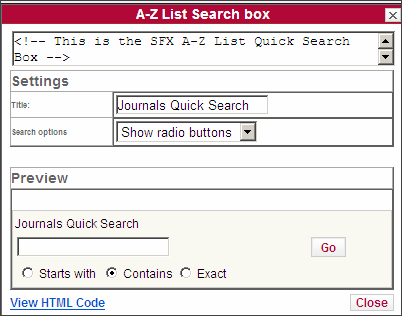 A-Z List Search Box
You can change the title of the box or select whether you want the search options to be displayed as radio buttons or as a drop-down list. You can see in the Preview section how the search box will appear in the Web page.
- Click View HTML Code. The following is displayed:

View HTML Code
- Select all of the text in the text box and copy it into a Web page. Note that you need to scroll down to display all of the text or you can press Ctrl+A to select all of the text.
The SFX A-Z List Quick Search box is displayed in the Web page.
If the A-Z list has been configured to include both Latin and Pinyin headers, the Pinyin checkbox is automatically included in the Journal Quick Search.
