Discover Release Notes April 2025
Release Date: April 10, 2025
Pickup Areas for Polaris Libraries
Your library must be using 7.8 or a patched version of 7.6 or 7.7 in order to use Pickup Areas in Vega Discover.
If you are on 7.6 or 7.7 please request that the pickup areas patch is installed and request the Pickup Areas feature be turned on.
See below for important details about preparing to use Pickup Areas in Vega Discover.
-
The Polaris APIs do not support the automatic selection of a default pickup area per library location as defined in the Polaris configuration, and this ability is expected to come later in a future release of the Polaris APIs. See #3 and #4 below for available default options and how to configure them.
-
If your library does not define pickup areas, disable the "None" option or it will display in an otherwise empty pickup area drop-down in Vega Discover.
-
If your library has pickup areas defined but does not require pickup areas selection for a location you must enable the "None" option for display for that location. Vega will auto-select "None" as the default when this option exists, and patrons can either proceed with the "none" option selected to request the material or select another pickup area.
-
If "None" is not included in the display in the Pickup Areas, Vega will require the selection of a pickup area and will display "Select Pickup Area" text in the Pickup Areas box. Requests cannot be made without selecting a pickup area in this scenario.
-
Patrons can select a preferred pickup location and pickup area if one exists for their selected location in their patron profile and if they do so, Vega will auto-select these preferences when that patron places a request The patron can modify these at any time in their profile and can change the selection for individual requests before submitting.
-
Pickup Area display strings can be translated in the Patron IU Translation Strings.
-
Pickup Locations and Areas are disabled and not required for selection when the Borrow by Mail workflow is selected by the patron.
Documentation Updates: Discover; LX Starter; Promote
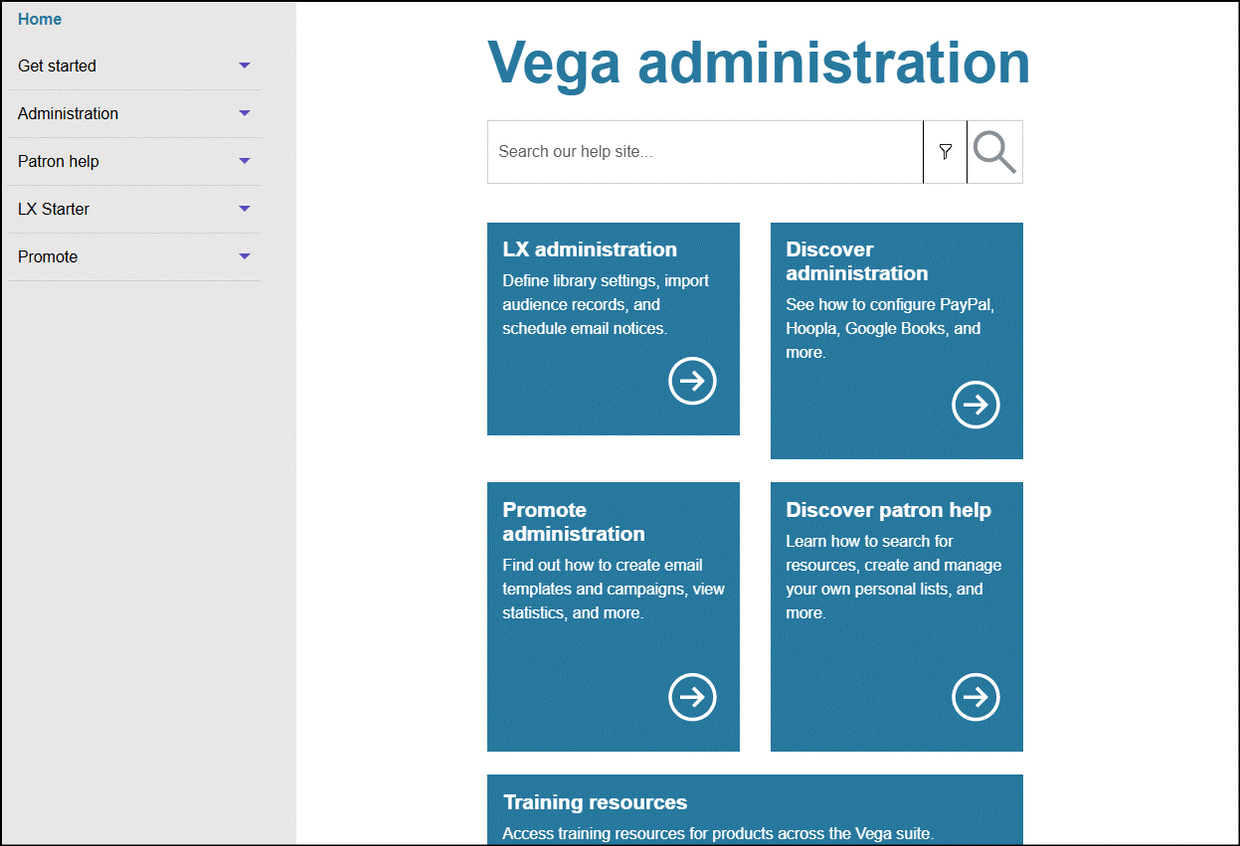
In preparation for the future release of a combined navigation header for Discover, LX Starter, and Promote, we have updated the Vega Discover Staff Administration help to include documentation about LX Starter and Promote administration as well. Helpful navigation buttons and additional sections (left navigation menu) have been configured on the Documentation landing page to help you find the desired guides.
Accessibility Improvements for Resetting a PIN
-
Screenreaders can more easily read validation error messages when editing a PIN from the My Bookshelf > Profile tab. The errors are now nested for each field on the form and have the correct information and label.
-
When editing a PIN from My Bookshelf > Profile, the container with the role="alert" is present in the DOM from the start, and we're only injecting the error message into it based on the validation state.
My Bookshelf Minimize Improvements
We're excited to announce a series of pdates to My Bookshelf, designed to improve your user experience, accessibility, and overall functionality. The For Later showcase stays minimized or maximized as you:
-
Move to another tab
-
Open a bookmarks list
-
Close the bookshelf and run a search
To return to full size, click the maximize button.
We hope these updates enhance your My Bookshlef experience. We encourage you to preview the functionality now.
Barcode: 21009654321987
Password: 54321
Bug Fixes
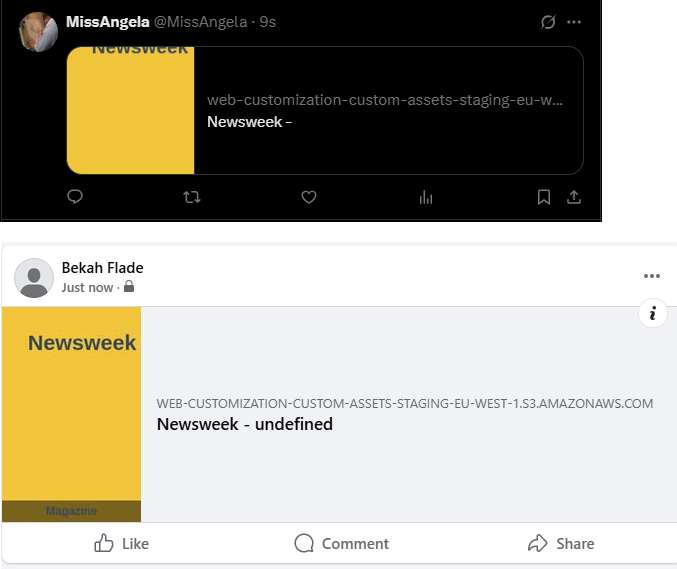
Social media Sharing Includes Author Name
The author is included when sharing a single search or FRC to social media. Please keep in mind that larger titles may not show the entire string due to size.
Place Hold Button in Location Drawer Does Not Function for Guest Users Fix
When Guest users clicked the Place Hold button in the location drawer, they were not being correctly prompted to login to complete their request. This workflow has been fixed and guests will now see the expected login workflow before being taken back to the title they were interested in requesting.
Release Date: April 23, 2025
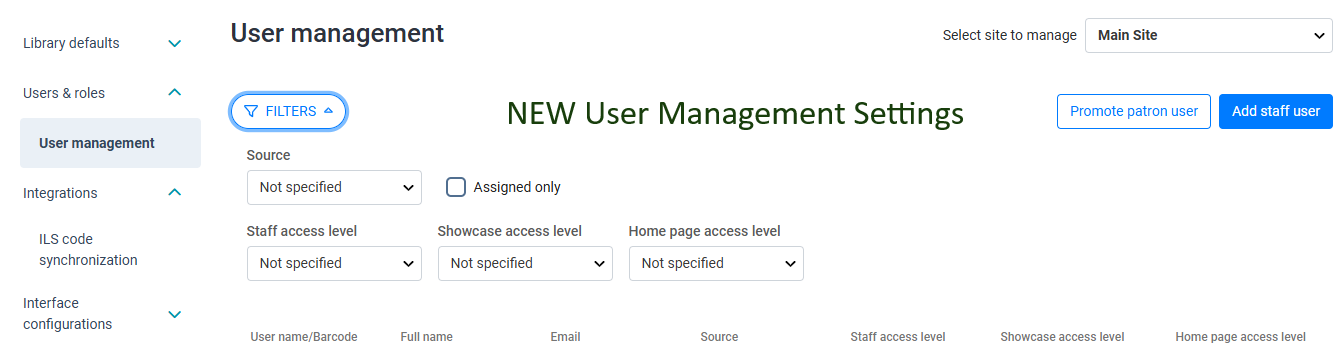
Releasing User Management Staff Settings to All
This feature was applied to all customers on April 23rd and can now be seen in your Staff Admin Settings
READ ME FIRST:
When User Management is turned on for your library, if you have a Vega "Super" Admin user that was created for your library when Vega Discover was set up that is not associated with an Email Address, that user will no longer be able to login to the Vega Discover Staff UI.
How do I know what type of admin user I have?
-
If your login is NOT an email, you will need a new user login. EX: mypladmin
-
If you have LX Starter, you can use yoru LX Starter Super Admin email based user to login to Vega Discover Staff UI.
-
If you DO NOT have LX Starter configured for your library yet, you will need to create a Support ticket and have them create you a new Admin User.
POLARIS ACTIVE DIRECTORY: This feature IS NOT turning on Active Directory access for your library. AD Access for User Management will be rolled out to individual libraries in the coming weeks and months as we get everyone connected. If you are a Polaris library SEE the Active Directory Setup section below for more info.
Administrative User SSO is not yet available for the same User to have roles in both Vega Discover and LX Starter or Promote. Only Super Admins can do this. This support is coming soon with our Global Header Feature.
This means that if you created a user in LX Starter or Promote that you now want to give Discover permissions to, you will need to wait to assign those permissions until SSO is fully supported.
What is happening:
Users & roles replaces the Staff Users setting in the Cog Menu of the Vega Discover Staff UI, with a User Managmenet nested setting page. IF you are Sierra customer who requested the setting or a Polaris Beta tested for Active Directory you may already have this setting. Not functionality or previously configured Patron Showcase Users will be lost with this change.

Why are we doing this?
-
To provide a consistent experience for all User Administration to all Vega Customers.
-
To enable Polaris Customers to be set up for Active Directory user access for User Management
How does it work?
For All Libraries, the User Management settings continue to allow you to see Staff PATRON users with Showcase Admin and Creator permissions. You can promote new Staff Patrons using a, "Promote patron user" button which will allow you to scan or enter a patron barcode. Patron users can only login to the Patron Interface of Vega Discover.
This feature also ADDs the following functions:
Site Specific Admins
-
In a Vega Discover with Kiosks or Sites you must select the site the user will be managing first if you are assigning Home Page or Site Admin privileges.
-
If you are assigning Showcase Privileges use the Main Site.
-
If you are setting up a user that should manage Vega Settings as a Main Site Admin with access to all Vega Settings and Sites or All Home Pages for all Sites, use the Main Site.
-
If you are setting up a user as a Site Admin or to work with the Home Page for a particular site, select that site before creating the user.
User Creation and Password Set Up Workflow
-
-
The Admin enters the User Info
-
The Admin then Selects the User Roles
-
The Entered User Email address is sent an email so that the user can set up a secure password.
-
The user must complete the password set up within 12 hours.
-
If the user does not complete the password set up step, the user account should be deleted and recreated at a time when the user can set up a password.
-
Search for Users
-
Filters have been added to the User Management page to help libraries with many admins locate specific users. You can user filters by:
-
Source of user: Patron, Vega User, or Active Directory
-
Whether a user has permissions assigned
-
Staff Access level - is the user a Site Admin?
-
Showcase Access Level
-
Creator
-
Admin
-
-
Homepage Access Level
-
Admin - can edit and publish
-
Creator - can create a draft homepage
-
Reviewer - can view and previow a homepage
-
-
Active Directory Set Up
-
This feature enables Active Directory to be set up for your library.
-
We are working to set up all of our HOSTED Polaris Consortia libraries now and will alert you when your set up is complete.
-
We will set up non-consortia HOSTED Polaris libraries next and will alert you when your set up is complete.
-
If you are a SELF-HOSTED Polaris library see this Supportal Article for what you should do before we can enable Active Directory connection to your Polaris to support User Management.
Releasing Social Media Sharing to All
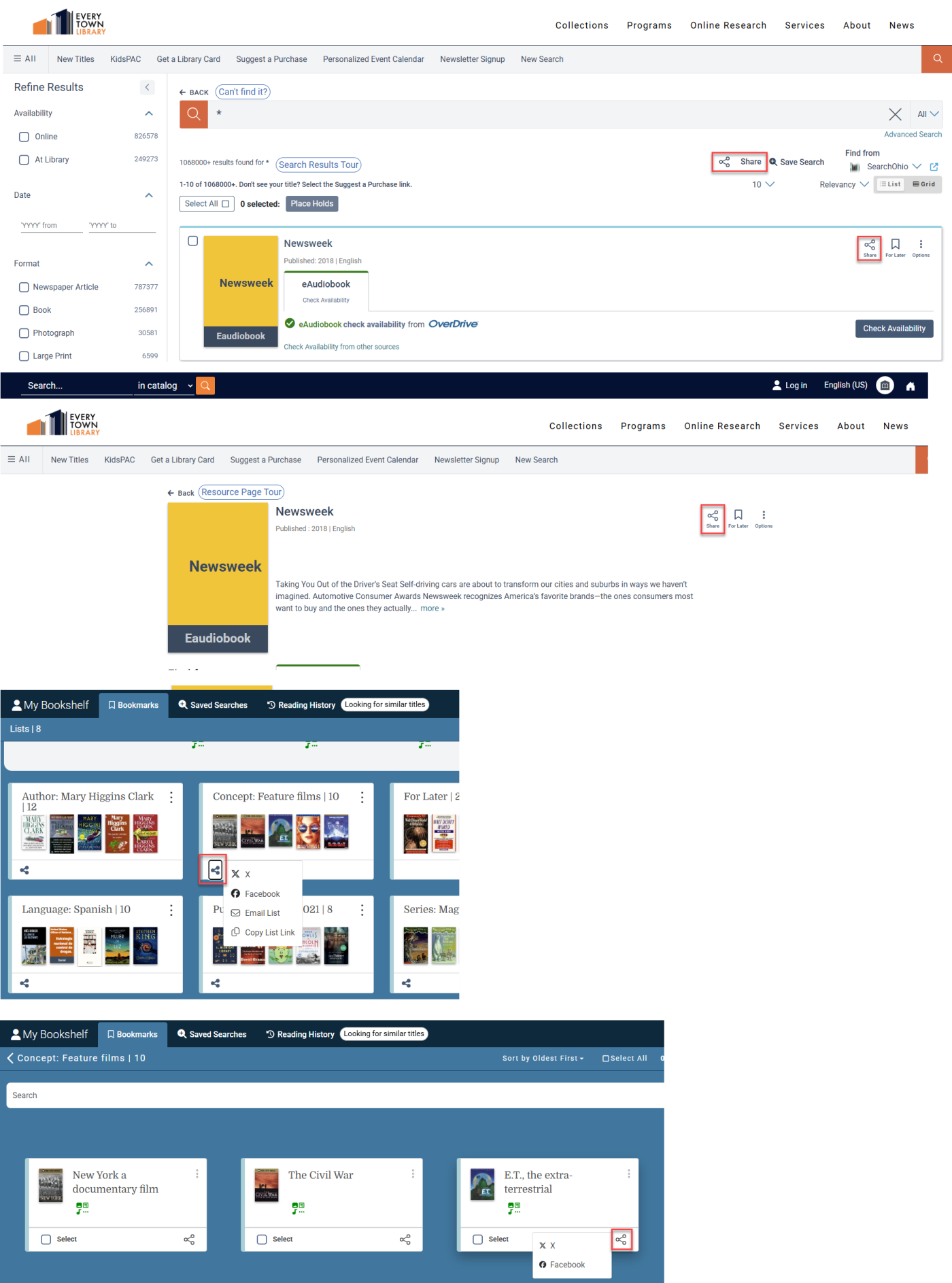
We're excited to announce that Social Media Sharing will be generally available in this release. This requires a post deployment action and you can expect to see the option to enabled sharing by Friday or Saturday depending on your time-zone.
Sharing is off by default. For Premium and Consortia libraries using collection sites, you have the option to override the main site settings at the collection site level.
-
Share the search results page
-
Share a single item from search results
-
Share the full resource card
-
Share a title from My Bookshelf
Coming Soon: My Bookshelf Availability (May 7 Release)
We're excited to announce that My Bookshelf Availability will be generally available in our next release. Preview the new feature today!
My Bookmarks Availability
-
Patron can see which item saved to their "For Later" list or any other list are available.
-
View 6 featured available titles, with a link to see all available items.
-
Search options: Author (default), Format, Language, Location, Title, Publication Date, Series, Concept.
-
Filter by "Available Now" or view all items.
-
Format availability icons help you quickly identify your preferred formats.
Barcode: 21009654321987
Password: 54321
Accessibility Updates
We're committed to making our platform accessible to everyone. This update includes several enhancements:
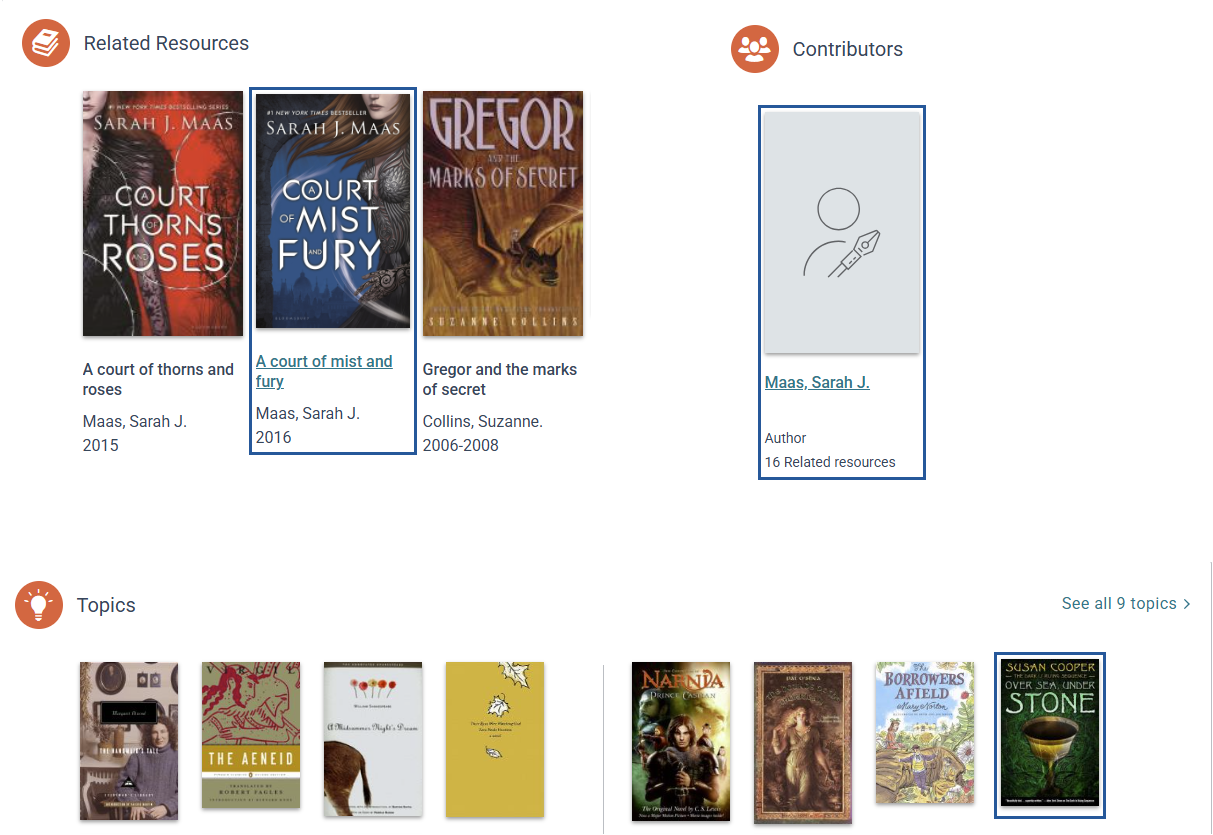
Improved Focus Visibility
-
The focus outline now clearly surrounds all four sides of a cover image and the outline is offset for greated visibility.
-
Applies to Related Resources, Topics, and Contributors.
-
Currently available for Discover-created content. We plan to extend this feature to Syndetics widgets on the Full Resource Card in a future update.
Better Keyboard Navigation
-
Syndetics Navigation Fix:
-
When tabbing through a bibliographic page, hovering opens automatically when you focus on a book cover.
-
Press Escape to close the hover, or Enter to navigate the book record. This matches the behavior or clicking 'Check Availability' or the cover.
-
-
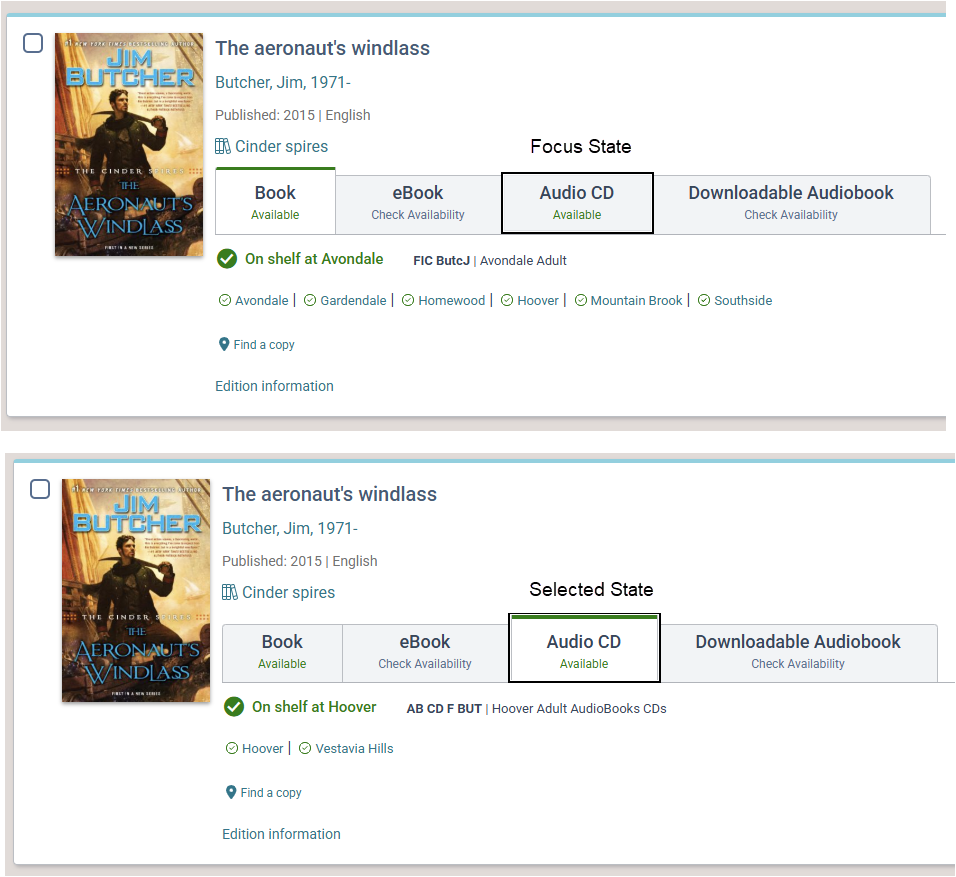
Format Availability Tabs:
-
Each tab in the search results and Full Resource Card now displays a full outline as you navigate with the keyboard.
-
The outline moves with your focus, but the tab only turns green ("active") when you press Enter to select it.
-
Improved Experience on Small Displays
The fixed header is automatically disabled on devices with limited screen height, ensuring you have enough context and space to navigate when zoomed in. Find this under:
-
Page Customizations > Header and Footer configuration. "Fixed header is disabled for devices with limited screen heights to improve accessibility."
Enhanced Location Drawer
When zoomed in, all location drawer information remains visible, for example:
Place Hold
-
2000
-
West Branch Library Offices
-
On Order
-
162 p. : 19 cm.
-
Language: Eng
-
Series: A Series of Unfortunate Events; Book 1
Vega Program API Configuration Enhancements
We've made it easier than ever to configure your Vega Program API connections -- whether for your entire library system or individual libraries.
Flexible Site Settings:
-
If global events are off, you can enable Vega Program events for the selected site only. The site will display Vega Events for a specific Program environment.
-
If global events are on, all sites will display the same Vega Events by default from a single configuration.
-
Even with global events on, you can customize event settings for a specific collection site by optig out of the global configuration and connecting to a different Program environment.
BUG FIXES
CAS Button on Sierra Staff Admin Login Page
This extra button that appeared after last release has been removed from the Staff Admin Login page.
Borrow by Mail and Pickup Areas Trap Fix
A "workflow trap" was fixed, where if a Polaris user selected borrow by mail and the library had pickup areas, the user could not continue with a normal request after unchecking the borrow by mail box because the Confirm button was stuck in an inactive state. Workflows in the Hold popup can all be selected and unselected with no issues now.
My Bookshelf
The count of available items for each list now updates correctly:
-
On main bookmarks page
-
On individual bookmark pages
Social Media Sharing
-
Serial titles are now included when sharing.
-
Author information is included on generated covers when available.