
Release Date: August 13, 2025
Coming Soon: My Bookshelf Availability, Filtering, and Personalized Recommendations
We’re excited to introduce My Bookshelf Availability, a new feature designed to make managing reading lists easier, more enjoyable, and more personalized. This functionality will be available in two weeks as part of our next regularly scheduled release.
What to Expect
Please share this update with your staff to help prepare for launch!
With My Bookshelf, patrons will be able to:
-
See the availability of items saved to their “For Later” list or any custom booklist.
-
View 6 personalized recommendations of available titles based on bookmarked items.
-
See a rolled-up view of all available items across booklists.
Enhanced Search & Filtering
Patrons can search by:
-
Search by:
-
Author (default)
-
Format
-
Language
-
Location
-
Title
-
Publication Date
-
Series
-
-
They can also filter by:
-
Available Now
-
All items
-
Additionally, patrons will be able to quickly identify formats using format availability icons.
Test Credentials
Barcode: 21009654321987
Password: 54321
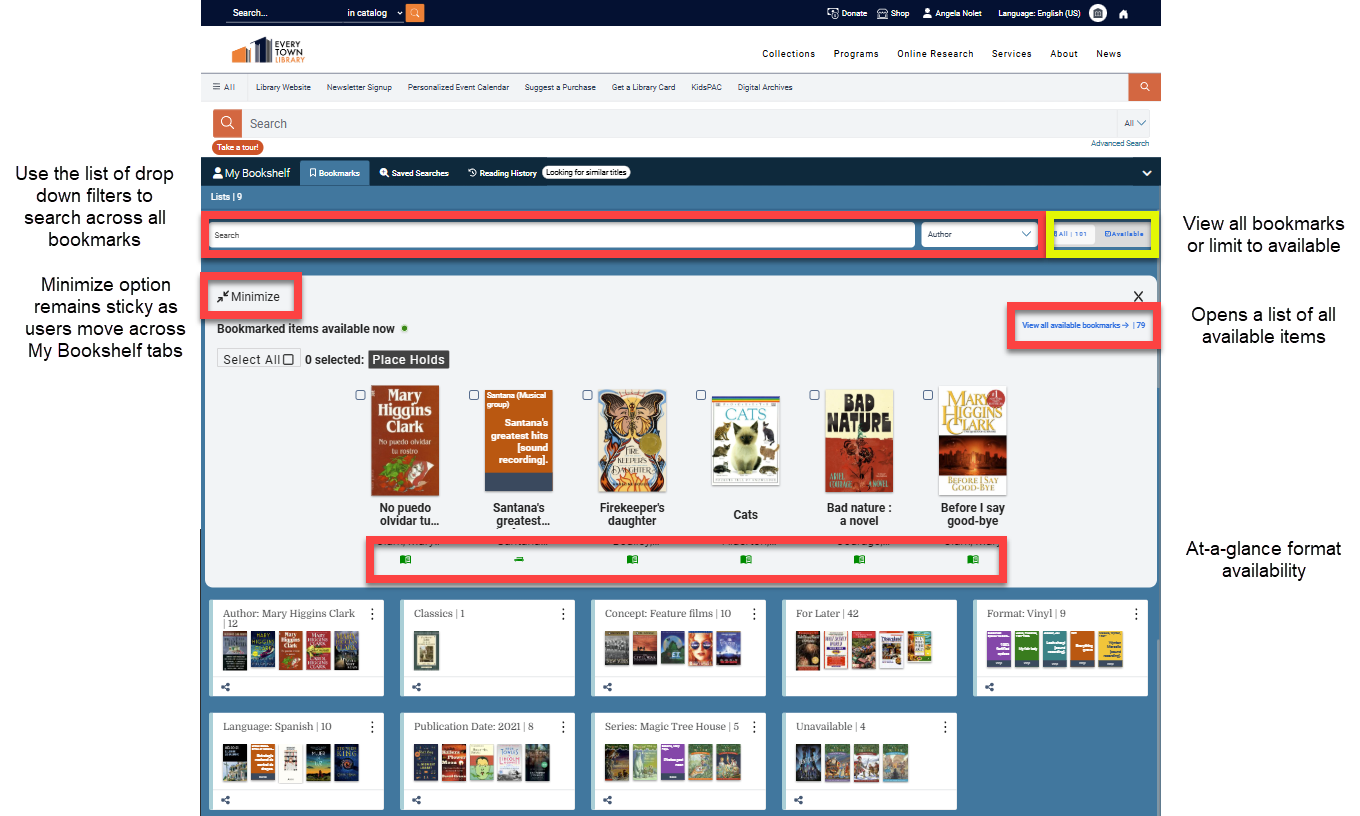
To view format icons with availability information, check that some icons have been selected in the Material Type Settings. If all icons are set to default, patrons will see the default icon with the grey 'check availability' status on My Bookshelf
Translation Updates for the "All" Facet Filters
In Latin-based languages, masculine and feminine articles and determinants are applied individually to each facet. This means that "More" and "Less" values are translated separately from the facet name itself. New translation strings have been added for each of the "All" facet options in the facet filters. All new translation strings begin with the prefix facet to distinguish them from similar strings not connected to the facet filters.
-
"facetAllFormats": "All Formats",
-
"facetAllCollections": "All Collections",
-
"facetMoreAgeGroups": "More Age Groups"
-
"facetMoreLiteraryForms": "More Literary Forms",
-
"facetAllPersons": "All Persons",
-
"facetAllConcepts": "All Concepts",
-
"facetAllLanguages": "All Languages",
-
"facetAllLocations": "All Locations",
-
"facetAllPublishers": "All Publishers",
English Translation String Update
For consistency, the term Place Hold has been capitalized across all relevant English translation strings:
-
"bulkPlaceHoldItems": "Place Hold Items",
-
"bulkPlaceHolds": "Place Holds",
-
"placeHold": "Place Hold",
-
"bookmarksPlaceHolds": "Place Holds",
Vega Central Request Interface Updates (available to our development partner, SearchOhio)
Import Template added to CRI Rapido Configuration
A downloadable import template file was added to the Rapido Institutions Configuration for Central Request Interface library organizations to import settings in bulk for all member library connections.
Staff UI Updates
The Staff UI settings have been limited for library organizations using the Vega Central Request Interface (CRI) to limit configuration settings to only those that apply to the Vega CRI catalog features.
Bug Fix: Delivery Calculation Time
A problem was fixed with the delivery terms calculation for Rapido CB titles so that the displayed values are correctly interpreted as days and hours.
Documentation Updates
OverDrive Advantage Configuration
The OverDrive Advantage Configuration documentation will now contain updates to clarify how Advantage configurations should be entered for libraries that load records to the ILS versus libraries that use the OverDrive APIs to load content directly to Vega Discover.
These documentation updates specifically clarify that the availability status of Advantage Collections that are loaded directly to Discover can only display current availability to authenticated patrons. This is because the availability of these materials is directly tied to individual patron permissions defined in OverDrive. Guest users will see 'check availability' for these materials until they log in.
When a library addon Advantage Collection is defined in the main OverDrive configuration and all OverDrive materials are loaded to the ILS, Vega will instead provide default guest user availability for the configured Advantage Collection based on the assumption that that collection is available to all patrons.
BUG FIXES
Image Pills Configuration
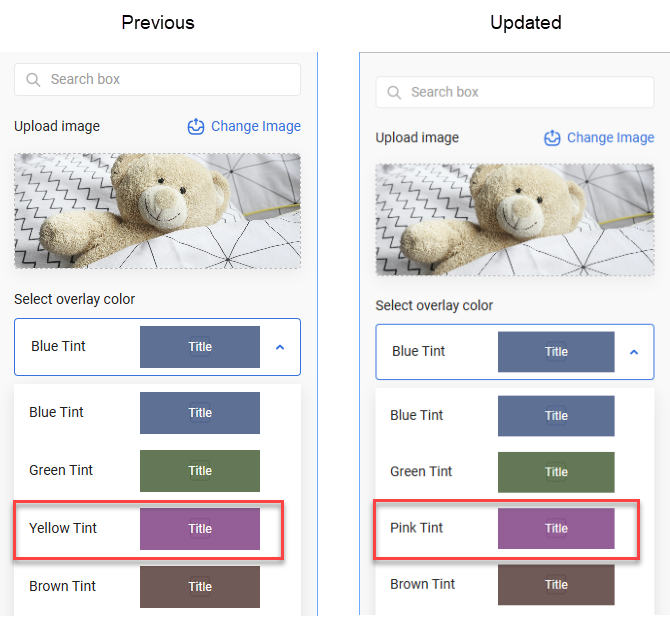
The Pink Tint option was previously mislabeled as Yellow Tint. This has now been fixed to reflect the correct color.
Material Type Settings
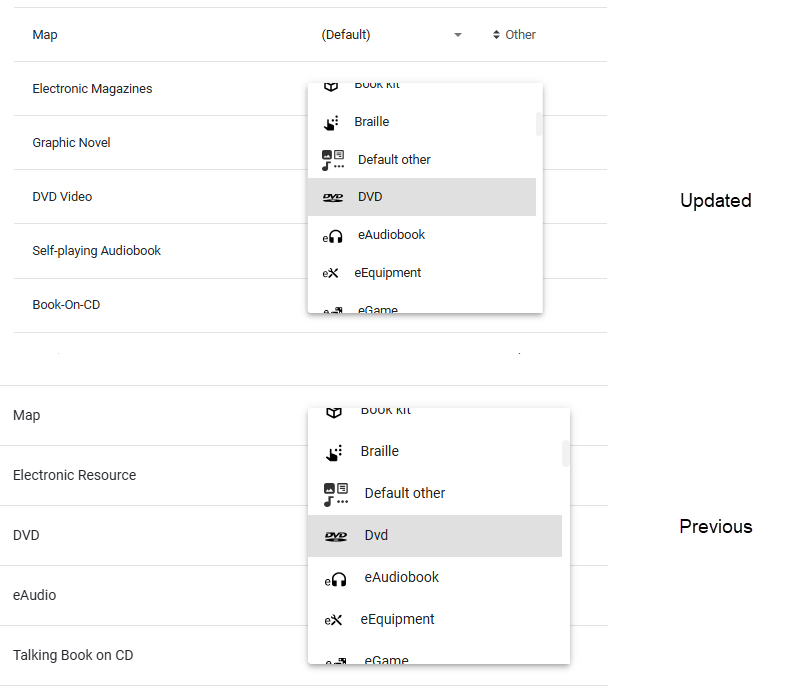
Updated the text label for the DVD icon from Dvd to DVD for consistency with standard formatting.
Third-Party Connections
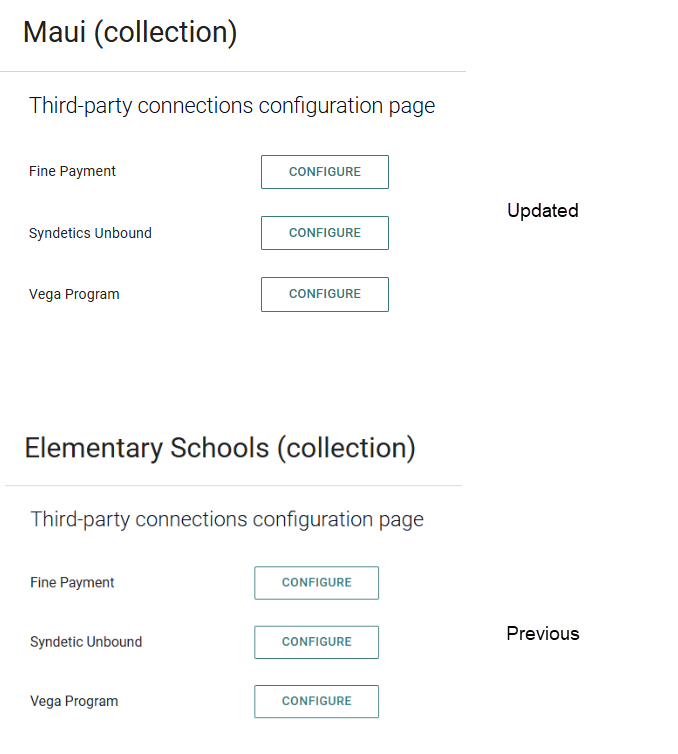
Fixed a typo in the site-specific Third-party connections. “Syndeic” Unbound has been corrected to Syndetics Unbound.
Spelling Standardization
-
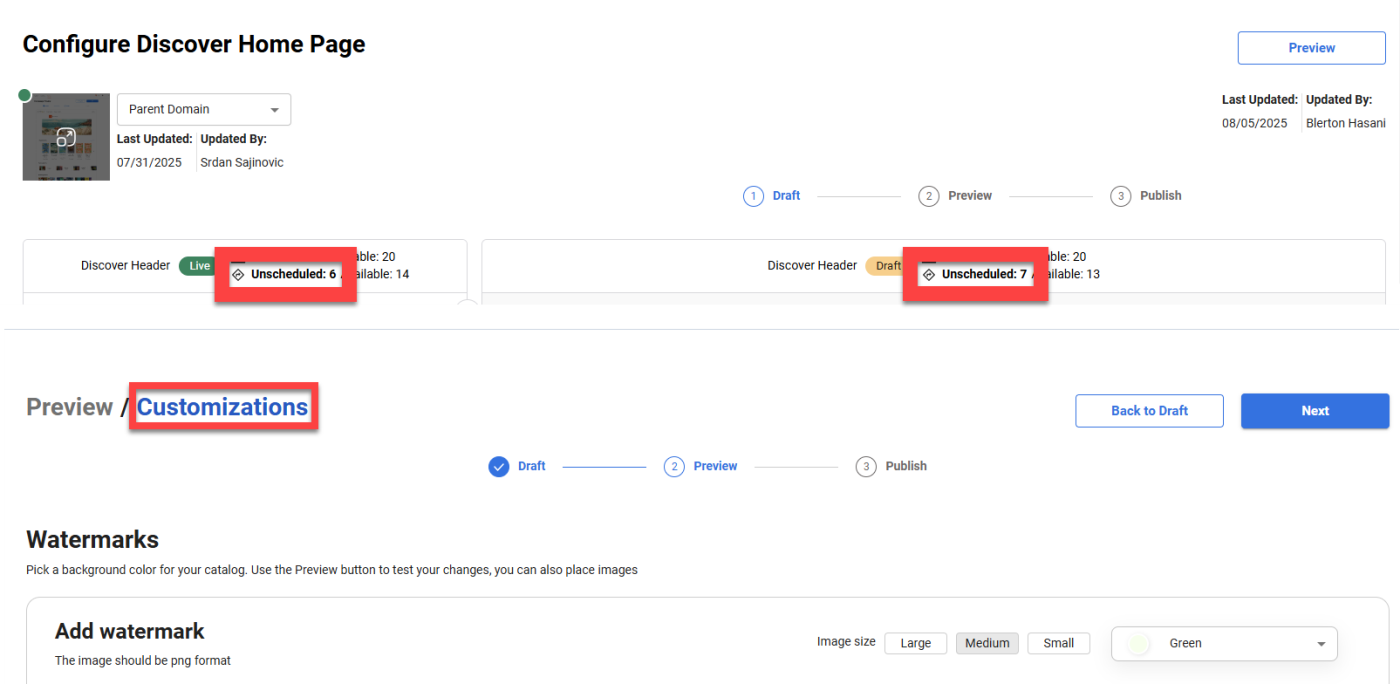
In the Home Builder edit view, "UnSheduled" is now correctly spelled as "Unscheduled".
-
In the Pick Your Background section, "Customisations" has been updated to "Customization".
Release Date: August 27, 2025
Vega Release Schedule Update
Beginning in September 2025, Vega Discover, Promote, and LX Starter will transition from a biweekly release cadence to a monthly release cycle.
Final Biweekly Release:
-
August 27, 2025 (NA/CA/EU regions)
-
August 28, 2025 (SG/AP regions)
Upcoming Monthly Releases:
-
October 7, 2025 (NA/CA/EU) | October 8, 2025 (SG/AP)
-
November 4, 2025 (NA/CA/EU) | November 5, 2025 (SG/AP)
-
December 3, 2025 (NA/CA/EU) | December 4, 2025 (SG/AP)
Why We’re Making This Change?
Moving to monthly releases provides important benefits:
-
Greater stability - More time for testing and validation across integrated systems.
-
Enhanced visibility - More comprehensive release notes and clearer communication.
-
Reduced overhead - Less frequent releases reduce coordination and operational load for your teams.
We’re excited about this shift and confident it will lead to a better experience for you and your communities.
General Availability of My Bookshelf Availability, Filtering, and Personalized Recommendations
This will require a post-deployment action and should be available to all customers by Friday or Saturday, depending on your time zone.
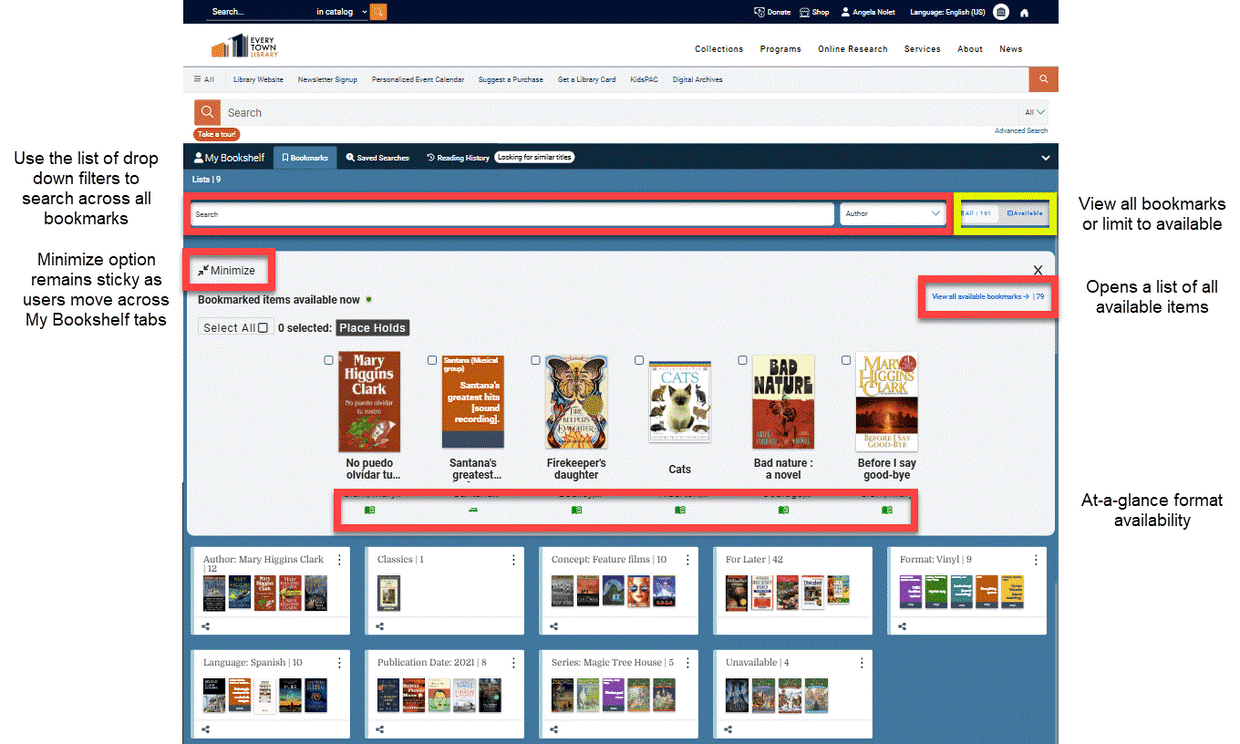
We’re excited to introduce My Bookshelf Availability, a new feature designed to make managing reading lists easier, more enjoyable, and more personalized.
With My Bookshelf, patrons will be able to:
-
See the availability of items saved to their “For Later” list or any custom booklist.
-
View 6 personalized recommendations of available titles based on bookmarked items.
-
See a rolled-up view of all available items across booklists.
Enhanced Search & Filtering
Patrons can search by:
Search by:
-
Author (default)
-
Format
-
Language
-
Location
-
Title
-
Publication Date
-
Series
They can also filter by:
-
Available Now
-
All items
Additionally, patrons will be able to quickly identify formats using format availability icons.
FAQs
Can my library turn off My Bookshelf Availability?
While many features in Discover include admin settings that allow libraries to enable or disable them, My Bookshelf Availability is considered core functionality. That means it’s always on and cannot be configured or turned off in the admin panel.
Is this really personalization?
Yes. When a patron bookmarks items, Discover highlights six featured titles that are currently available each time they log in. These selections are personalized because they come from the patron's own bookmark list—titles they've already marked as interesting.
For power users with large bookmark lists, this can be especially helpful. It’s easy to forget all the titles you’ve saved over time. Seeing a rotating selection of available titles provides a timely nudge to place a hold on something you’ve already shown interest in.
What logic is applied to the covers displayed?
The six titles are randomly selected from the list of all currently available bookmarked items. This approach keeps the display fresh and avoids repetition. The more items a patron bookmarks, the greater the variety of the display.
Can I customize the text?
Yes! You can update the following search strings in the translation file to customize the display text.
"checkAvailableNow": "Check available now",
"bookmarkItemsAvailable": "Bookmarked items available now",
"viewAllAvailableBookmarks": "View all available bookmarks",
OneTrust for Custom Domains
Work has begun on an update to improve the performance of OneTrust for custom domains. This enhancement is currently in progress, and we do not anticipate any noticeable changes to your experience.
Update on Translation Coverage
We’re aware of a gap in translation coverage following the recent update. Specifically, the facetMoreFormats string was not included alongside the facetAllFormats string.
Our team is working to address this and ensure full translation support across all relevant facets. We appreciate your patience and will provide an update as soon as the missing string is available for localization.
Vega Central Request Interface Updates (available to our development partner, SearchOhio)
Syndetics Unbound Enrichment
Syndetics Unbound Enrichment can be enabled for Vega Central Request Interface catalogs and will provide a limited version of the Syndetics Unbound enrichments without links to related results. Note that the You May Also Like and Reading Level widgets are not supported for the Vega CRI. Widgets that can provide enriched data in a Vega Central Request Interface catalog are:
-
Series
-
Look Inside (Excerpts and ToC)
-
Reader Reviews
-
Professional Reviews
-
About the author (pic and bio only, no list of other titles by this author)
-
Book Profile
-
Awards and Honors
Not Needed After Date
The Not Needed After Date field was removed from the request workflow for Rapido CB materials in Central Request Interface ILL hold workflow.
Request Button on Mobile View Fix
A problem was fixed where the request button was not displaying as expected when the Central Request Interface Vega Discover catalog search results were viewed on a mobile device.
COMING SOON: Non-Circulating Materials Support
In our next release we expect to deliver support for Non-Circulating materials that will hide request buttons for In Library Use Only materials that do not circulate. The feature will apply to Polaris Items that have a Non-Circulating flag set, Sierra items with an item status of 'o', and will allow libraries to define locations, collections, and material types that are considered Non-Circulating in the Vega Staff Admin settings.
Polaris Libraries: In preparation for this feature, please review your items that have the Polaris Non-Circulating flag setting on. Also think about how you might use overarching Collections, TOMs, and Locations to define Non-Circulating items.
Sierra Libraries: In preparation for this feature, we recommend that you review your Item Status setting for the status 'o' and suggest that you set it to have a Get It Button setting of: "Suppress Get It" and an Availability setting of "Available". Also think about how you might use overarching Shelf Location and Material Type settings to define Non-Circulating items.
BUG FIXES
Syndetics Series
Previously, viewing a full series only displayed the first 20 titles. This bug has been fixed, and users can now see all titles in a series as expected.
Syndetics Accessibility Update
Screen readers now correctly announce the star rating and any available volume information for a series. This enhancement improves accessibility for users relying on assistive technologies.
