
Release Date: February 3-4, 2026
New Staff Header with App Launcher
These features will roll out gradually. Tuesday- Wednesday for NA/CA/EU regions, and Wednesday-Thursday for SG and AP regions.
New Header

The new header delivers a seamless staff experience across Vega Discover, Vega Promote, and LX Starter. Now you can easily navigate across staff applications.
-
Staff log in once to easily access both staff applications
-
Clearer navigation:
“LX Starter” takes you to the notices page
“Promote” takes you to the marketing page
“Discover takes you to Discover staff settings -
Streamlined user management between Vega Discover Staff and LX Admin. All users are now visible in both user management tables and deleting a user deletes the user from both applications.
-
Access to Staff Admin translations for available staff level translations.
App Launcher
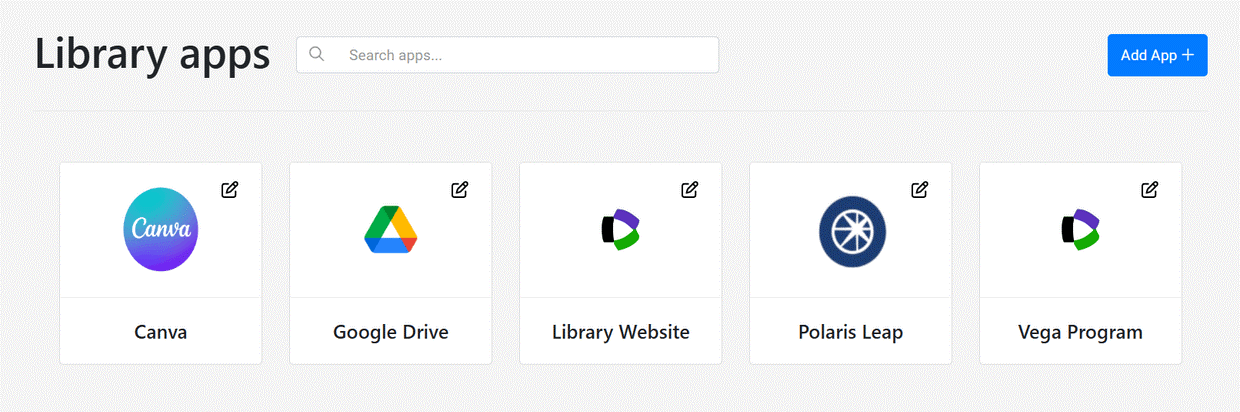
Library staff no longer need to keep track of app URLs in bookmarks or spreadsheets. The app launcher streamlines workflows by giving you a single launching point to access any application you use to do your job.
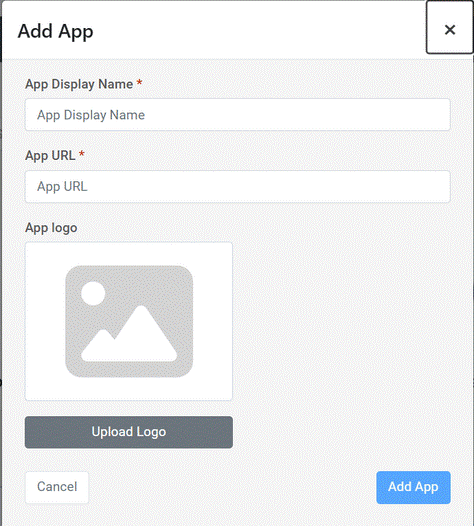
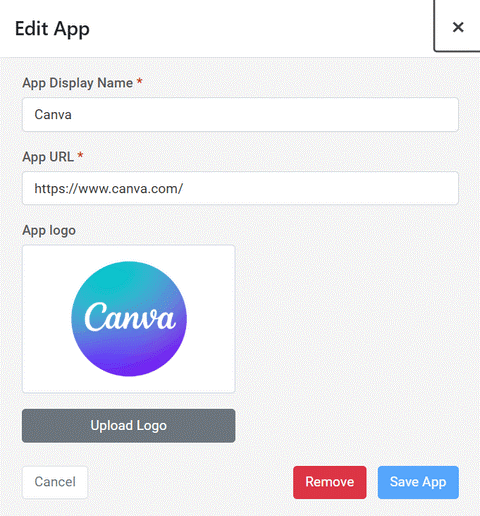
Apps are created by each user based on their individual needs.
Add, edit, delete your apps. When you click on them from the app launcher you're taken directly to it in a new tab in your web browser.
Account Portal for Patrons
Account Linking will come with the March 3 release. Staff with Showcase permissions will continue to see the legacy My Bookshelf bar at the bottom of search views until the March 3rd release, when showcase management will be available in the Account Portal and new list view.
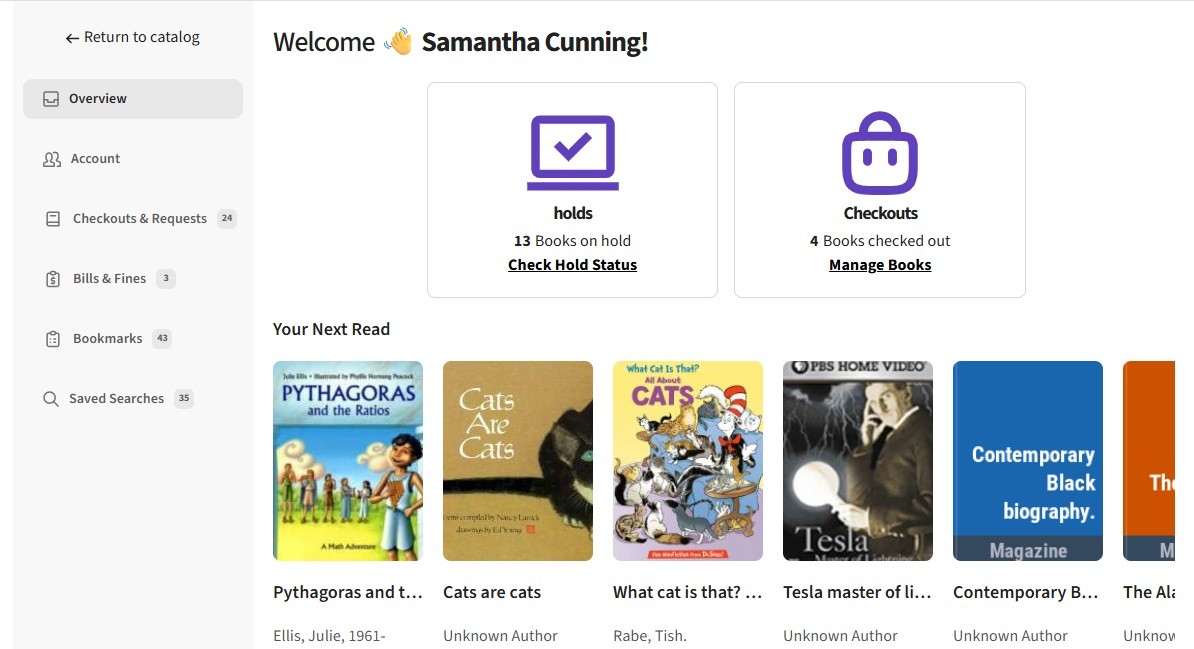
We are pleased to release the new Account Portal experience for patron account management. The Account portal replaces all patron account functionality that was previously accessed in the Bookshelf with a separate account view and an updated UI.
New Feature Settings
-
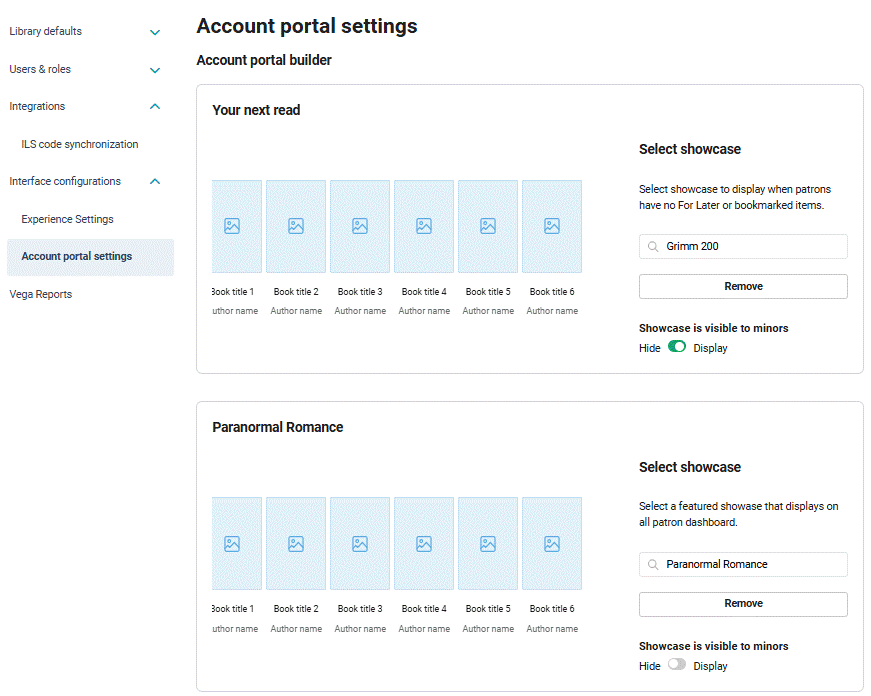
Admin Settings to configure a default showcase to display for patrons with no bookmarks and one additional library promoted showcase that will display in the patron account overview page.
-
Admin Settings to determine how minors are defined by age and patron type in your library.
These settings will inform upcoming account linking features.
Patron Account Features
-
The patron account popup accessed by clicking your patron name now links patrons to the account portal for checkouts, holds, profile and fine links and includes an Account Portal access button as well.
If you were using account page redirects from your site to send a patron to a particular Bookshelf view upon login these will now direct the user to the expected Account Portal view.
-
A new Patron Account Overview Page with a summary of checkouts and holds, suggested titles, and configured library promoted showcases.
-
A new Account view for managing your profile settings, that has been enhanced with account preference settings for default catalog site (for consortia libraries) and default search filters that allow patrons to limit searches to their preferred formats, availability, age group, language, etc.
-
A new combined view for Checkouts, Requests, and Reading History (if you're opted in) that includes search and sort options.
-
A new Bills/Fines view where patrons can access fine payment workflows.
-
A new Bookmarks view with precision searching in all list views, a collapsible available bookmarked items view, and summary availability info for each of your saved lists.
-
A new Saved searches view with searching ability for users with many searches.
Catalog View Features
-
For all patron users, the bookshelf at the bottom of the screen has been removed.
-
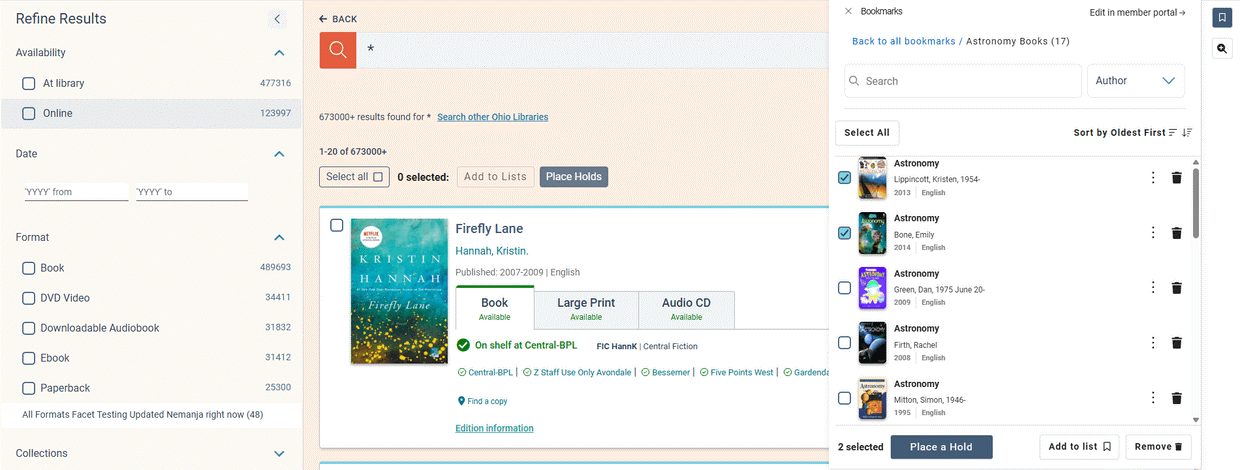
For all users, a new right side drawer is available for quick access to bookmark lists and saved searches, including all actions available in the account portal and a link back to the account portal views.
-
For staff users that have showcase permissions, please note that the bookshelf at the bottom of the screen will remain viewable in your staff accounts until showcase functions have been fully moved to the new account views.
Bug Fixes
Patrons with Many Lists
Improvements were made to handle patron accounts with a large amount of lists to mitigate performance issues upon login.
February 2026 Hotfix
Release Date: February 12-13, 2026
Default Catalog Settings
Libraries with a Discover Premium or Discover Consortia license that have configured collection sites are able to allow Patrons to select a Default Collection site catalog. Once a default catalog is selected, the user will only have access to this catalog. The feature helps guardians manage access to content for minors and other users under their care.
Users can choose to turn off their default at any time.
For libraries that do not have Collection Sites configured, this setting will not appear to patrons.
Bug Fixes
Default Search Filters in Patron Account Preferences
The Default Search Filters now use the Vega Admin settings for which facets are displayed, no longer displaying filters that have been hidden by the library such as Donors. Please note that the following facets will not display as Patron Search Preference Filters regardless of their configured display in the Search Facets: Date, New Material Date, Concepts, Persons. These facets will be made available if set to display, in a future release.
Reading History Loading Fix
A problem was fixed with loading the full reading history of patrons that have over 100 items in their reading history list. Full reading history now loads as you scroll down the page. Searching can be done against the patron's full reading history regardless of how much has loaded to the Reading History view.
Checkouts Page loading issue for some patrons
A problem was fixed where the Checkouts/Holds for some patrons were not loading, showing a blank screen, when suppressed or otherwise unknown materials were included in the checkouts or holds data.
Legacy Bookshelf Display
A problem was fixed where the legacy bookshelf was displaying for non-staff patrons in the catalog view.
OverDrive Titles Checkin
A problem was fixed where OverDrive titles were unable to be checked in from the Patron Checkouts page in the Account Portal.
