
Creating Field Selectors for CrossRef OpenURL Elements
This procedure describes creating a field selector for the DOI meta tag in an OpenURL. OpenURLs containing the DOI meta tag can be resolved by an external lookup service.
- Choose Field Selectors from the menu on the left-hand side of the WebBridge LR home page.
The Field Selectors tab displays: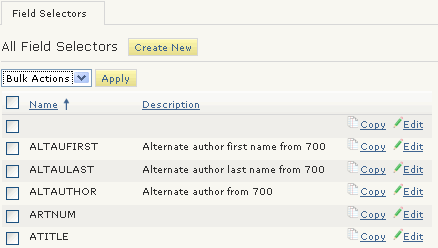
- Choose the Create New button.
The Field Selectors tab displays.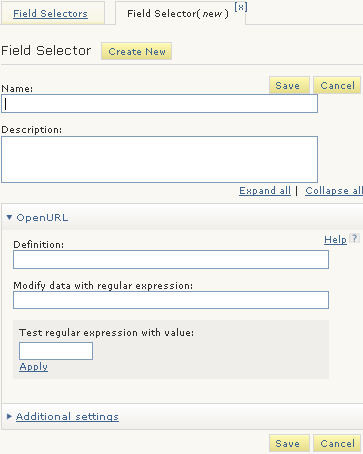
- In the Name text box, enter:
DOI - In the Definiton text box for OpenURL, enter:
rft_id=info:doi - In the Regular Expression text box for OpenURL, enter the following regular expression:
/info:doi\///g - Choose Save.
