
Place a Single Title-Level or Item-Level Hold Request for a Patron
When you search for a title to place a hold for a patron, the Find Tool opens with Bibliographic record selected. If your library allows item-specific holds, you can also place holds on specific items.
Note:
If a staff member places a hold on an econtent record, they will receive the following message: "Holds for eContent records are restricted. To place a hold on this record, you must use the PAC."
To place a hold from a patron record
- Go to the Patron record > Holds view.
The patron’s holds are displayed.
- Select NEW HOLD.
The area below the button expands.
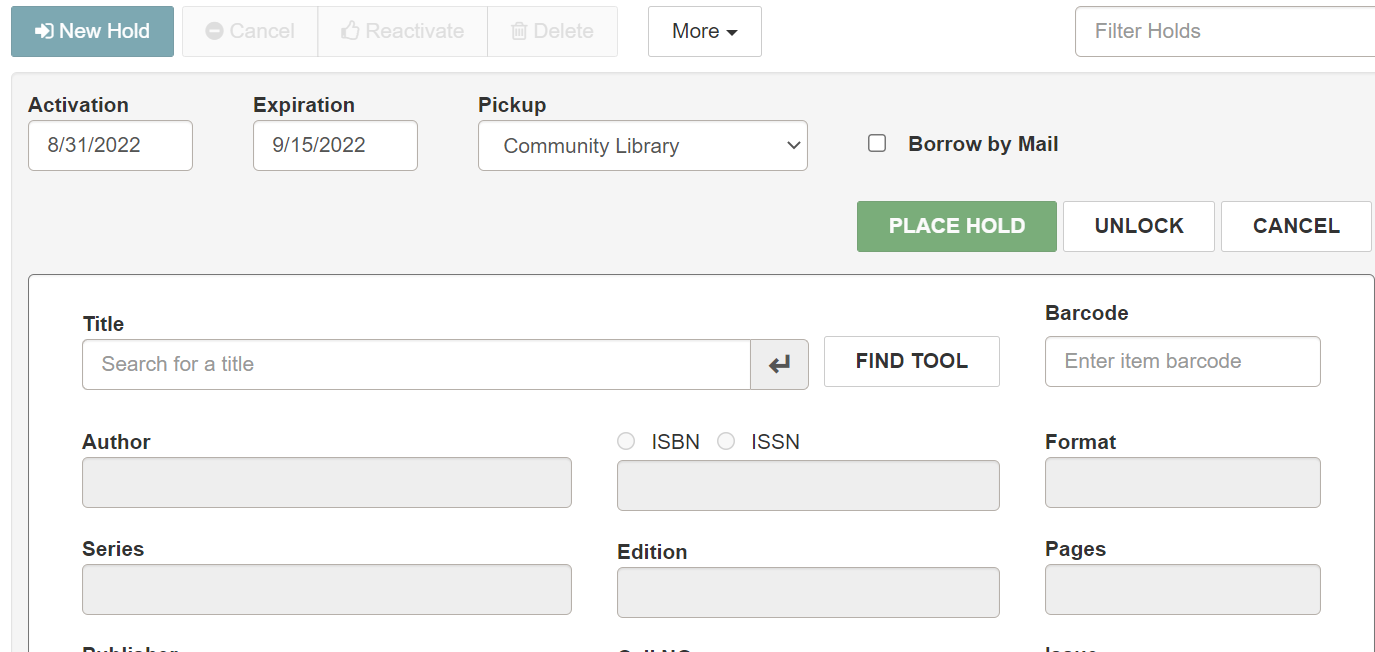
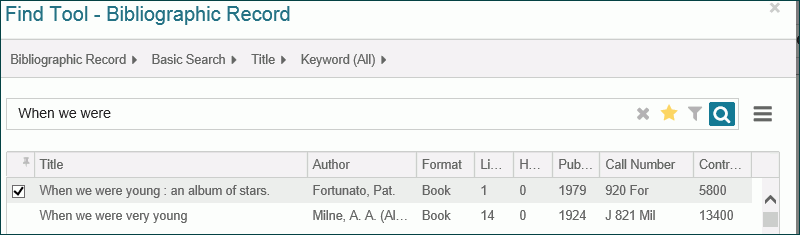
- Select the Title box and start typing the title. Then, press Enter or select the return button to see the results in the Find Tool. Or, select the Find Tool button to open the Find Tool and search for the bibliographic record.
Note:
When you search for a title, the Find Tool opens with Bibliographic Record selected. If the patron wants a hold placed on a specific item, and your library allows item-specific holds, you can select Item Record in the Find Tool and select an item record on which to place the hold.
- (Optional) Select Borrow by Mail to request that the library deliver the titles by mail. Only libraries licensed for borrow by mail functionality and signed in to the processing center see this option.
- Select the title to place a hold.
- To change the duration of the hold request, select the Activation and Expiration boxes to open the calendar control and select new date.
- Select PLACE HOLD.
If there are no blocking conditions, a message indicates the hold request was created, and the pending hold request appears at the top of the patron's holds list.
