View Locations and Areas for Rerouted Hold Requests
If the following is true of a hold request, the hold is rerouted to a new pickup branch and pickup area, and its status changes to Shipped:
-
The hold request starts with a status of Held.
-
The held item is at a branch other than your logged-in branch.
-
A patron or staff member changes the pickup branch (from PowerPAC, Mobile PAC, the Polaris staff client, or Leap).
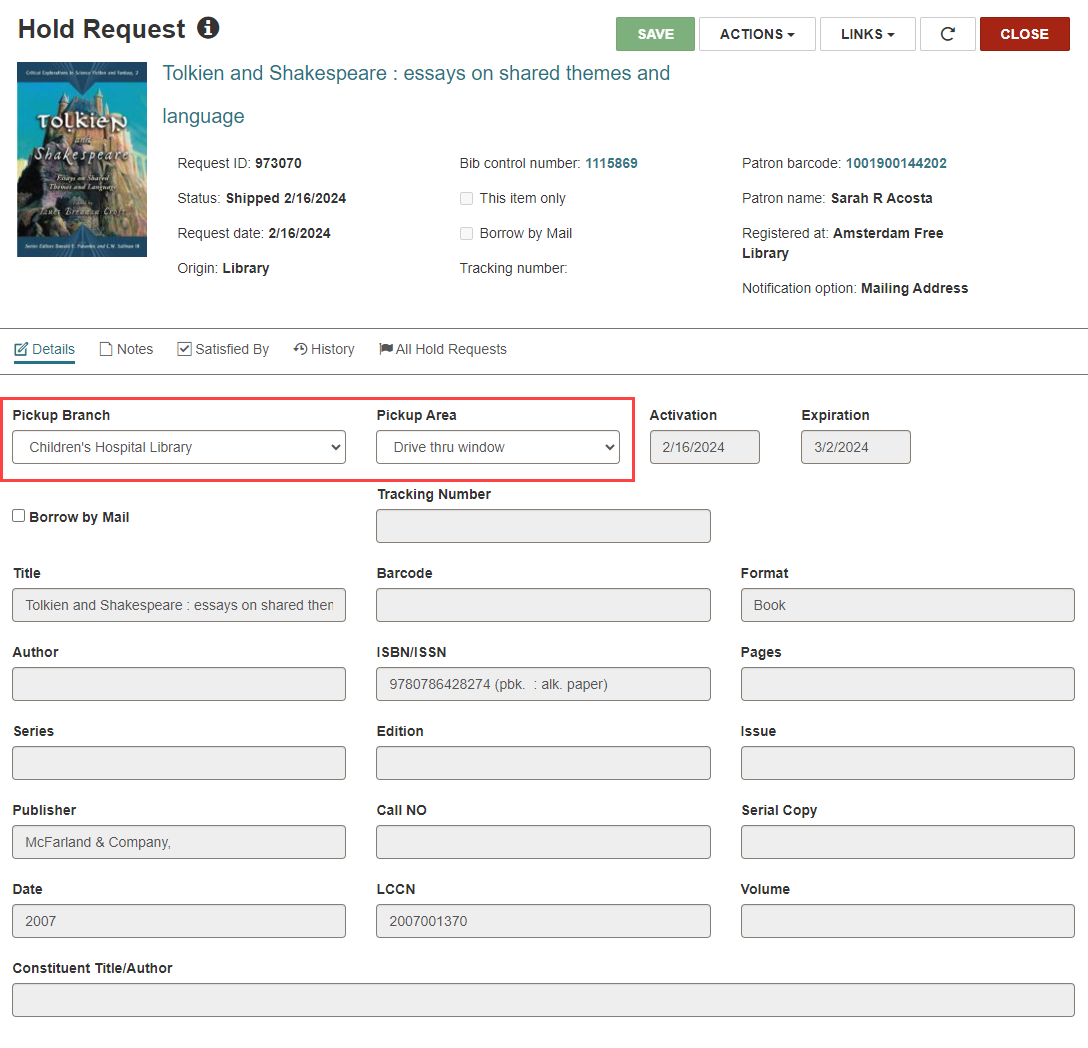
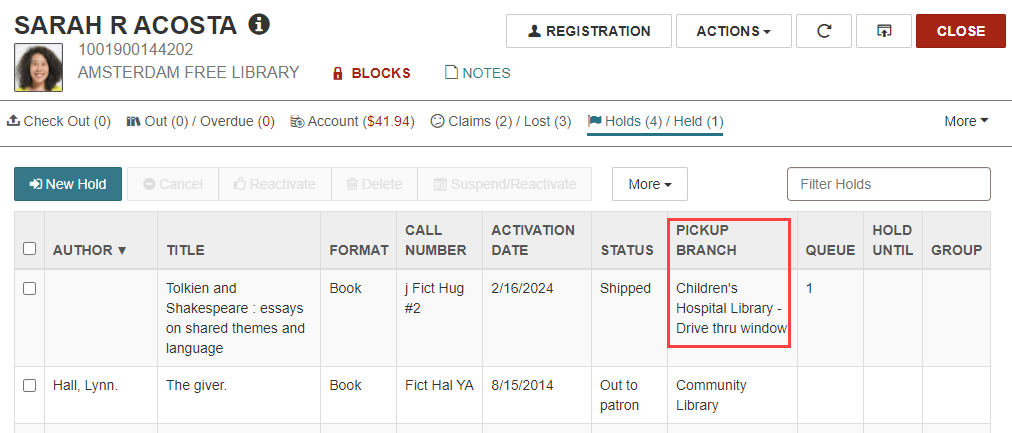
The new pickup branch and pickup area appear in the patron record workform and the Hold Request workform.
To view the new pickup branch and pickup area for a rerouted hold
-
Go to the patron record workform.
-
Select the Holds/Held view.
Look in the PICKUP BRANCH column.
-
(Optional) Select the row to open the hold request.
The Hold Request workform appears. The Details view shows the new pickup location in the Pickup Branch and Pickup Area dropdown lists.