
Gestione dei modelli di accesso
- Amministratore Acquisizioni
- Amministratore di Sistema Generale
Il modello di accesso descrive la disponibilità delle risorse per l'uso simultaneo. The internal access model is the information presented within the PO line's Access Model field. Il modello di accesso pubblico è il modello di accesso rivolto all'utente, che viene presentato all'utente nel sistema di Discovery. Queste informazioni sono presentate nella scheda Acquisizione del portafoglio's tab. L'istituzione può decidere se presentare o meno il modello di accesso pubblico nel sistema Discovery. For more information, see Managing Electronic Resources. The out-of-the-box information is populated with values that are sent by OASIS and GOBI when creating orders via the Real-Time Ordering workflow. The Public Access Model field on the Acquisition tab of the portfolio editor inherits this information from the PO line that created the portfolio. È possibile modificare questo campo per cambiare il modello di accesso del portafoglio. See Editing a Portfolio Using the Electronic Portfolio Editor.
I codici per il modello di accesso devono essere forniti dal fornitore.
Since the vendors have different codes for the same internal access model, for instance, Unlimited Access (BU) and Unlimited Access (EA), some access models might have a different code but are otherwise identical, with the same meaning. Thus also PUR-XX and XX are identical; for example, PUR-1U is identical to 1U, and both have the internal access value of 'One concurrent user'.
The Manage Access Model page (Configuration Menu > Acquisitions > Licenses > Access Model) enables you to add, edit, or delete access models, and to configure the description that will be displayed in the Public Access Model field of the portfolio. See also Enable Display of Access Model.
Quando si modifica il Modello di Accesso, le tabelle mostrano la stessa lingua in Ordine affinché le modifiche vengano salvate correttamente.
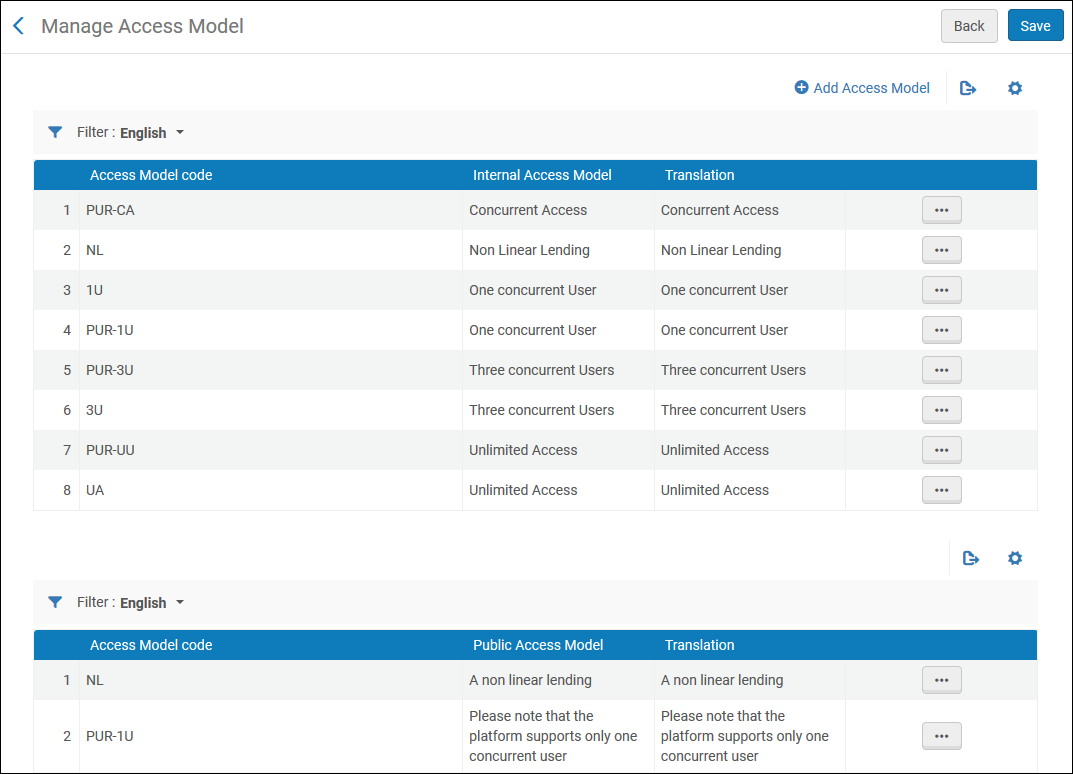
Per aggiungere un nuovo modello di accesso:
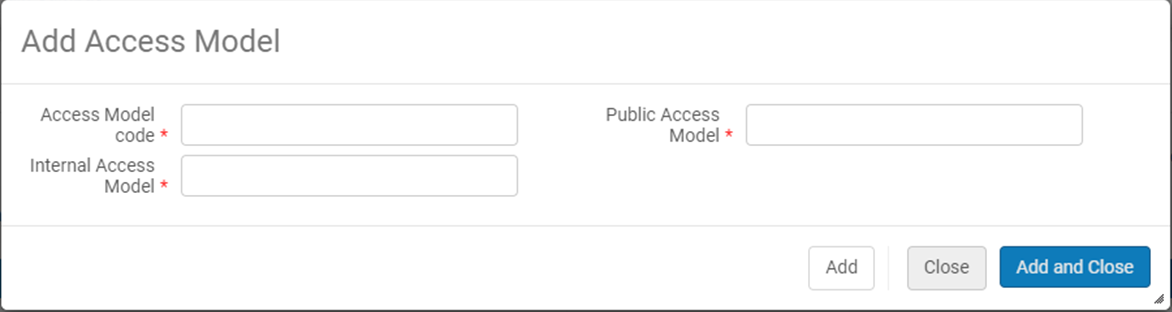
- Select +Add Access Model action.
- A pop-up window opens to enable the user to add an access model code as well as the description of the Internal Access Model(which appears on the PO Line) and the description of Public Access Model (which appears within the portfolio's Acquisitions tab) – when selecting Add and Close, the Internal Access Model and the Public Access Model will be added to the relevant tables in the screen.
Quando si sceglie di eliminare uno dei codici del modello di accesso, il codice e la descrizione vengono rimossi sia dal Modello di Accesso Interno che dal Modello di Accesso Pubblico.
L'istituzione può decidere se presentare o meno il modello di accesso pubblico agli utenti nel sistema Discovery come informazione rivolta agli utenti.
For more information on access models, see Real-Time Ordering.
Page tags: article:topicproduct:almacontent:Documentationlang:englishlicense storage locationadd license storage locationedit license storage location
