
リンク済みデータ
リンクト・データ統合タイプの統合プロファイルを設定するための概要と手順。
リンクト・データ統合プロファイルを設定するには、次の役職が必要です:
- 統括システム管理者
リンクト・データは、Web上で構造化されたデータを公開および相互接続するのに最も優れた方法のひとつです。Almaは、リンクト・データをJSON-LDフォーマットで公開するRESTful APIを実装します。リンクされたデータ統合プロファイルの構成については、以下を参照してください。
- The linked data APIs apply to the production environment by default.To run them on the sandbox environments add ?env=sandbox.
- The linked data integration profile must be active if you want to export bibliographic records in RDA/RDF format.プロファイルが無効の場合、このフォーマットでのジョブは失敗します。
こちらも参照:
- For implementation information, see https://developers.exlibrisgroup.com/alma/integrations/linked_data in the Ex Libris Developer Network.
- For information regarding linked data accessed from the Repository Search results, see Linked Data from the Repository Search Results.
- For information regarding linked data accessed from the Metadata Editor Linked Data tab, see Using Linked Data While Working with Bibliographic Records.
機関のリンクト・データ統合プロファイルを設定するには:
- On the Integration Profile List page (Configuration menu > General > External Systems > Integration Profiles), select Add Integration Profile.Page 1 of the Add Integration Profile wizard appears.
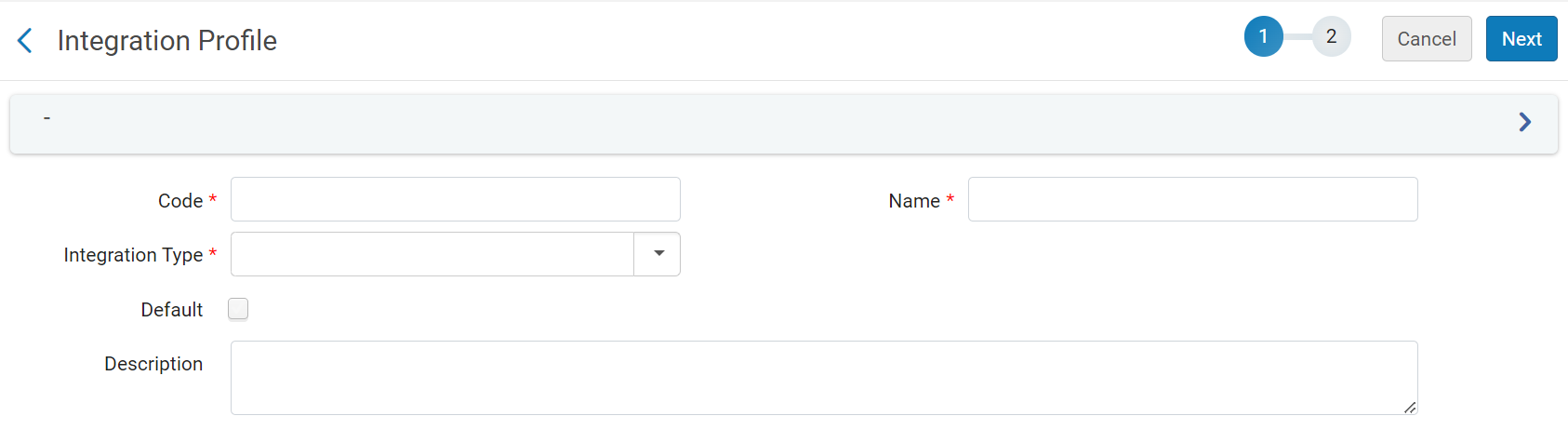
- 新しい統合タイプに固有のコードを入力します。
- 新しい統合タイプの固有の名前を入力します。
- Under IntegrationType, select LinkedData.
- 次へを選択します。Page 2 of the wizard appears.

- ウィザードの2ページ目で、次のフィールドを指定します:
- Active- Select to enable the profile.
- Alternative Context URL – Leave empty to use the default context,cname.alma.exlibrisgroup.com/[format]/[works_or_instances]/[MMSID].例:bgu.alma.exlibrisgroup.com/bf/instances/9922819700121別の属性対象を使用したい場合は、ここにそのURLを入力します。JSON-LDの @contextフィールドは、この属性対象を参照します。
- Base URL- Enable users to change the prefix of the URL not only for the JSON-LD output but also for all records generated with URLs, including BIBFRAME.
- [保存]を選択します。
Page tags: article:topic product:alma content:Documentation lang:english linked data
