
SUNCATへの公開
SUNCATへの公開の概要と、SUNCAT公開プロファイルの設定手順。
SUNCATへの公開を設定するには、次のいずれかの役職が必要です。
- 目録管理者
- リポジトリ管理者
- 統括システム管理者
Almaは、英国の逐次刊行物所蔵に関する情報を無料で提供するSerials Union Catalog(SUNCAT)の公開サポートを提供しています。

SUNCAT
UNSUNCATへの初期公開
SUNCATで進行中の自動同期プロセスを実行する前に、SUNCATで公開するAlmaレコードの初期公開を調整および処理する必要があります。
SUNCATで初期公開を行うには:
開始する前に、この手順をすべて読み、各手順に必要な前提条件を満たしていることを確認してください。
- SUNCATと通信して、Almaからのレコードの初期公開を実行することを通知し、所属の機関とSUNCATの間で調整する必要があるプロファイル設定があれば調整してください。
- Prepare for your communication with SUNCAT by familiarizing yourself with the Alma publishing profile details in Publishing and Inventory Enrichment (General Publishing), and by reviewing any shared information in the Ex Libris Developer Network.(For an example, refer to https://developers.exlibrisgroup.com/blog/Publishing-to-SUNCAT-Experience-of-the-University-of-York.)
- 次のAlma構成要件に対処する必要がある質問のチェックリストを準備します。
- FTP configuration details (refer to Adding S/FTP Connections for additional information.)
- MARC出力形式(MARC 21バイナリまたはMARC 21 XML)
- ファイルサイズの設定(ファイルごと、または単一ファイルごとに1,000、5,000、または10,000レコード)
- 公開済みファイルのファイル命名規則(プレフィックス)
- 公開スケジュール
- SUNCATに発行するレコードのロジカルセットを作成します。See Creating Logical Sets.If you need to normalize these records before publishing, refer to Working with Normalization Processes for more information and/or use the normalization options provided on the Data Enrichment tab of the publishing profile (refer to the example below).
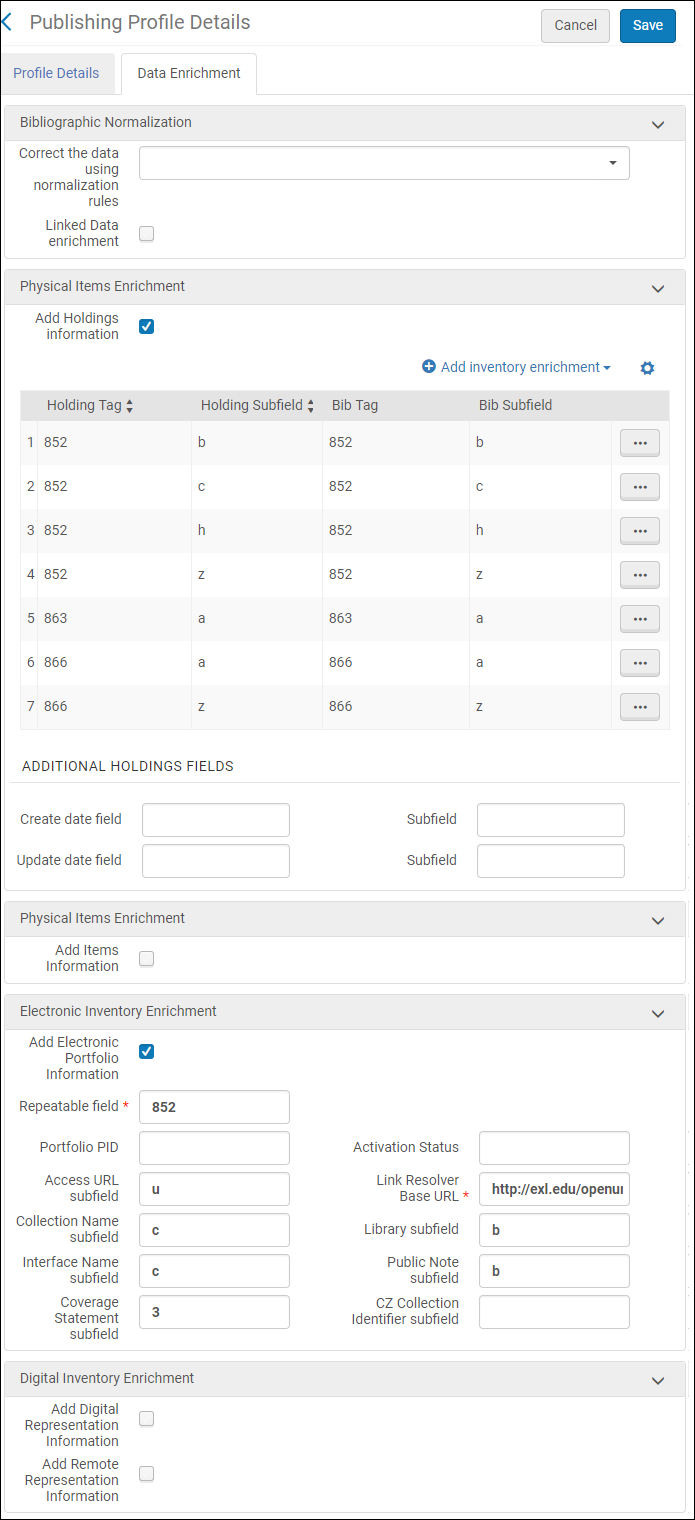 データ強化タブ(公開プロファイル)
- With the information that you have gathered, create the Alma publishing profile for publishing to SUNCAT using the procedure in Publishing and Inventory Enrichment (General Publishing).プロファイル詳細タブの例として、以下を参照してください。
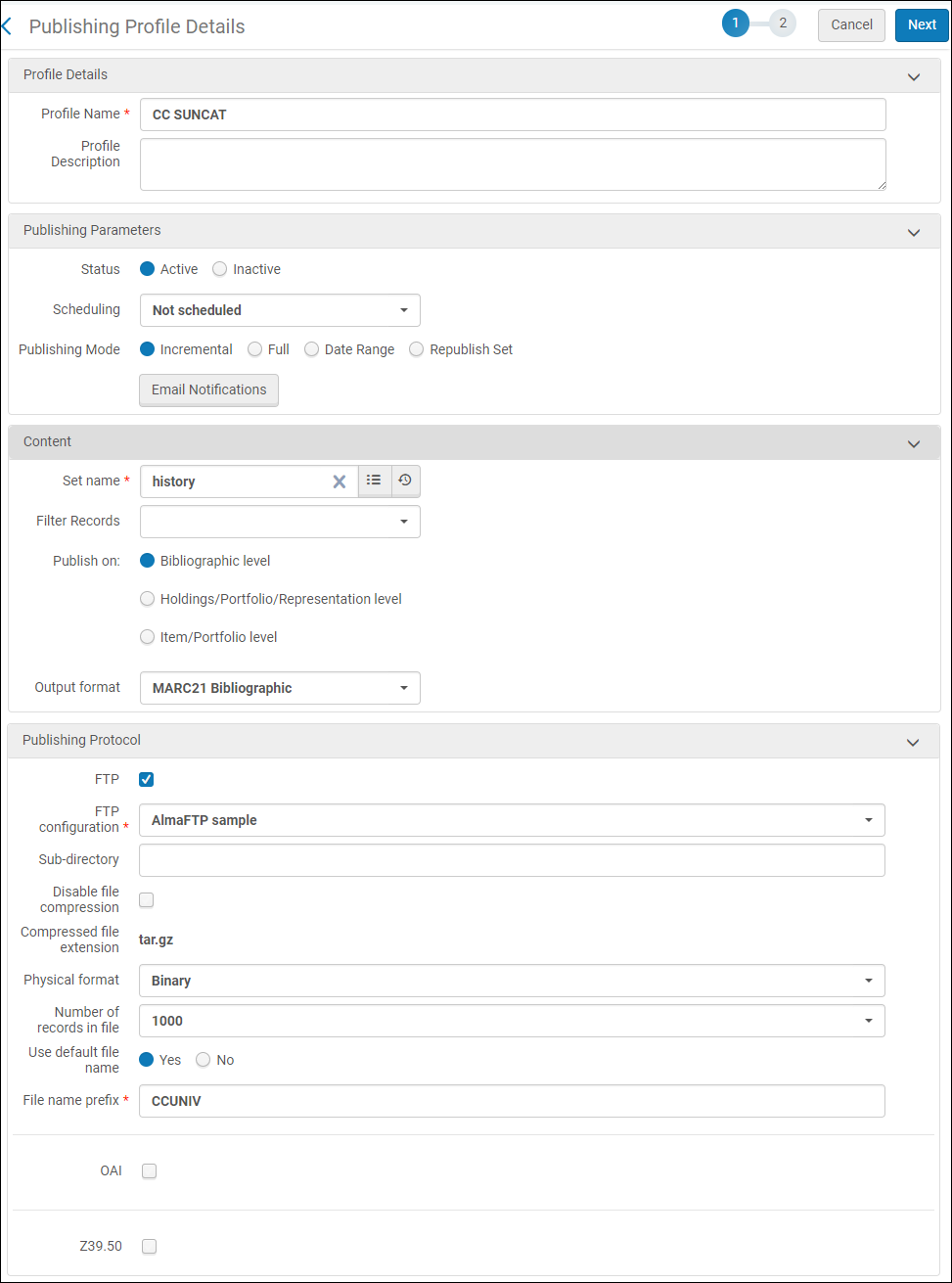 [プロファイルの詳細]タブ(公開プロファイル)
- SUNCATで事前に設定されたスケジュールに従って、初期ロード公開ジョブを実行します。
- 設定したSUNCAT公開プロファイルにアクセスします( [リソース] > [公開] > [公開プロファイル] )。
- SUNCAT公開プロファイルを実行します。
- Check the History tab on the Monitor Jobs page (see Viewing Completed Jobs) to determine the status of your SUNCAT publishing job.
- SUNCATとフォローアップのやりとりを行い、公開ジョブが正常に受信されたこと、およびファイルがSUNCATデータベースにロードされたことを確認します。
- SUNCATへのレコードの継続的な公開のために、SUNCAT公開プロファイルを設定します。See the next section,Ongoing Publishing to COPAC.
SUNCATへの継続的な公開
SUNCATでの最初の公開ジョブを完了し、ファイルがSUNCATデータベースにロードされたことが確認できたら、SUNCATのレコードを更新する増分/継続プロセスをいつでも開始できます。Alma一般公開は、必要なロジックが組み込まれたレコードの最初の完全なアップロードを1回行い、前回の各アップロードに対する増分変更を識別し、最後の公開ジョブの実行以降に変更されたレコードのみを公開するように設計されています。その結果、全データの再公開(再読み込み)はオプションとして提供されません。
継続的な公開の場合、繰り返しのスケジュールで自動的に実行されるように公開プロファイルを設定する方がおそらくは簡単です。
SUNCAT公開ジョブを繰り返しスケジュール用に設定するには:
- [公開プロファイルの詳細]ページ( [リソース] > [公開] > [公開プロファイル] )を開き、 SUNCATへの初期アップロード用に作成した公開プロファイルの行アクションリストで 編集を選択します。
- スケジューリングパラメータを好みに合わせて変更します。
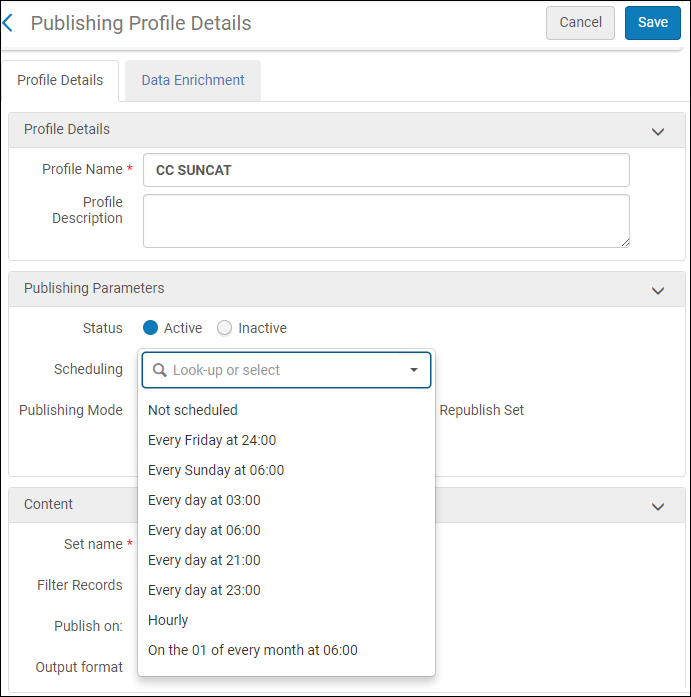 スケジューリングパラメータ
- [保存]を選択します。
Page tags: article:topicproduct:almacontent:Documentationlang:englishdata enrichmentSUNCAT
