
Viewing Bookings
From the patron account page, patrons can view and cancel booked items. For example:
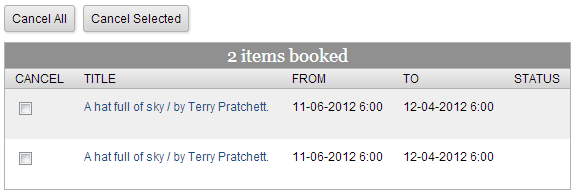
The bookings display shows the material booked as well as the duration and any status messages.
Early Morning Hourly Bookings
Encore cannot display booking start and end times between 3:00 a.m. and 5:00 a.m. If your library is open overnight and allows bookings that begin or end during these hours, Encore suppresses the hour from the patron's bookings display.
Canceling Bookings
To cancel a booking:
- Do one of the following:
- To cancel selected bookings, select the check boxes for the bookings you want to cancel, and click Cancel Selected.
- To cancel all bookings, click Cancel All.
- When prompted, click Yes to confirm the cancellation.
