
Managing Checked Out Items
From the patron account page, you can view a list of checked out items in Encore. For example:
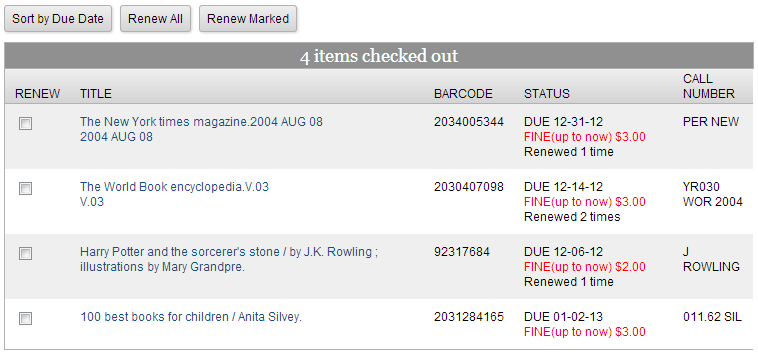
This display includes the following information for each item checked out:
- Title (linked to the corresponding record detail page)
- Barcode
- Status (including information such as due date, associated fees or fines, renewal status, and number of renewals)
- Call number
Renewing Checked Out Items
If your system enables patrons to renew their own items, a Renew column with check boxes appears next to each item.
To renew items:
- Do one of the following:
- To renew one or more items, select the items, and click Renew Marked.
- To renew all checked out items, click Renew All.
- When prompted, click Yes to confirm the renewal.
Encore processes the renewal(s). If you are unable to renew an item, the system displays the appropriate error message (for example, "The item is overdue").
