
Managing Saved Lists
From the patron account page, patrons can manage saved lists. For example:
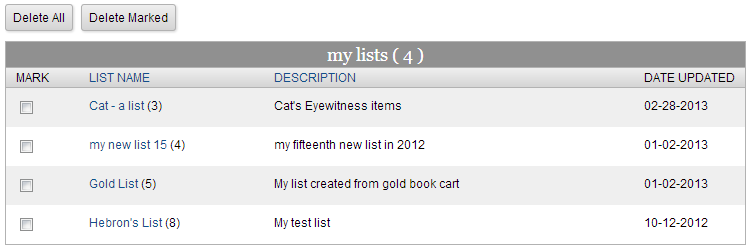
The list of lists enables patrons to review and delete existing lists. Click an entry link in the List Name column to view the contents of the list:
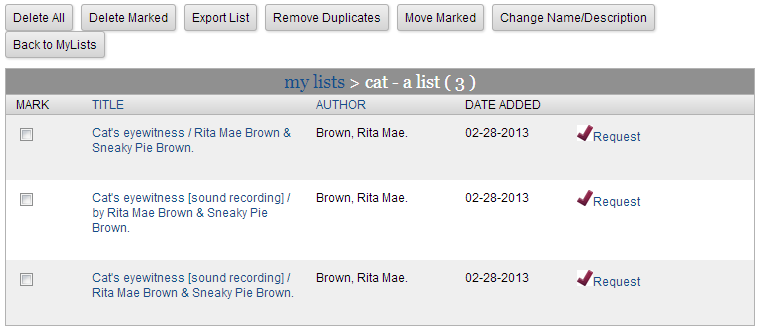
Each item title is a link to the corresponding record detail page.
The Request link places a hold on the item.
The list management panel buttons provide the following functions:
Delete All
Delete all items from the list.
Delete Marked
Delete marked (checked) items from the list.
Export List
Export marked items to the book cart.
Remove Duplicates
Remove duplicate entries from the list.
Move Marked
Move marked (checked) items to a new or different list.
Change Name/Description
Change the name and/or description of the list.
Back to My Lists
Return to the list of lists.
