
Managing Ratings and Reviews
From the patron account page, patrons can view and manage their existing ChiliFresh ratings and reviews. For example:
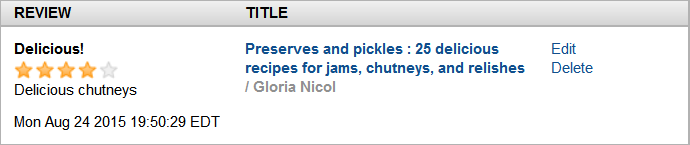
Patrons can view both pending and approved reviews as well as the patron's ChiliFresh reviewer name. Pending reviews include a Pending approval status message.
The item title is a link to the corresponding record detail page.
The Edit link opens a form to edit the review, review title, and rating. Patrons can also change the rating by clicking on the rating tool.
The Delete link deletes the review.
Editing the Reviewer Name
When patrons first create a ChiliFresh review, the system assigns the patron a reviewer name. The patron can edit that system-generated name at the time of submitting the first review or can later change it in the Patron Account page.
To change the Reviewer Name at a later point:
- Log in and go to the Patron Account page.
- Click the Edit Reviewer Name link from the Patron Account page.
Encore presents the user with an editing pop-up:
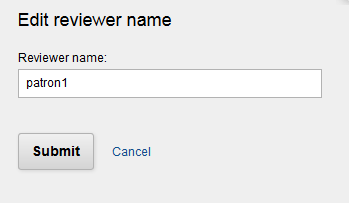
Enter a new reviewer name and click Submit to complete the change or Cancel to cancel.
