
Configurazione delle notifiche dell'istituzione
- Amministratore di Sistema Generale
Può configurare le notifiche che vengono visualizzate per tutti gli Utenti della Sua istituzione. Queste notifiche vengono visualizzate nell'intervallo di data/ora da Lei definito e rimangono visibili finché non vengono eliminate da ciascun Utente.
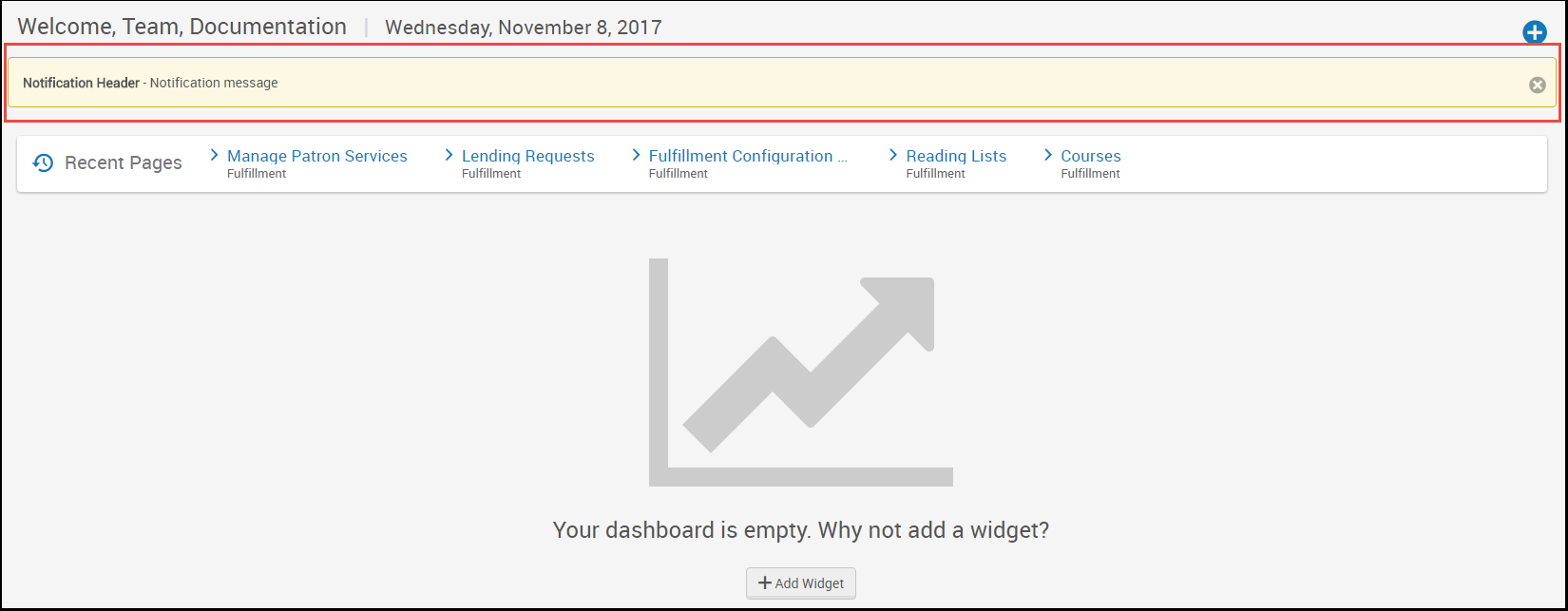
For general, non-time restricted information and messages, consider using the home page notification widget; see Configuring the Home Page Notification Widget.
You configure institution notifications on the Institution Notifications mapping table (Configuration Menu > General > General Configuration > Institution Notifications). For more information about mapping tables, see Mapping Tables.
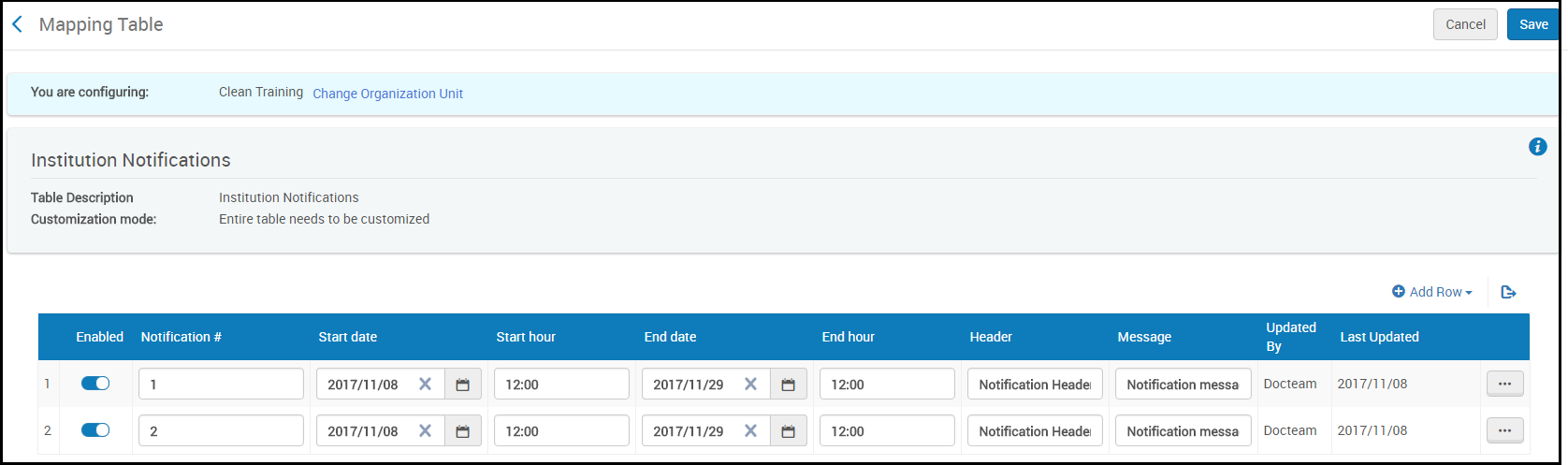
Per ogni notifica, configuri il seguente campo:
- Notifica n. - Deve essere univoca tra le notifiche attualmente definite in questa pagina.
- Start date/End date - The start and end date for the notification to appear. Si noti che la notifica non verrà visualizzata dopo che un Utente l'ha dismessa.
- Start hour/End hour - The start hour (on the start date) and the end hour (on the end date) for the message to appear. Inserisca un valore come hh:mm nella notazione a 24 ore.
- Intestazione - Un prefisso in grassetto per il messaggio, se presente. Fino a 512 caratteri.
- messaggio - Il messaggio, fino a 1024 caratteri.
Al termine, selezioni Configura o Salva. Per eliminare una notifica, selezioni Elimina nell'azione di riga Lista.
