
機関通知の設定
機関通知を設定するには、下記の役職が必要です:
- 総合システム管理者
貴機関の全ユーザーに表示される通知を設定できます。これらの通知は、定義した日付/時間の範囲内で表示され、各ユーザーによって却下されるまで表示されます。
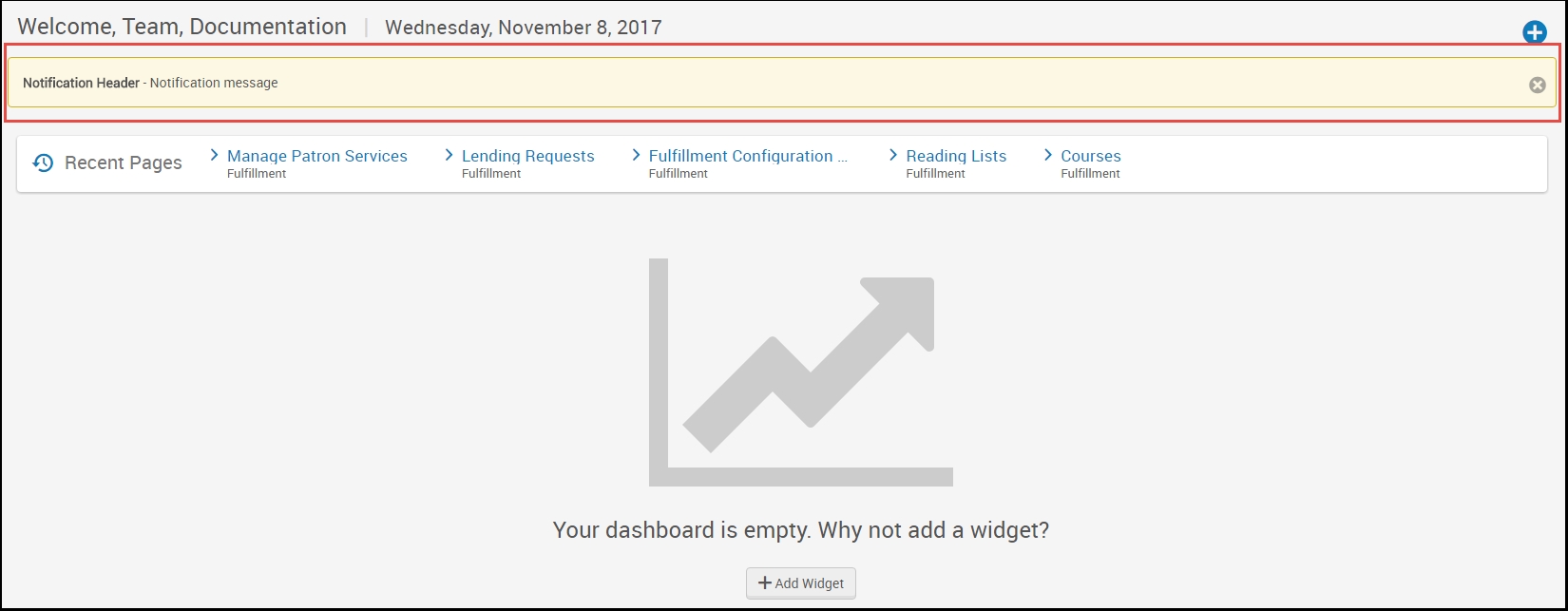
For general, non-time restricted information and messages, consider using the home page notification widget; see Configuring the Home Page Notification Widget.
You configure institution notifications on the Institution Notifications mapping table (Configuration Menu > General > General Configuration > Institution Notifications).For more information about mapping tables, see Mapping Tables.
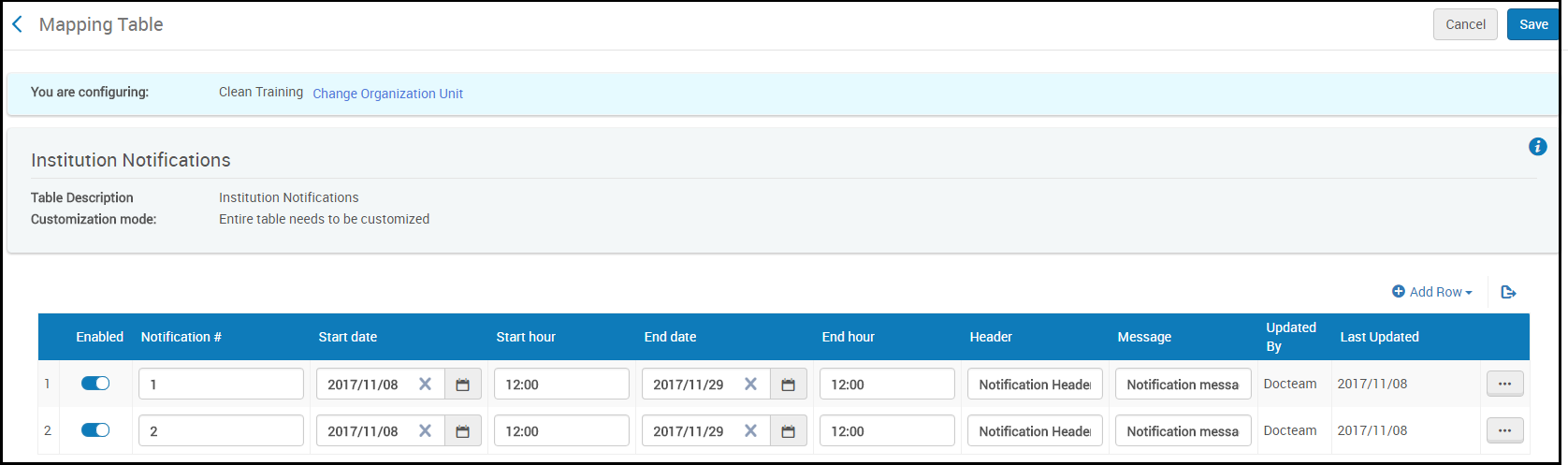
通知ごとに、下記のフィールドを設定します:
- 通知番号 - このページで現在定義されている通知と重複してはいけません。
- Start date/End date - The start and end date for the notification to appear.通知は、ユーザーが却下した後は表示されないことに注意してください。
- Start hour/End hour - The start hour (on the start date) and the end hour (on the end date) for the message to appear.24時間表記で時:分の値を入力します。
- ヘッダー - メッセージの太字の接頭語 (存在する場合)。最大512文字。
- メッセージ - 最大1024文字までのメッセージ。
完了したら、設定または保存を選択します。通知を削除するには、その行のアクションリストで削除を選択します。
