
移行フォームを検証する
- 一般システム管理者
Almaを実装する段階で、既存のILSからAlmaにレコードを移行する場合、ILS移行フォームに記入する必要があります。Additionally, you may choose to fill in an E-Resource Activation Form to activate e-resources for your institution.
You can validate whether your forms are missing or contain incomplete information on the Validate Migration Forms page, available at Configuration Menu > General > General Configuration > Validate ILS Migration Form.
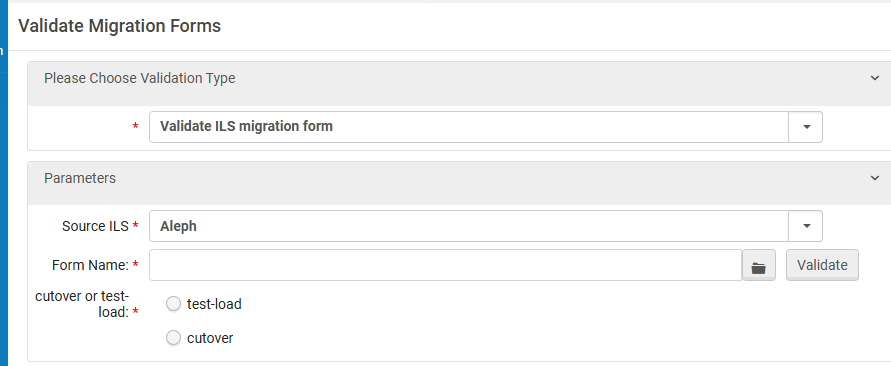
To validate your ILS Migration Form:
- 「ILS 移行フォームの検証」ページの最初のドロップダウンで、「ILS 移行フォームの検証」を選択します。
- 次に、ソースILS を選択します。このページは、現在、下記のソースILSをサポートしています:
- Aleph
- Voyager
- Millennium
- Symphony
- Talis
- VTLS
- Horizon
- ローカルファイルシステムからILS移行フォームを参照して選択します。ファイルを選択すると、ファイルのアイコンがページに表示されます。
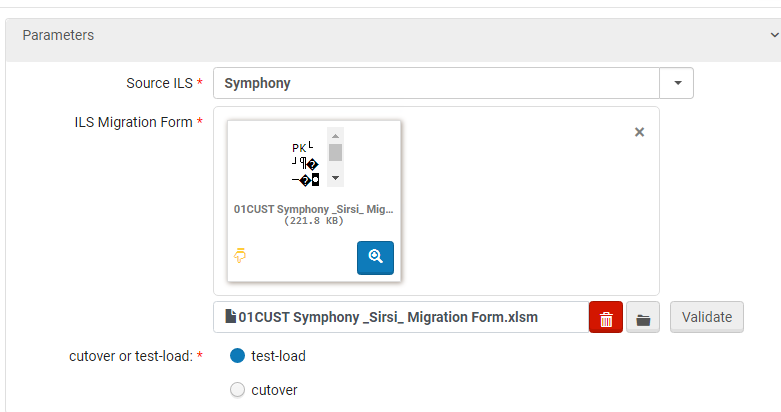
- 移行タイムラインの場所に応じて、次のいずれかを選択します:
- テストロード–Almaデータベースの値をチェックせずに、独立して検証が実行されます
- カットオーバー–検証は、移行フォームの値とAlmaの値を比較することによって実行されます。To use the 'Cutover' option, you must perform the validation in the Alma instance which contains your test-load data.If new values are added in the Library or the Location tab that are not in Alma, you receive a notification that they should be added to Alma.See Data and Configuration Elements Retained at Cutover.
- 検証を選択します。
- If the file is invalid, the invalid sheets and fields are noted together with the specific validation issues:
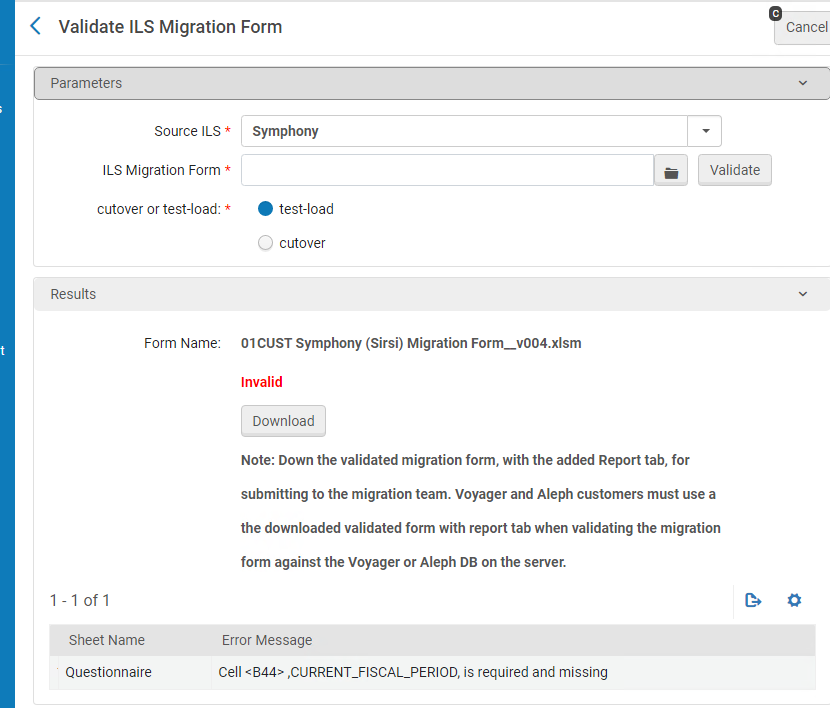
フォームを修正し、再度検証します。
- ファイルが有効な場合は、次のメッセージが表示されます:
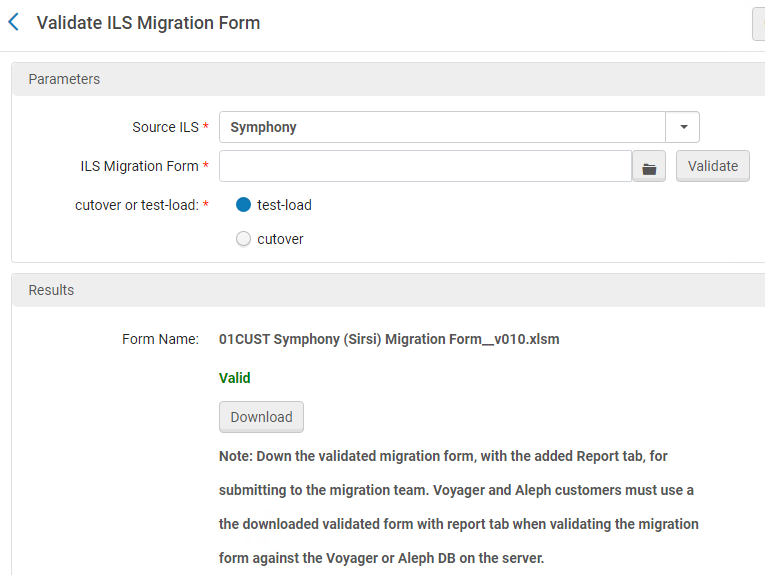
Download the valid form, which has the results of validation in an extra Report tab.
- 次の手順は、使用している製品によって異なります:
- AlephおよびVoyagerのお客様の場合-サーバー上のAlephまたはVoyager DBのデータに対してフォームを再度検証します。
- Ex Libris以外のお客様は、エクスポートしたデータファイルとともにフォームをAlma移行チームに提供してください。
To validate the E-Resource activation form:
- [ILS 移行フォームの検証]ページで、最初のドロップダウンから[電子リソースフォームの検証]を選択します。
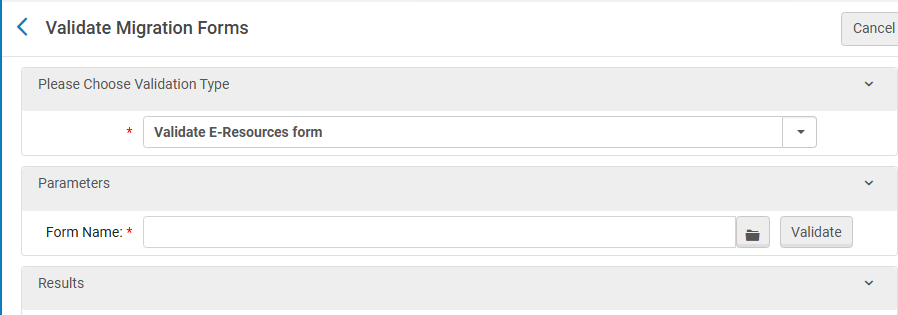
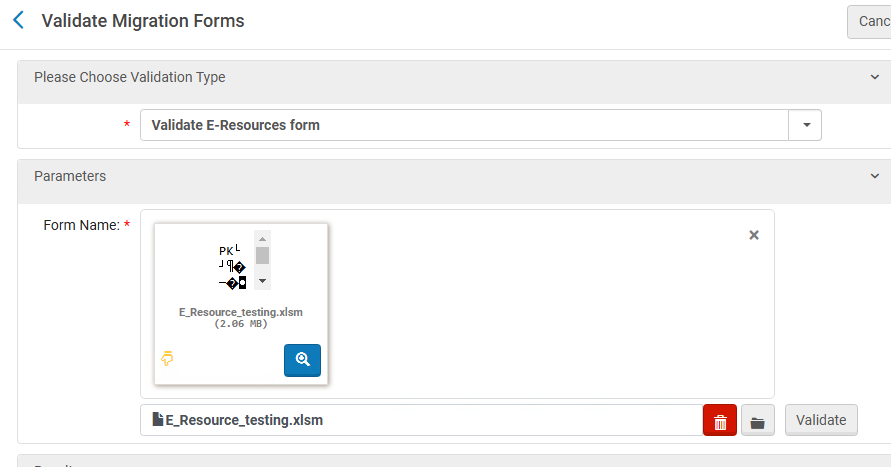
2.Browse for and select the E-Resource Activation Form from your local file system.ファイルを選択すると、ファイルのアイコンがページに表示されます。
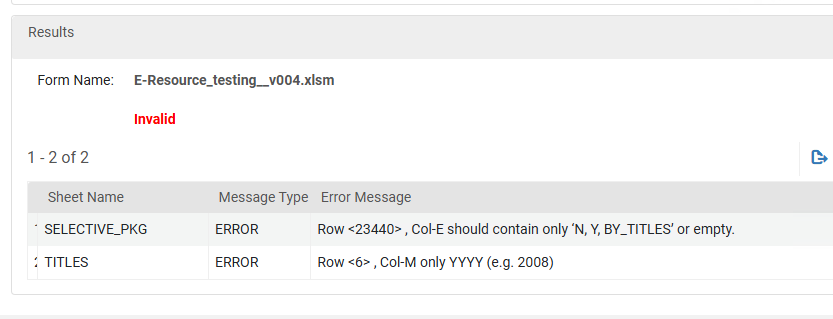
3.フォームが無効な場合はエラーが表示されます。Correct the errors and validate again.Warnings can be ignored, but errors must be fixed.
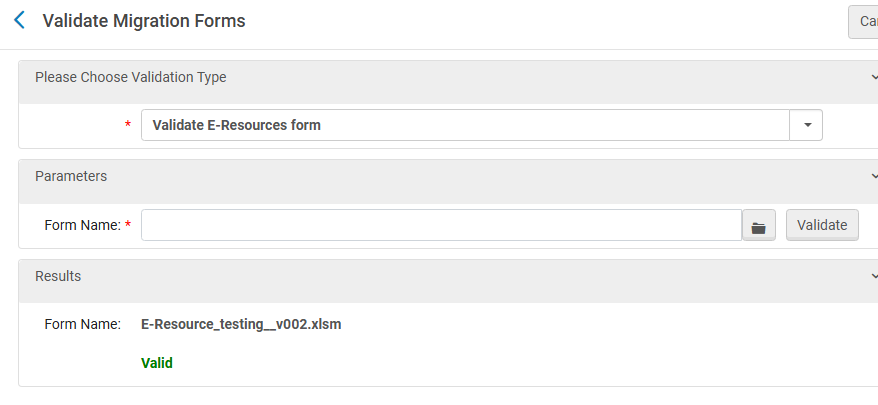
4.フォームが有効な場合は、「有効」という文字が表示されます。
5.フォームが検証されたら、そのままフォームを送信できます。検証済みバージョンをダウンロードする必要はありません。
