
NACSIS所蔵管理
This page contains information on searching and managing NACSIS holdings.For information on working with NACSIS-ILL see Integration with NACSIS-CAT/ILL.
Almaの所蔵はMARC21形式で保存され、NACSISの所蔵はCAT-P形式で保存されます。Holdings record management is done in NACSIS in parallel to the holdings records management in Alma.
To make it easier for the librarians to manage two sets of holdings records in the two systems, Ex Libris created a Cloud App that enables working with NACSIS holdings records directly from Alma, without the need to open the NACSIS UI.
前提条件
- Configure the Central Catalog integration profile for NACSIS (see Configuration).
- Configure the NACSIS user identifier setup and NACSIs partner setup (see Configuration).
- Install the NACSIS-CAT/ILL cloud app from the Cloud App Center (see Configuring Cloud Apps).
Searching Holdings of All NACSIS Members
他の機関に属する所蔵レコードを検索できます。
- Almaで、書誌検索ページで適格なタイトル(またはいくつかの適格なタイトル)を選択します。
- Cloud App Centerを開き、NACSIS-CATアプリを選択します。
- アプリ内で、NACSIS所蔵オプションを開きます。
- [タイトルを選択]オプションをクリックします。Almaの検索結果に表示されるすべてのタイトルが表示されます。
- Select the desired record from this list and select Retrieve NACSIS Holdings.The app retrieves the NACSIS holdings records corresponding to the bibliographic records opened in Alma.
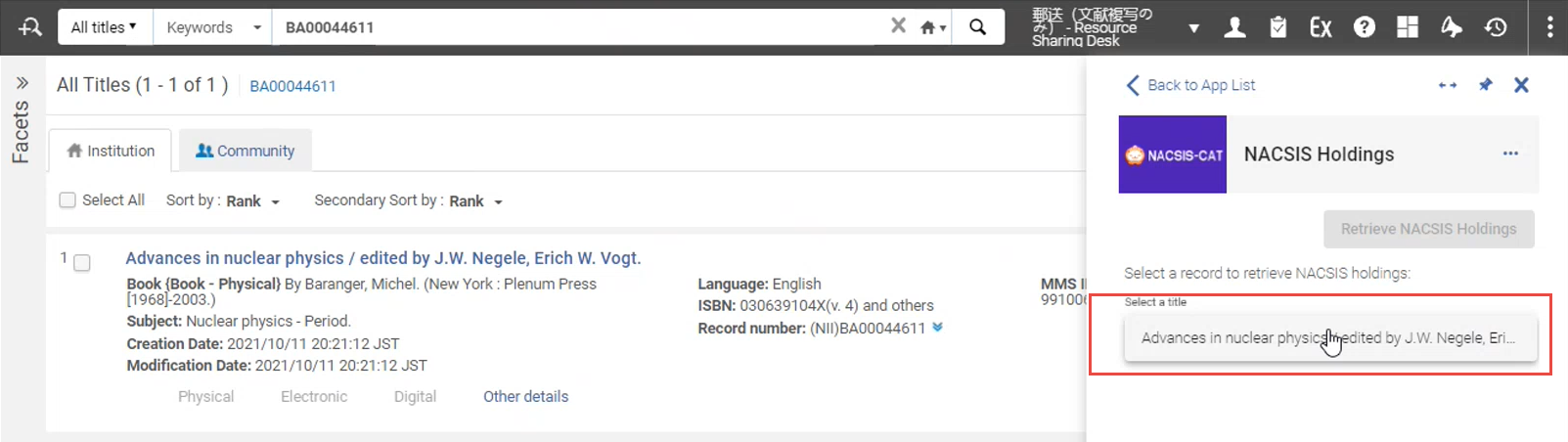 You may want to expand the NACSIS holdings record for convenience.Select the
 button on the panel.
- デフォルトでは、NACSISユーザーがNACSISで利用できる所蔵レコードが表示されます。To display all holdings related to this title from all NACSIS users (across all Japanese institutions that posses holdings records for this title), select 'All' in the "Owner" dropdown.
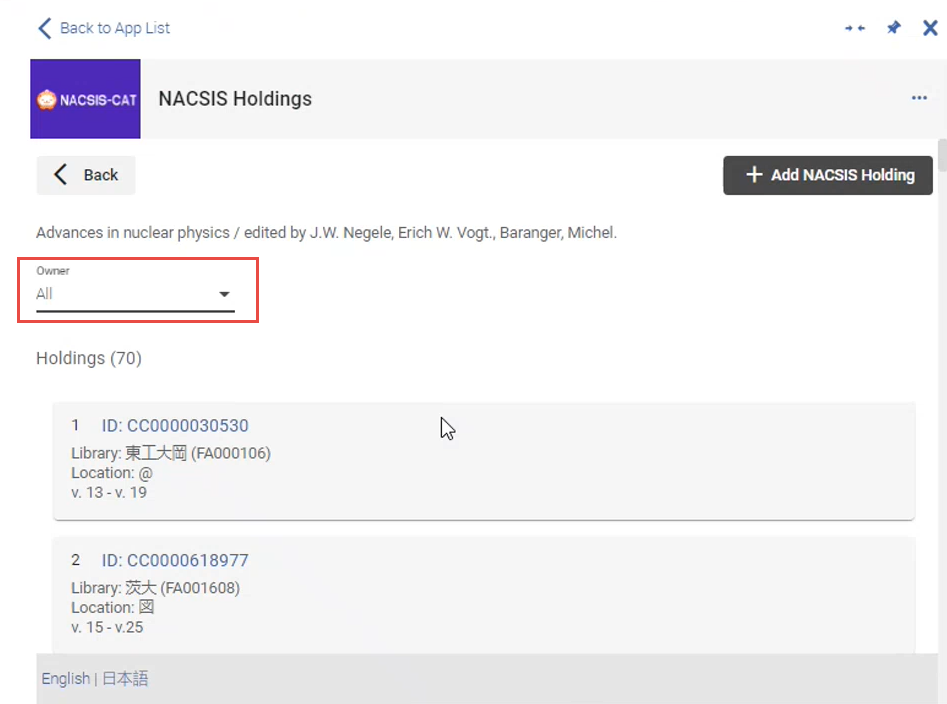
You are presented with all existing holdings records for this title.You can distinguish between the holdings records belonging to your institution vs. belonging to other institutions by the and
 icons - only your institution's holdings have these icons.
- To view full information for a specific record belonging to another user, select its ID to view its full information:
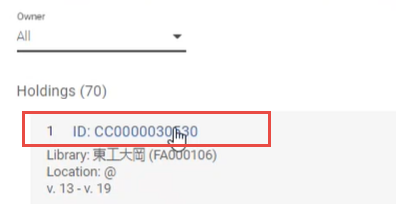
- Select Back to return to the short display of the record.
機関のNACSIS所蔵の管理
新しい所蔵を作成したり、機関の所蔵レコードを編集または削除したりできます。
Records eligible for editing /deletion are those bibliographic records that have the NACSIS ID in the MARC21 field 016 $a and the NACSIS code in $2 (JP-ToKJK).
- Almaで、書誌検索ページで適格なタイトル(またはいくつかの適格なタイトル)を選択します。
- Cloud App Centerを開き、NACSIS-CATアプリを選択します。
- アプリ内で、NACSIS所蔵オプションを開きます。
- [タイトルを選択]オプションをクリックします。Almaの検索結果に現在表示されているすべてのタイトルが表示されます。
- Select the desired record from this list and select Retrieve NACSIS Holdings.The app retrieves the NACSIS holdings records corresponding to the bibliographic records opened in Alma.
- [所有者]フィールドで[自分]が選択されていることを確認してください。This displays only the bibliographic records that are available in NACSIS for your NACSIS user.If there is no holdings record in NACSIS, the message "No holding records exist" is displayed:
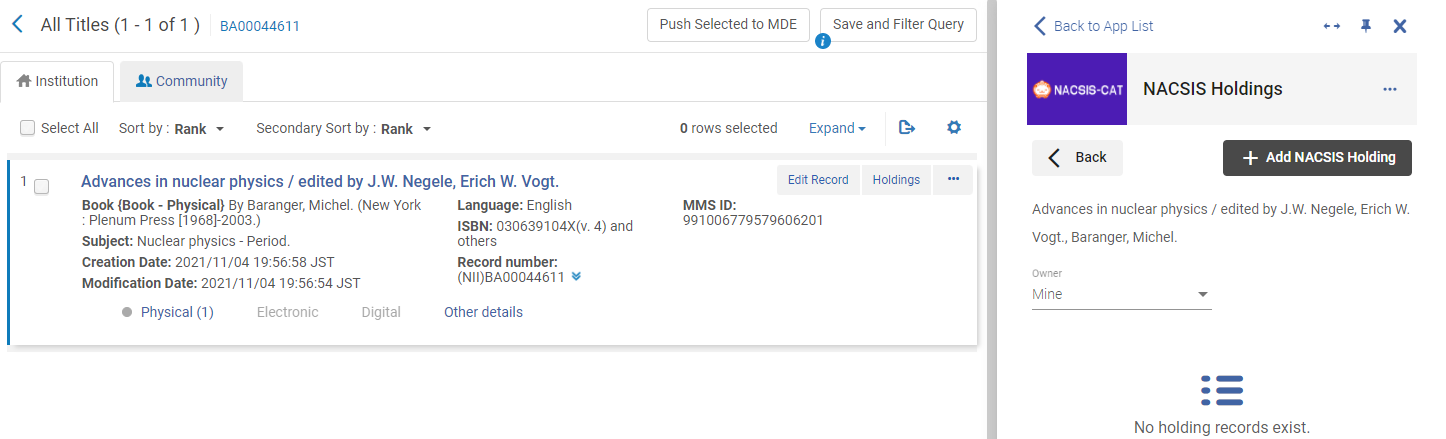
- 次のことを行うことができます。
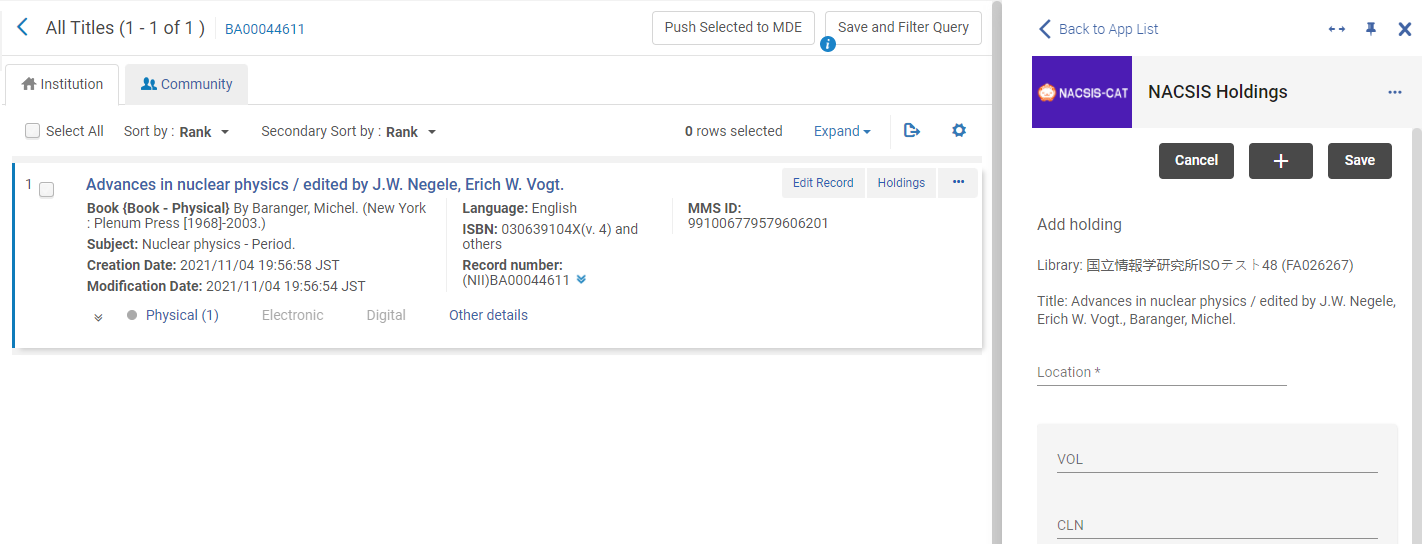
変更後: 次を行います: Create a NACSIS record using Alma matadata - Select the desired bibliographic record in the cloud app and select + Add NACSIS Holding:
- Display the Alma holdings record and the NACSIS holdings record side-by-side.To do that:
- 開いている書誌レコードからAlma所蔵レコードを開きます([物理的]リンクをクリックして)。
- Select
 to pin the NACSIS cloud app.
- Copy the metadata in the Alma physical record to the equivalent fields of the NACSIS holding record.
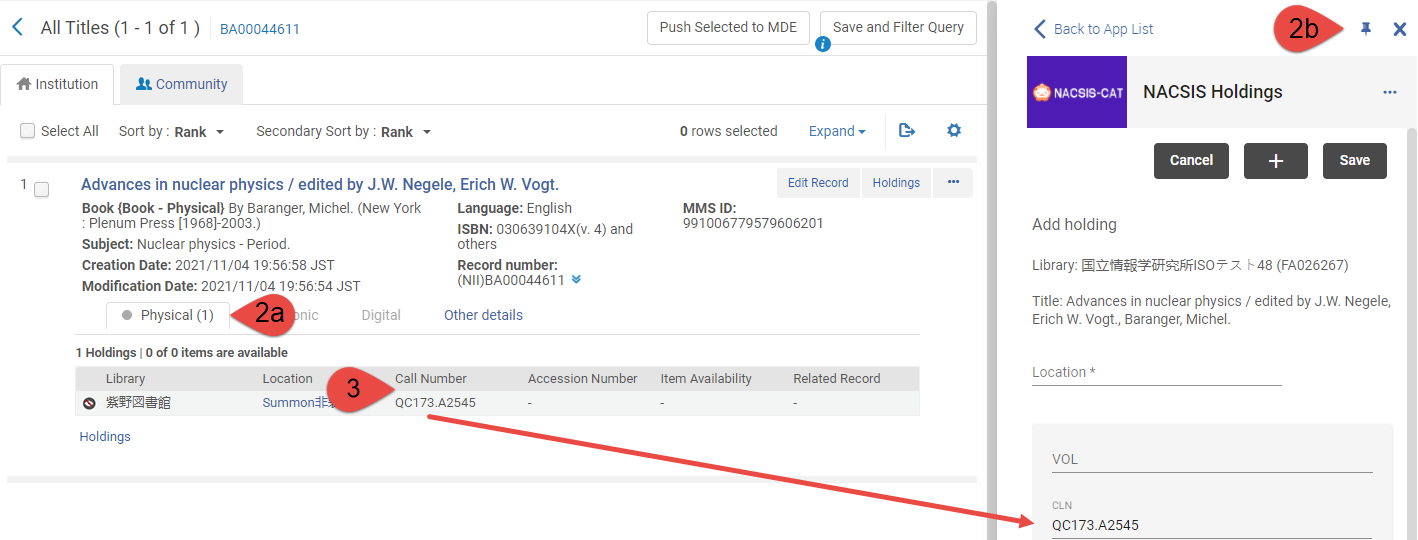
- Select Save in the NACSIS holdings panel to add a new holdings record to NACSIS.
Edit NACSIS records using Alma matadata - To edit an existing record in NACSIS, open this record and select theicon.NACSISに存在するCAT-P所蔵レコードが開きます。
- Edit the metadata, then select Save to save the record in NACSIS.
Almaメタデータを使用してNACSISレコードを削除する To delete an existing record in NACSIS, open this record and select the icon, then select Yes in the confirmation message that opens. - Select the desired bibliographic record in the cloud app and select + Add NACSIS Holding:
Page tags: article:topic product:alma content:Documentation lang:english
