
Bus Tracking
The Bus Tracking product integration maps the locations of buses and their stops, per bus route.
Overview
The Bus Tracking product integration maps the locations of buses and their stops, per bus route.
The following vendors are currently supported:
- Samsara
User Experience
The following section describes information relating to the user experience for the Bus Tracking product integration.
User Activities
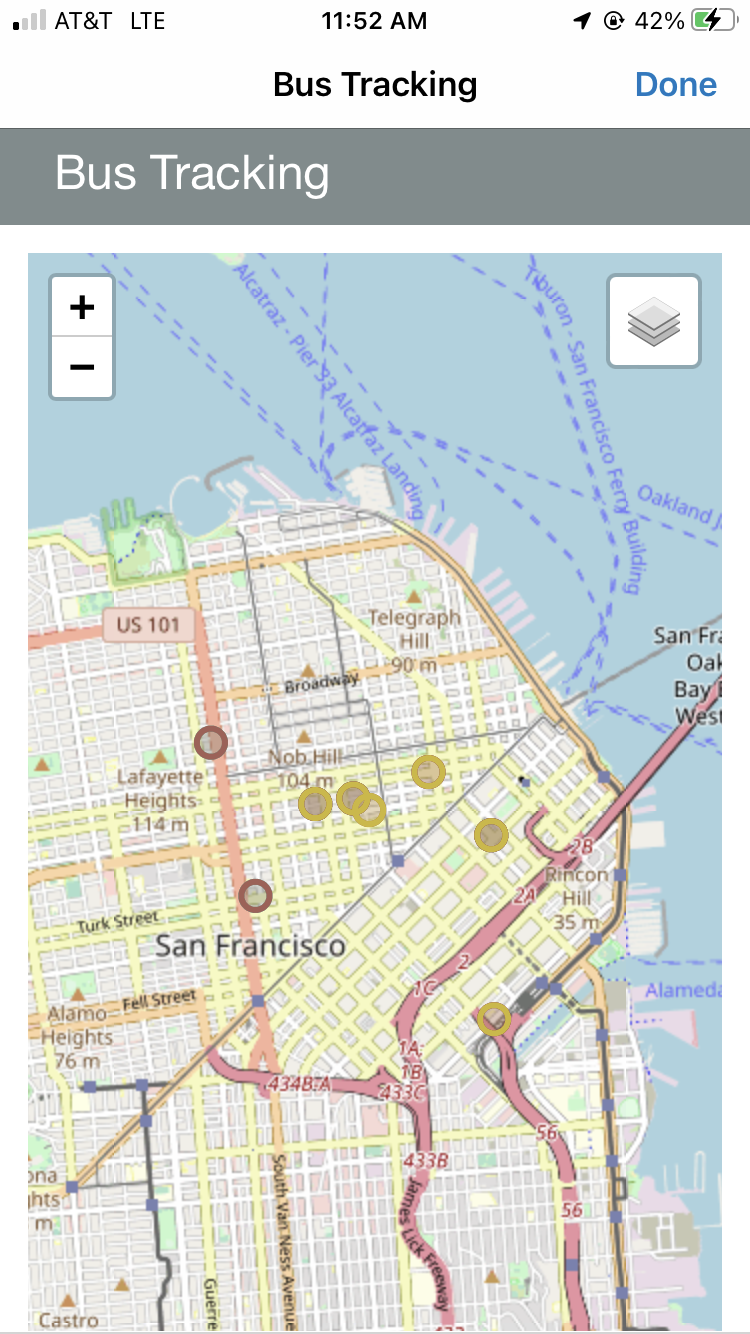
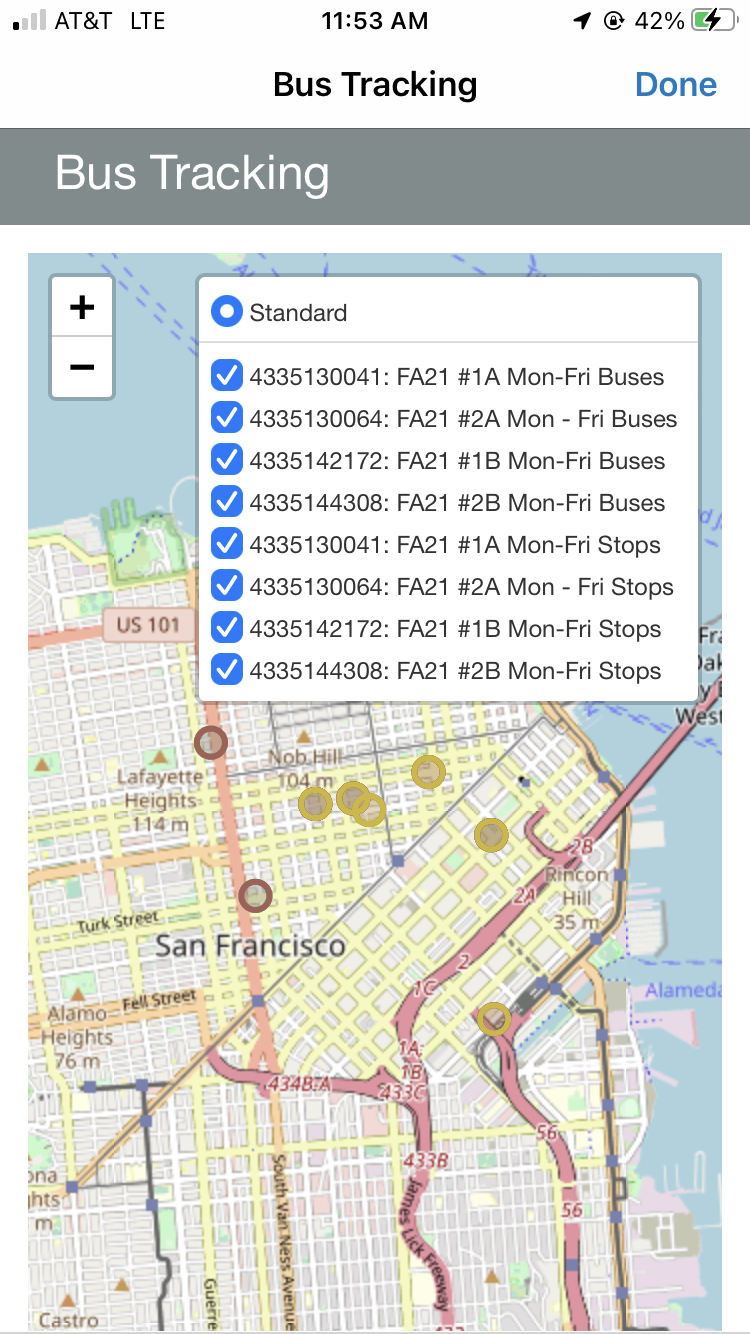
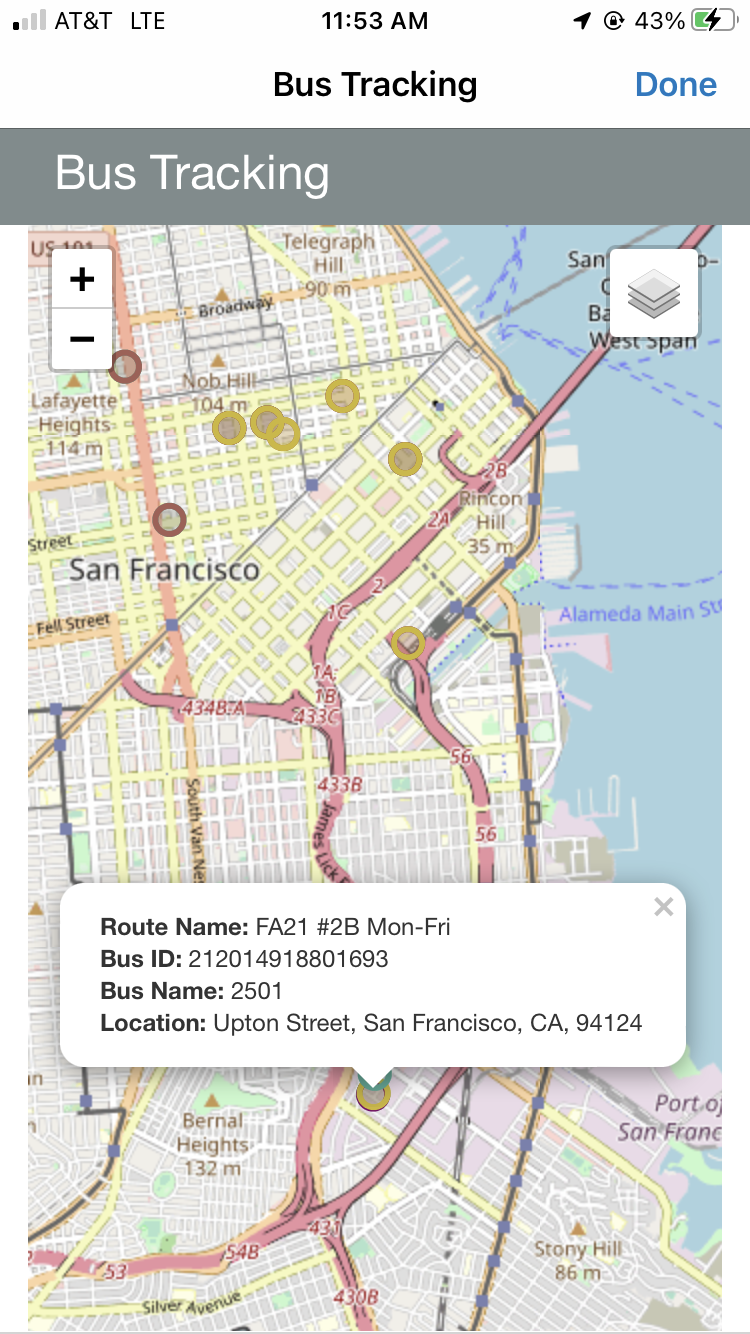
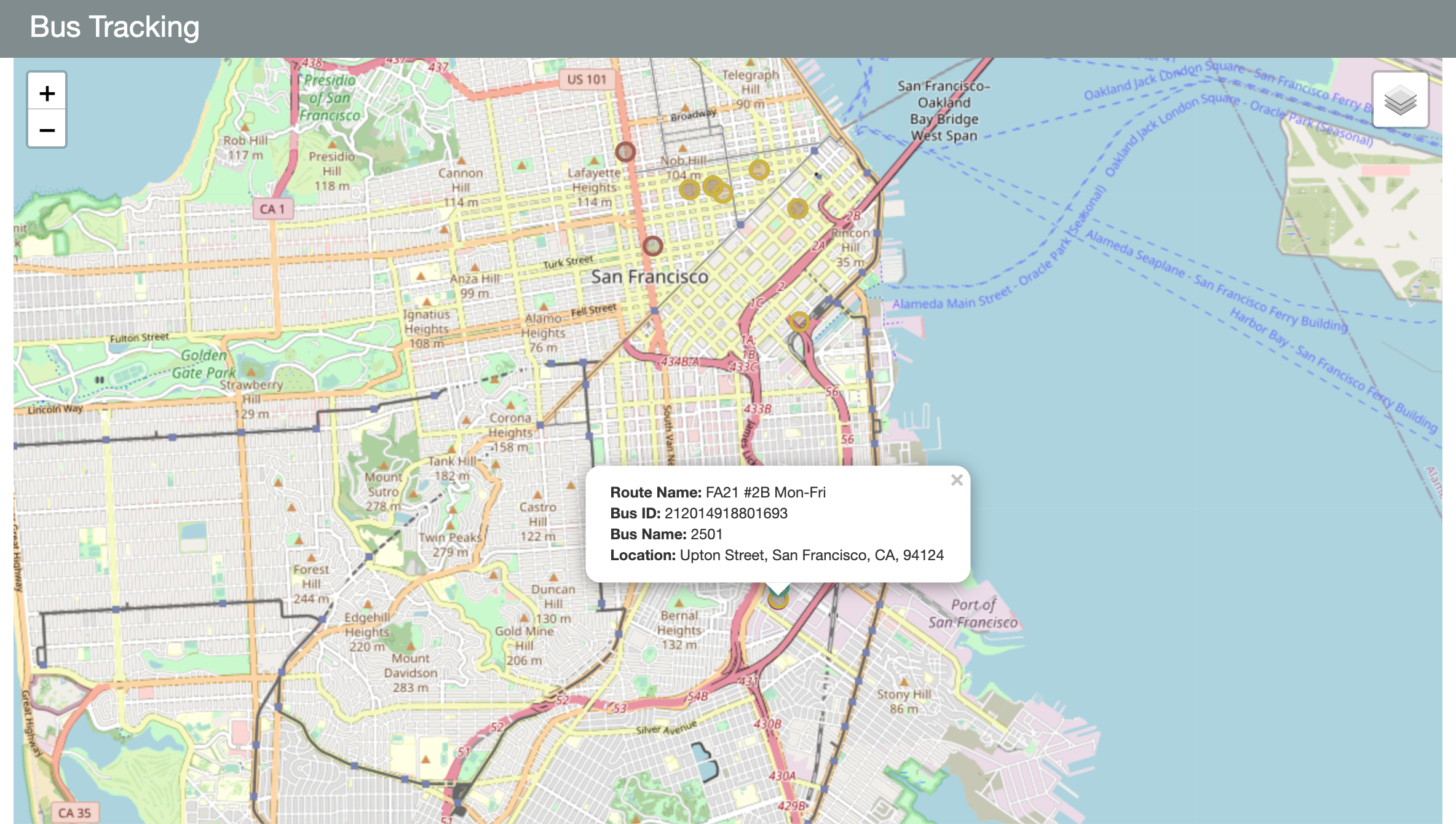
Users can view where the buses for various routes are currently located. They can also look up stops per route.
Authentication
There is no need for additional user authentication besides the API authentication.
Screenshots
The following is an example of the Bus Tracking page:
|
|
|
Technical Overview
The following section describes technical information for the Samsara product integration.
Prerequisites
The following prerequisites are required for the Samsara product integration.
Configuration
|
Configuration Option |
Description |
Mandatory |
Data Type |
Default |
Example |
|---|---|---|---|---|---|
|
Manage Integration |
|||||
|
Enable Product Integration |
Select to enable the product integration on the user's campusM app. |
No |
Checkbox |
Unselected |
|
|
Product Integration Description |
A description of the product integration for internal use. |
Yes |
String |
||
|
Screen Title |
The title that appears in the top header of the service. |
No |
String |
Bus Tracking |
|
|
Vendor |
|||||
|
Vendor Name |
Defines to which vendor the integration connects. |
Yes |
Drop-down list |
Samsara |
|
|
Samsara Configuration This section contains the Samsara API details to define the API structure. You can test the API configuration. See Testing API Product Integration Configuration. |
|||||
|
Authentication Type |
Authentication type against the web service. The options are:
|
Yes |
Drop-down list |
||
|
Bus Marker Size |
This specifies the radius of the bus markers and user location marker on the map. The value sets the radius of the circle in meters. |
No |
Number |
100 |
|
|
Bus Route Timeframe |
Sets the timeframe to query for routes. |
Yes |
Number |
8 |
|
|
Timezone |
Sets the time zone for the routes. |
Yes |
Drop-down list |
UTC |
|
|
Look and Feel |
|||||
|
Primary Theme Color |
Select a color for the main elements on the page. |
No |
Color Picker |
#444444 |
|
|
Secondary Theme Color |
Select a color for the secondary elements on the page. |
No |
Color Picker |
#6f8ea4 |
|
|
Text/Labels |
|||||
|
Bus Tracking Header |
Pager header |
No |
String |
Bus Tracking |
|
|
User's Current Position Message |
This appears in the route list. |
No |
String |
Your current position |
|
|
User's Current Position Label |
This appears in the popup for the map marker for the user's location. |
No |
String |
This is your current location. |
|
|
Route Name Label |
Label used in the map marker popups |
No |
String |
Route Name |
|
|
Bus ID Label |
Label used in the map marker popups |
No |
String |
Bus ID |
|
|
Bus Name Label |
Label used in the map marker popups |
No |
String |
Bus Name |
|
|
Location Label |
Label used in the map marker popups |
No |
String |
Location |
|
|
Stop Name Label |
Label used in the map marker popups |
No |
String |
Stop Name |
|
|
Address Label |
Label used in the map marker popups |
No |
String |
Address |
|
|
Scheduled Arrival Times Label |
Label used in the map marker popups |
No |
String |
Scheduled Arrival Times |
|
|
Scheduled Departure Times Label |
Label used in the map marker popups |
No |
String |
Scheduled Departure Times |
|
|
Live Sharing URL Label |
Label used in the map marker popups |
No |
String |
Live Sharing URL |
|
|
Map Layer Bus Label |
Label for the map layer associated with buses for a specific route |
No |
String |
Buses |
|
|
Map Layer Stop Label |
Label for the map layer associated with stops for a specific route |
No |
String |
Stops |
|
|
Base Map Layer Label |
Name of the base map layer |
No |
String |
Standard |
|
|
Error Message |
Message to display when there's an error retrieving the data. |
No |
String |
Unable to reach the service at this time. Please try again later. |
|
|
Import/ Export Configuration You can configure product integration and then export it to another campusM environment, for example, from sandbox to production or from preview to production. |
|||||
|
Export |
Create a JSON file with all product integration configurations. |
No |
|||
|
Import |
Use this option to load configuration from JSON of an exported product integration. |
No |
|||
- Samsara
- Have your bearer token for authentication at hand for the configuration page.
- API Information
- This product integration uses the following Samsara endpoints. These endpoints are expected to be populated accurately.
- GET https://api.samsara.com/fleet/routes?startTime={{ example start time }}&endTime={{ example end time }}
- This is used to grab the various routes. This also gives us the buses and stops associated with a given route.
- GET https://api.samsara.com/addresses
- This is used to grab the locations of the bus stops' route.
- GET https://api.samsara.com/fleet/vehicles/locations
- This is used to grab the current locations of the buses on the routes.
- GET https://api.samsara.com/fleet/routes?startTime={{ example start time }}&endTime={{ example end time }}
- These API calls occur every 15 seconds and are centralized to avoid hitting API limits.
- This product integration uses the following Samsara endpoints. These endpoints are expected to be populated accurately.
Page tags: article:topiccontent:Documentationproduct:campusmlang:english
