
Laundry
The Laundry product integration integrates with the campus laundry service and allows users to monitor laundry service availability.
Overview
The Laundry product integration integrates with the campus laundry service and allows users to monitor laundry service availability.
Vendor
The Laundry product integration supports Circuit as a vendor.
User Experience
User Activities
The Laundry product integration allows users to view the availability of the washing machines and dryers in the campus laundry rooms.
Screenshots
The following is an overview of the Laundry product integration user interface for a reference when configuring it.
After selecting the Laundry tile, a list of available laundry rooms appears:
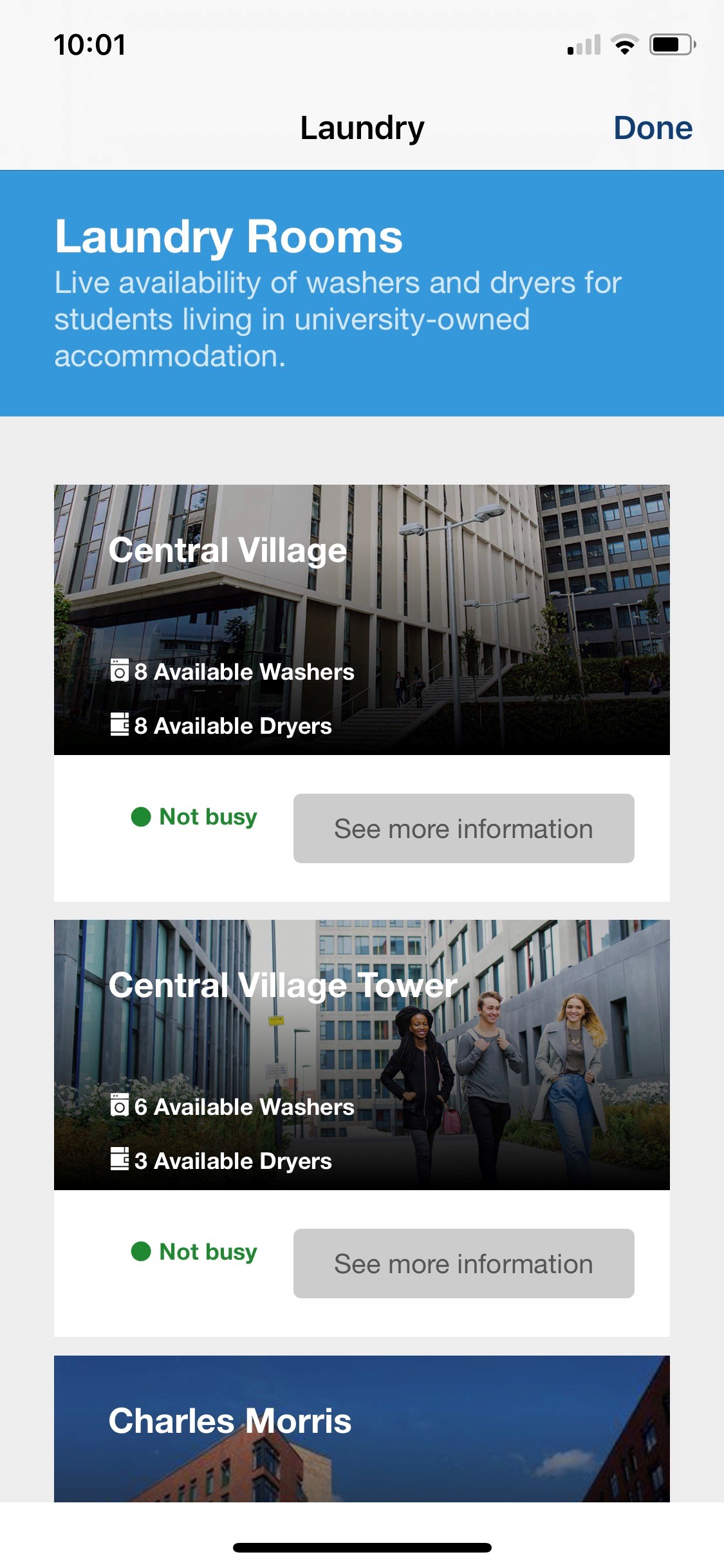
The number of available machines appears. Click the laundry room for more information.
|
|
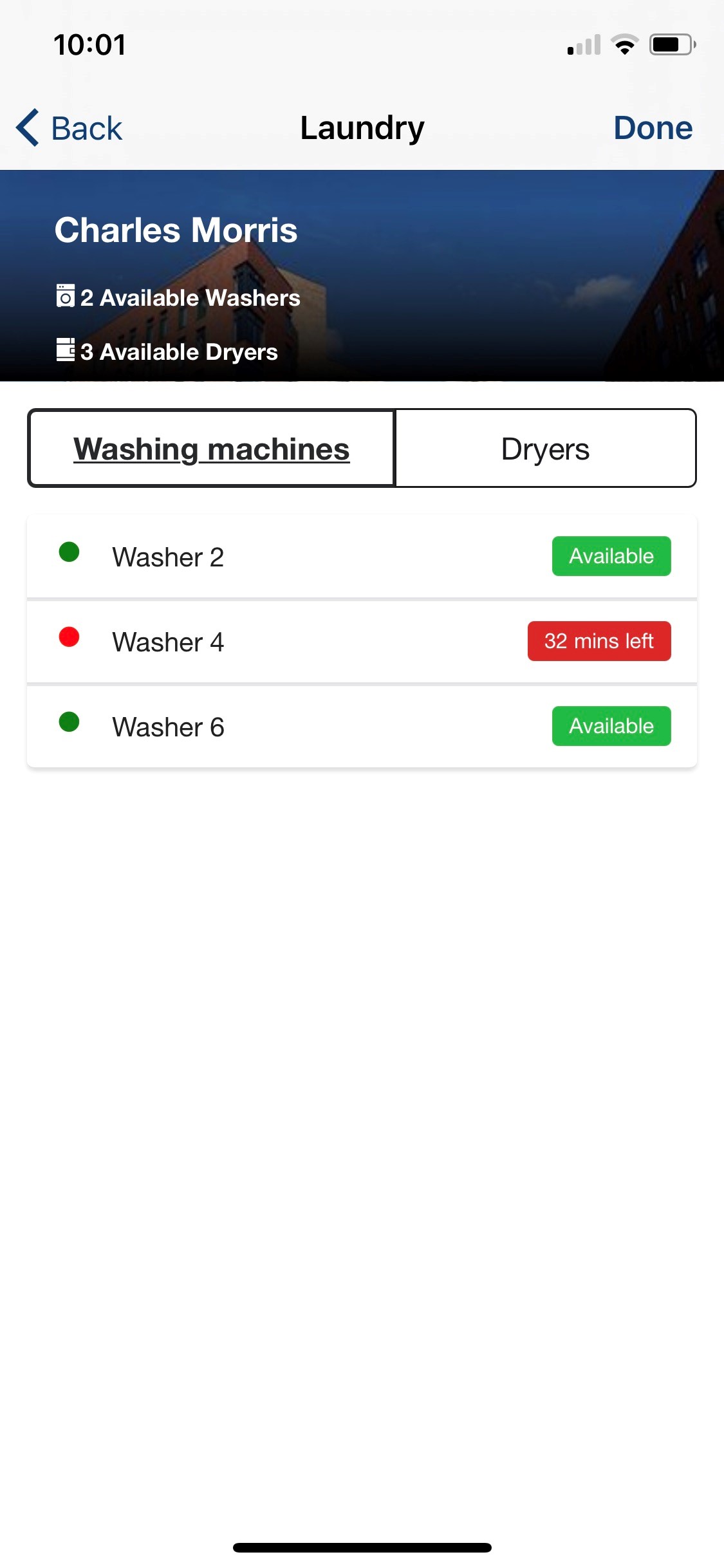
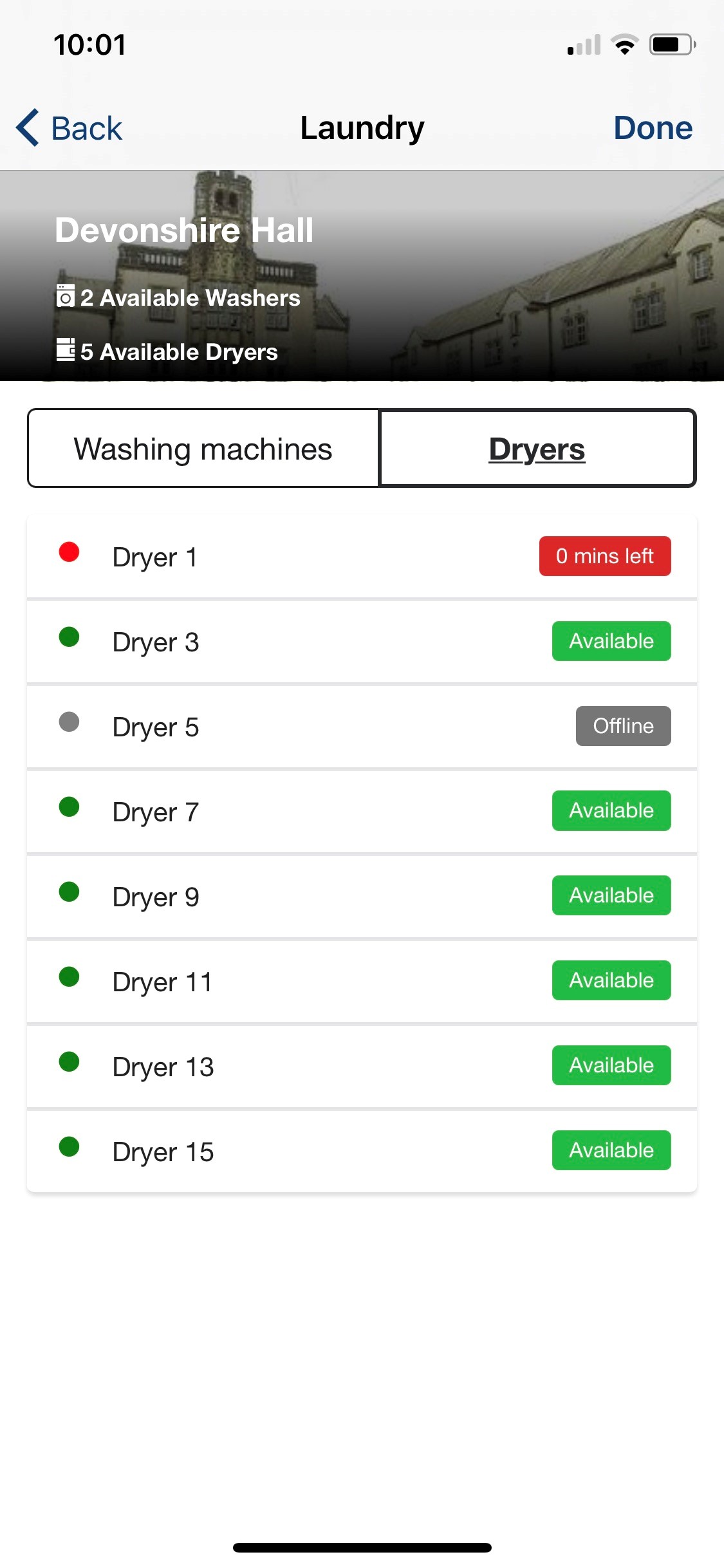
| Available Washing Machines | Available Dryers |
The available machines are displayed along with their availability status.
Authentication
No authentication is required on the user side.
Offline Support
Offline support is not available. Users must be online to see real-time laundry data.
Technical Overview
Communication with the vendor, Circuit, is according to the API call structure defined in the Vendor area of the configuration section.
The following API calls are used:
- getRoomData
- getNumAvailable
Configuration
To configure the Laundry product integration, select Add Product Integration from the Product Integrations main menu option.
Select Laundry and the following configuration page appears:
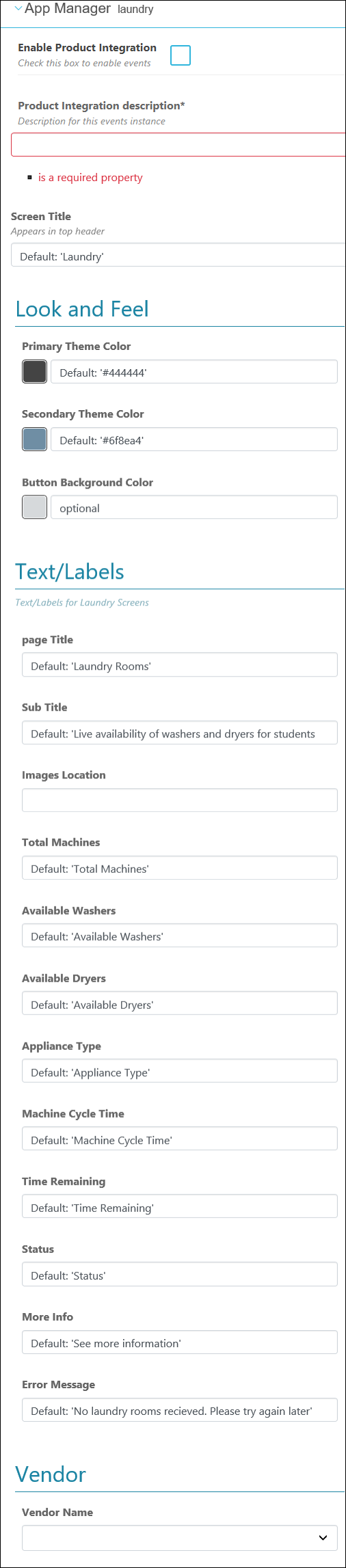
The following table describes the configuration options available on this page.
| Configuration Option | Description | Mandatory | Data Type | Default | Example |
|---|---|---|---|---|---|
|
Enable Product Integration
|
Select to enable the product integration on the user's campusM app.
|
No
|
Checkbox
|
Unchecked
|
|
|
Product Integration Description
|
A description of the product integration for internal use
|
Yes
|
String
|
||
|
Screen Title
|
The title that appears in the top header of the service
|
No
|
String
|
Laundry
|
|
|
Look and Feel
|
|||||
|
Primary Theme Color
|
Select a color for the main elements on the page
|
No
|
Color Code
|
#444444
|
|
|
Secondary Theme Color
|
Select a color for the secondary elements on the page
|
No
|
Color Code
|
#6f8ea4
|
|
|
Button Background Color
|
The background color of the buttons
|
No
|
Color Code
|
#d6d9db
|
|
|
Laundry Card Look and Feel
Customization for the laundry cards shown on the index page and on any room page.
|
|||||
|
Header Title Color
|
No
|
Color Code
|
#ffffff
|
||
|
Header Text Color
|
No
|
Color Code
|
#ffffff
|
||
|
Gradient Top Color
|
No
|
Color Code
|
#000000
|
||
|
Gradient Top Opacity
|
The amount of opacity to apply to the Gradient Top Color. To make this fully transparent, set it as 0.
|
No
|
Number
|
0.2
|
|
|
Gradient Bottom Range (%)
|
The range of the bottom half of the gradient. Setting this to 0 would just leave the Gradient Top Color by itself.
|
No
|
Integer
|
70
|
|
|
Gradient Bottom Color
|
No
|
Color Code
|
#000000
|
||
|
Text / Labels
Enter replacement text for the default titles and labels.
|
|||||
|
Page Title
|
Displayed on the index page in the header block.
|
No
|
String
|
Laundry Rooms
|
|
|
Page Subtitle
|
Displayed on the index page in the header block.
|
No
|
String
|
Live availability of washers and dryers for students living in university-owned accommodation.
|
|
|
Image Location
|
The location of the images of the laundry rooms.
The image name must be the same as the laundry room name, in lowercase, without spaces, and in jpg format.
|
No
|
String
|
||
|
Total Machines
|
No
|
String
|
Total Machines
|
||
|
Available Washers
|
No
|
String
|
Available Washers
|
||
|
Available Dryers
|
No
|
String
|
Available Dryers
|
||
|
Appliance Type
|
No
|
String
|
Appliance Type
|
||
|
Machine Cycle Time
|
No
|
String
|
Machine Cycle Time
|
||
|
More Info
|
No
|
String
|
See more information
|
||
|
Text - "Not busy"
|
Displayed on the laundry card on the index page.
|
No
|
String
|
Not busy
|
|
|
Text - "Quite busy"
|
Displayed on the laundry card on the index page.
|
No
|
String
|
Quite busy
|
|
|
Text - "Very busy"
|
Displayed on the laundry card on the index page.
|
No
|
String
|
Very busy
|
|
|
Text - "Washing machines"
|
Text for the filter button on the appliances subpage.
|
No
|
String
|
Washing machines
|
|
|
Text - "Dryers"
|
Text for the filter button on the appliances subpage.
|
No
|
String
|
Dryers
|
|
|
Text - "Washer"
|
The label for 'Washer' in the appliances list.
|
No
|
String
|
Washer
|
|
|
Text - "Dryer"
|
The label for 'Dryer' in the appliances list.
|
No
|
String
|
Dryer
|
|
|
Text - "Available"
|
The status for the appliance in the appliances list.
|
No
|
String
|
Available
|
|
|
Text - "mins left"
|
The suffix for an in-use appliance in the appliances list. Time is always measured in minutes.
|
No
|
String
|
mins left
|
|
|
Text - "Offline"
|
The status for the appliance in the appliances list.
|
No
|
String
|
Offline
|
|
|
Error Message
|
No
|
String
|
No laundry rooms received. Please try again later
|
||
|
Vendor
|
|||||
|
Vendor Name
|
Select the Vendor Name and enter the vendor information to allow Laundry to integrate with the vendor API.
|
No
|
Dropdown
|
Circut
|
|
|
URL to retrieve the information
|
The URL of the vendor service
|
Yes
|
String
|
||
|
URL Query Parameters
|
Any query parameters that need to be sent with the API request. Circuit requires one with a name of "location", set to a Parameter Type of "Request Options", with a Request Parameter Name of "location".
|
Yes
|
List
|
||
|
URL Path Parameters
|
Any path parameters that need to be filled-in in the API request, if any.
|
No
|
List
|
||
|
General Headers
|
Any headers that need to be sent with the API request, if any.
|
No
|
List
|
||
|
Authentication Type
|
Select API Key.
|
Yes
|
Dropdown
|
||
|
API Key
|
|||||
|
Header: Key
|
Enter:x-api-key
|
Yes
|
String
|
x-api-key
|
|
|
Header: Value
|
The Circuit header API key
|
Yes
|
String
|
||
|
Query Param: Key
|
Enter:api_key
|
Yes
|
String
|
api-key
|
|
|
Query Param: Value
|
Enter the private API key
|
Yes
|
String
|
||
|
Circuit Location Filters
Settings to filter the locations shown in the PI.
|
|||||
|
Enable Location Allow list
|
When enabled, this removes every room and related appliance from the PI that isn't in the list of rooms below. If the list is empty, everything is removed.
|
No
|
Checkbox
|
Unchecked
|
|
|
Location Allow list
|
Any values entered here must exactly match a valid laundry_room_name returned from the Circuit API.
|
No
|
List
|
||
Page tags: article:topiccontent:Documentationproduct:campusmlang:englishcommunity:training_materials
