
Third Party AI
Overview
Third Party AI Product Integration connects campusM with third-party AI agent interfaces, enabling users to access AI chat features without the need for embedded browsers or third-party cookies. The AI chat integrated via this Product Integrated can be launched from a campusM tile.
Vendors
Currently, the Third Party AI Product Integration supports LearnWise AI.
User Experience
The Third Party AI Product Integration automatically logs in authenticated campusM users. Users can access the AI chat by opening the tile without additional login.
Screenshots
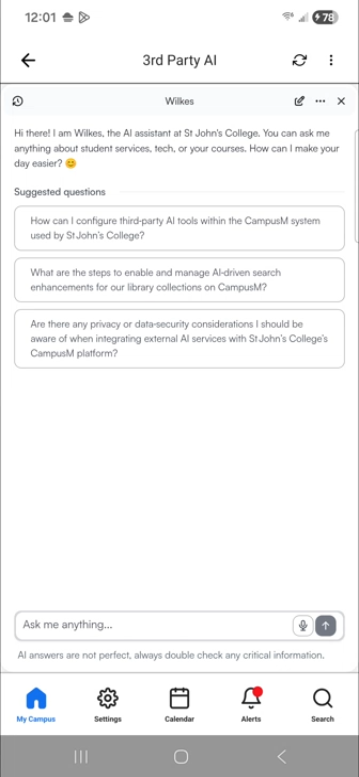
Third Party AI in the mobile app
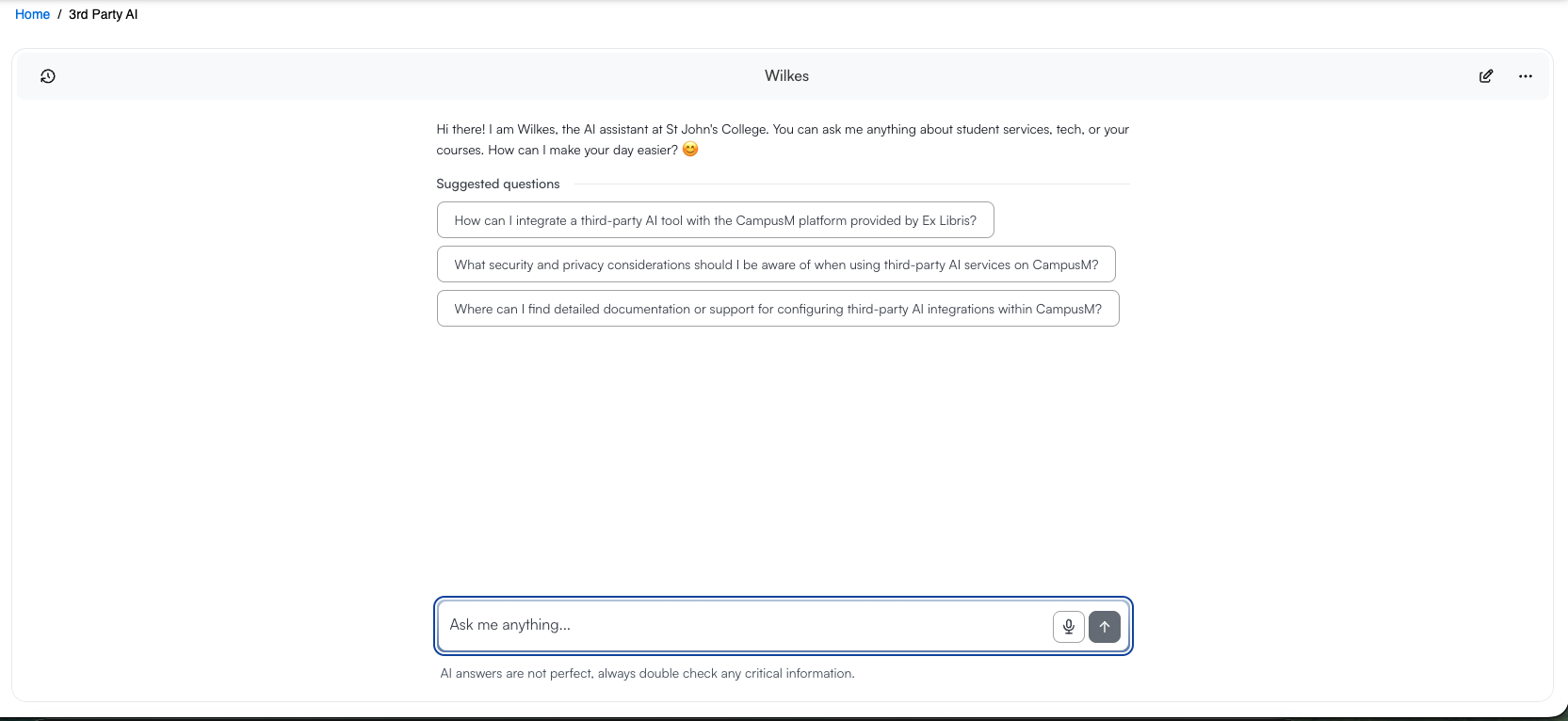
Third Party AI in the Web app
Configuration
The following table describes the configuration options available when configuring Third Party AI Product Integration.
| Configuration Option | Description | Default value |
|---|---|---|
| Manage Integration | ||
| Enable Product Integration | Select to enable the product integration on the user's campusM app. | |
| Product Integration Description | A description of the product integration for internal use | |
| Screen Title | The title that appears in the top header of the service | |
| AI Provider Configuration | ||
| Integration Profile | The integration profile campusM uses to integrate with Outlook. See the Authentications section above for more information. | |
| LearnWise Configuration | ||
| Host URL | The URL for LearnWise host. | https://aiden.learnwise.ai |
| Chat Source URL | The URL for LearnWise chat script origin. | https://chat.learnwise.ai |
| Assistant ID* |
The Assistant ID from the LearnWise panel. The field is required. |
|
| Region | LearnWise deployment region | uk |
| Key ID* | The Key ID registered in the LearnWise admin panel. The value must match the keyId in the signed payload. This field is required. | |
| Private Key (PEM)* |
Ed25519 private key in PKCS#8 PEM format. This field is required. To edit the field, select the Edit checkbox. To disable editing, unselect the checkbox. Paste the complete key, including the "-----BEGIN PRIVATE KEY-----" header line and the "-----END PRIVATE KEY-----" footer line. Kept server-side only, never exposed to the client.
|
The default value for the Edit checkbox is ON. |
|
Import/Export Configuration You can configure product integration and then export it to another campusM environment, for example, from sandbox to production or from preview to production. |
||
| Export | Create a JSON file with all product integration configuration | |
| Import | Use this option in order to load configuration from JSON of an exported product integration | |
