
Generic Live Tile
The Generic Live Tile product integration provides users with a configurable live tile that displays counters as alerts.
Overview
The Generic Live Tile product integration provides users with a configurable live tile that displays counters as alerts.
Vendors
The Generic Live Tile product integration is currently supported by the RESTful API (generic) vendor.
User Experience
The following section describes information relating to the user experience for the Generic Live Tile product integration.
User Activities
Users can view alerts for various services on the live tile.
Offline Support
None provided - the user must be online to fetch the live tile data.
Screenshots
The following is an overview of the Generic Live Tile product integration user interface for a reference when configuring it.
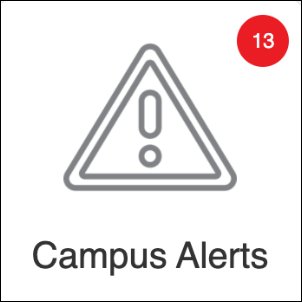
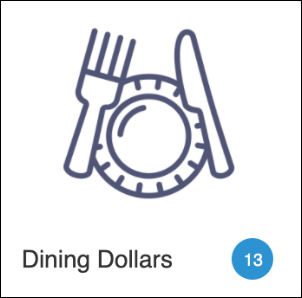
| Badge View | List View (1 width x 1 height with just one item configured in the list) |
|
|
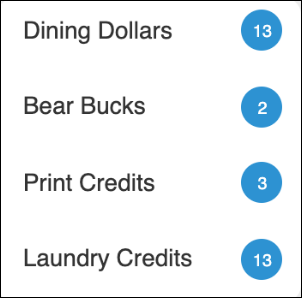
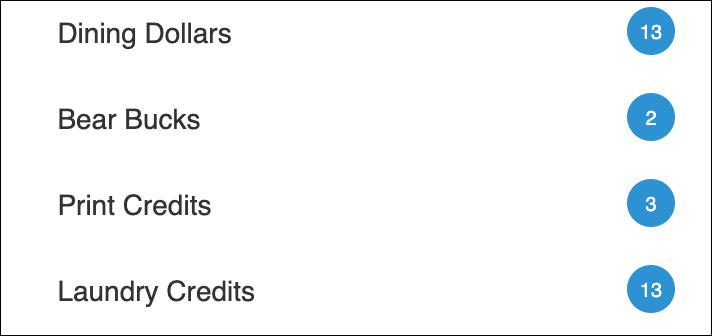
| List View (1 width x 1 height with more than one item configured in the list) | List View (2 width x 1 height with more than one item configured in the list) |
|
|
Live Tile Configuration Rules
The following section lists the rules for the Generic Live Tile configuration.
- List of Items – the List of Items tile type is designed to work only with specific tile sizes. The intended experience is configured for these tile dimensions, which are set in the App Builder:
- 1 width x 1 height
- An icon should only be applied to the tile from the App Builder when there is only one list item configured. Otherwise, the icon should be hidden/removed.
- The label should be hidden.
- 2 width x 1 height
- No icon should be applied.
- The label should be hidden.
- 1 width x 1 height
- Badge – The Badge tile type should work for any tile size. Icons and labels can be applied. The badge remains in the upper right corner of the tile.
- The border radius is cut off at 15 - if it is set to more than 15 it will still display as 15. This is done in order to ensure that the data displays correctly. Adding a high border radius can make the tile surface area significantly (up to 30%-40%) smaller and cause issues with the data displayed.
Technical Overview
The following section describes technical information for the Generic Live Tile product integration.
Required Format
The Generic Live Tile PI can use attributes from a given JSON feed (nested JSON objects are not supported). You can define what attributes you want to use on the configuration page in the Source (Field Code) field. For example, if your API returned the following, you would add count to the Source (Field Code) field in the configuration settings.
Configuration
To configure the Generic Live Tile product integration, select Add Product Integration from the Product Integrations main menu option.
Select Generic LiveTile and the configuration page appears. The following table describes the configuration options available on this page.
| Configuration Option | Description | Mandatory | Data Type | Default | Example |
|---|---|---|---|---|---|
| Enable Product Integration | Select to enable the product integration on the user's campusM app. | No | Checkbox | Unselected | |
| Product Integration Description | A description of the product integration for internal use | Yes | String | ||
| Vendor | |||||
| Vendor Name | Defines which vendor the integration uses. | Yes | Drop-down list | ||
| URL to retrieve the information | The URL for the API | Yes | URL | ||
| URL Query Parameters | The parameters sent as part of the query | No | String | ||
| URL Path Parameters | The parameters sent as part of the path | No | String | ||
| General Headers | Add (key, value) for additional needed headers | No | String | ||
| Authentication Type | Authentication type against the web service. The options are the following:
|
No | Drop-down list | ||
| Live Tile | |||||
| Enabled | Enables/disables the live tile | Yes | Boolean | True | |
| Live Tile Type | Sets the type of live tile to be used (either badge or list of items) | Yes | Drop-down list | List of Items | |
| Source (Field Code) | Sets the attribute to be used from the API | Yes | String | ||
| Label | Sets the label associated with the defined source | Yes, if using the "List of Items" live tile type | String | ||
| Badge Color | Sets the background color for the badge on the live tile | No | Hex Code | #FFFFFF | |
| Update Rate | Sets the frequency of updates from the RESTful API to the live tile (in minutes) | No | Integer | 30 | |
| Import/Export Configuration | |||||
| Import | Create a JSON file with all product integration configuration. | No | Create a JSON file with all product integration configuration. | ||
| Export | Use this option in order to load configuration from JSON of an exported product integration. | No | |||
Page tags: article:topiccontent:Documentationproduct:campusmlang:english
