
Summon
The Summon product integration provides users with the ability to search for a wealth of academic content. The Summon PI improves the discovery of your library’s collection and institutional resources.
Overview
The Summon product integration provides users with the ability to search for a wealth of academic content. The Summon PI improves the discovery of your library’s collection and institutional resources.
User Activities
Users can search for a variety of resources, use the advanced search option, use the useful links page, or view additional details for resources.
Offline Support
No offline support is provided. The user must be online to retrieve the directory data.
Screenshots
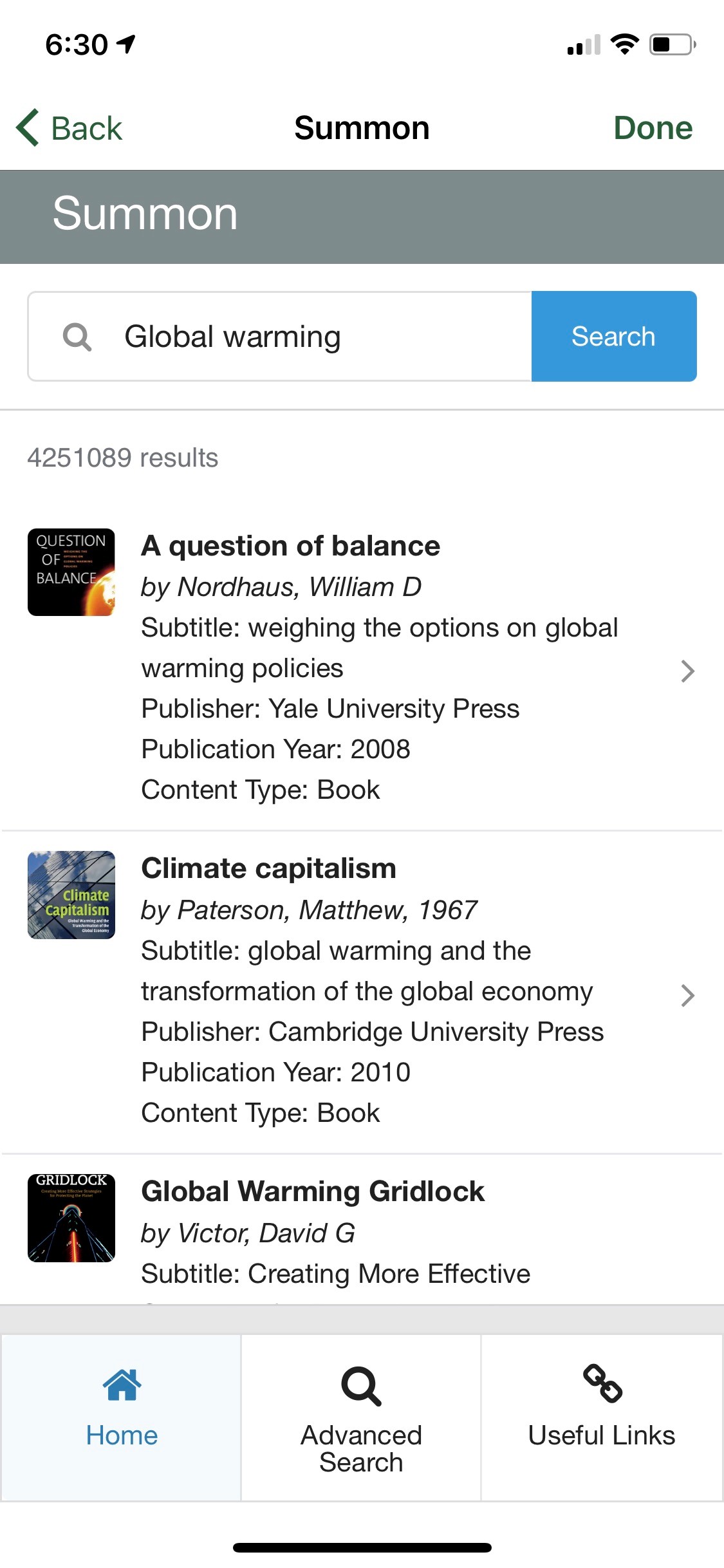
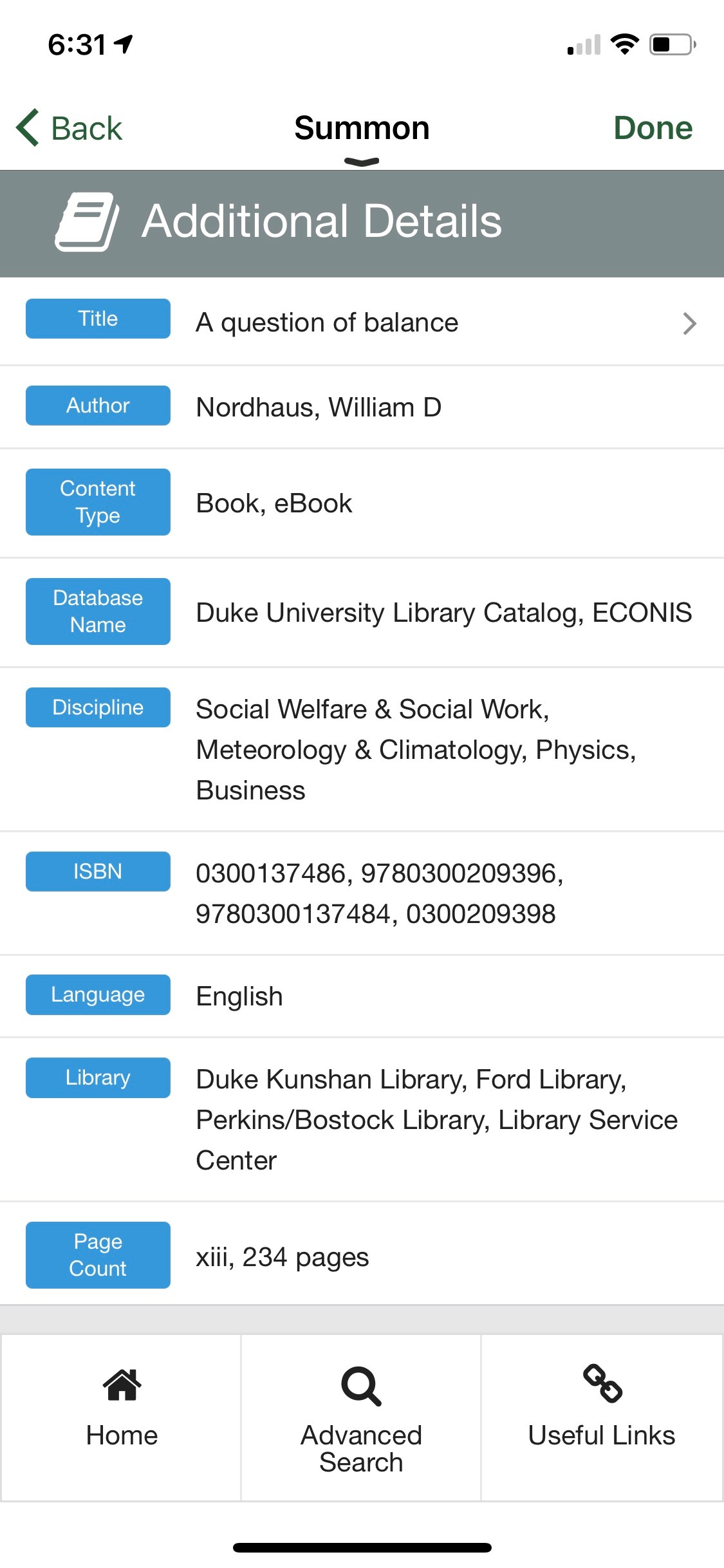
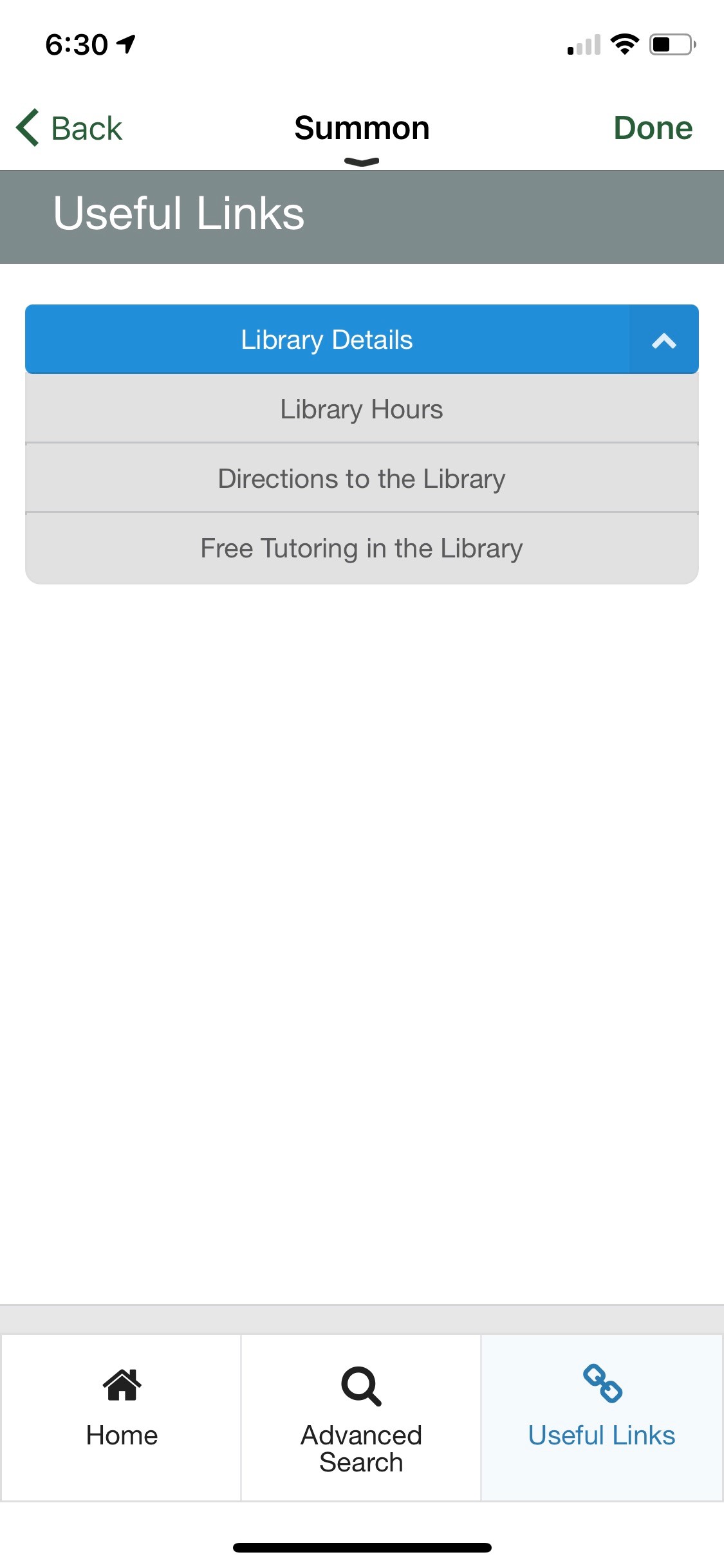
The following is an overview of the Summon product integration user interface for reference when configuring it:
| Search for resources and view the results | View additional details for the selected resource |
|
|
| View and select various useful links | |
|
Technical Overview
Supported Versions
The Summon API is used for the integration. See APIs for more information on the Summon API.
Prerequisites
You must have your Summon host, access ID, and secret key to complete the configuration for Summon.
Configuration
To configure the Summon product integration, select Product Integrations > Add Product Integration.
Select Library > Summon. The following table describes the configuration options available on this page. Note that while most of these fields are not mandatory, they are displayed with their default values unless otherwise stated.
| Configuration Option | Description | Mandatory | Data Type | Default | Example |
|---|---|---|---|---|---|
| Manage Integration | |||||
| Enable Product Integration | Select to enable the product integration on the user's app. | No | Checkbox | Unselected | |
| Product Integration Description | A description of the product integration for internal use | Yes | String | ||
| Screen Title | Appears in the top header (of the integration, in the app) | No | String | Summon | |
| Vendor | |||||
| Vendor Name | Defines which vendor the integration connects to | Yes | Object | Summon | |
| Host | The hostname of the Summon solution, example: api.summon.serialssolutions.com | Yes | String | api.summon.serialssolutions.com | |
| Access ID | The client's short name | Yes | String | demo | |
| Secret Key | The client's secret key for the Summon API | Yes | String | ||
| General | |||||
| URL for Advanced Search Link | The URL for the Summon page for an advanced search | Yes | String | ||
| Home Page Nav Bar Label | Label for the nav bar tab | No | String | Home | |
| Advanced Search Nav Bar Label | Label for the nav bar tab | No | String | Advanced Search | |
| Useful Links Page Nav Bar Label | Label for the nav bar tab | No | String | Useful Links | |
| Service Failure Message | Sets the message that appears when the integration is unable to reach or process the service call correctly | No | String | The page is having trouble fetching the directory — please try again shortly | |
| Home Page — Page Title | Appears at the top of the page | No | String | Summon | |
| Home Page — Search Bar Text | Sets the placeholder text in the search bar | No | String | Enter search term ... | |
| Home Page — Search Button Text | Sets the text displayed on the search button | No | String | Search | |
| Home Page — More Results Button Text | Sets the text displayed on the button that displays additional results | No | String | Show More Results | |
| Home Page — No Results Message | Sets the texts that display when the search returns zero results | No | String | Your search did not match any records | |
| Additional Details — Page Title | Appears at the top of the page | No | String | Additional Details | |
| Useful Links — Page Title | Appears at the top of the page | No | String | Useful Links | |
| Useful Links — Links Group Title | Enter the title for the Links Group | No | String | ||
| Useful Links — Link Title | Enter the Link title | No | String | ||
| Useful Links — Link URL | Enter the Link URL | Yes | String | ||
| Look and Feel | |||||
| Primary Theme Color | Select a color for the main elements on the page | Yes | Color Code | #444444 | |
| Secondary Theme Color | Select a color for the secondary elements on the page | Yes | Color Code | #6f8ea4 | |
| Import/Export Configuration You can configure product integration and then export it to another campusM environment, for example, from sandbox to production or from preview to production. | |||||
| Export | Create a JSON file with all product integration configurations. | No | |||
| Import | Use this option to load configuration from JSON of an exported product integration. | No | |||
Page tags: article:topiccontent:Documentationproduct:campusmlang:english
